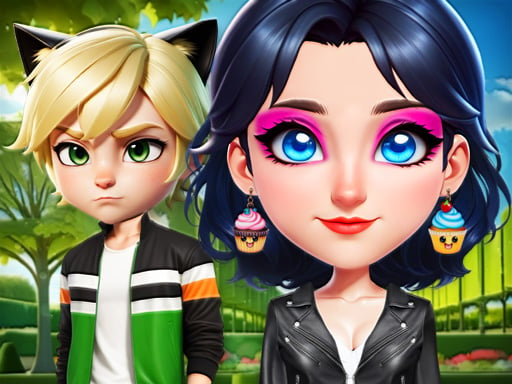
About OverProtective Boyfriend
OverProtective Boyfriend is a casual styling and makeover title where players help Princess Marie assemble a charming, head-turning outfit. Standing before her mirror, Marie wants to look dazzling despite her partner's cautious reactions to bold clothing choices. Players explore different wardrobe options, coordinate hairstyles, and capture their completed fashion ensemble by saving it directly as a clean image file.
The game centers on Princess Marie preparing her look in front of a mirror while navigating the amusing commentary of her faithful knight lover. Marie aims to express her personal charm through striking garments, but her overprotective partner expresses concern whenever she selects particularly open or daring attire. This playful narrative dynamic frames a relaxed styling session focused on beauty, hair styling, and outfit selection.
Players interact with the scene by browsing available cosmetic and garment options on their screen. Using simple taps or mouse clicks, you can test various combinations on Marie, adjust her styling details, and see how each piece complements her overall aesthetic. Once satisfied with the final creation, the game allows you to export your completed fashion makeover directly to your device as a PNG picture.
Your goal
The primary goal is to create a complete, harmonious outfit and hairstyle that allows Princess Marie to look her best. Players focus on curating an appealing visual look by experimenting with different makeover choices, balancing bold pieces with complementary accents, and successfully exporting the finished visual creation to a downloadable PNG file.
How to play OverProtective Boyfriend
1. Start the game and view Princess Marie as she prepares her styling in front of the vanity mirror.
2. Click or tap on the interface categories to browse available wardrobe pieces, hairstyles, and makeover elements.
3. Select different garments to dress Marie, testing various combinations to see how her partner reacts.
4. Adjust hair and styling details to create a cohesive, polished look.
5. Use the save option to export your finished fashion design as a PNG image file to keep on your device.
Controls and device support
The game uses computer mouse clicks on desktop browsers and simple taps on mobile touchscreens to select items and activate the option to save your result as a PNG image.
- Controls: Mouse or touch
- Device support: Desktop + mobile
- Game frame: 800 x 600
What makes the challenge interesting
The main appeal of OverProtective Boyfriend lies in creative styling paired with a lighthearted romantic storyline. Rather than testing reflexes or speed, the experience rewards visual coordination and creative expression. Players can take their time evaluating how different colors, silhouettes, and hairstyles pair together, turning the dressing session into a relaxed fashion sandbox.
A key design highlight is the narrative contrast between Marie's desire to stand out and her boyfriend's protective nature. This provides thematic personality to standard dress-up mechanics, giving players an amusing visual story alongside the tactile fun of trying on elegant clothing and preserving the final snapshot.
Tips for OverProtective Boyfriend
- Try selecting the hairstyle first to establish a clear aesthetic direction before picking out Marie's dress and accessories.
- Test both conservative and open garments across multiple tries to see the full variety of outfits Marie can wear.
- Coordinate accessory and clothing color tones carefully to avoid clashing styles before finalizing your look.
- Remember to trigger the save feature once you are happy with the outfit so you can keep a copy of your PNG picture.
Playing on different devices
OverProtective Boyfriend runs in standard web browsers with an 800 by 600 display resolution. Desktop users can navigate the wardrobe menus and select items using standard mouse clicks. On mobile devices or tablets, the interface supports direct touch taps, allowing players to style Marie comfortably on handheld screens and save their finished PNG designs locally.
The skills behind the game
Within the dress up and makeover genres, games like OverProtective Boyfriend offer relaxing visual creativity centered on personal styling. Players enjoy experimenting with hair, clothing, and overall presentation without the pressure of time limits or strict scores. The inclusion of light romance and dialogue elements adds character flavor to the routine process of coordinating outfits.
Who will enjoy this game
Players looking for a quick and engaging dress up game can jump into OverProtective Boyfriend for casual styling practice. It provides an accessible sandbox where fashion enthusiasts can test color palettes, assemble complete looks for Princess Marie, and immediately preserve their favorite makeover results as shareable PNG images without complex setup.
Games with a similar feel
Love Nikki-Dress UP Queen: Like Love Nikki-Dress UP Queen, this game focuses on coordinating elegant garments and personal aesthetics. While Love Nikki features deep wardrobe progression and stylized scoring battles, OverProtective Boyfriend offers a lightweight, immediate browser experience centered on casual styling and quick image saving.
Project Makeover: Similar to Project Makeover, OverProtective Boyfriend explores character styling, hair options, and personal transformation themes. However, instead of solving puzzle levels to earn decorative pieces, this title lets players directly experiment with clothing items in a simple, self-contained vanity setting.
Frequently asked questions
What is the main theme of OverProtective Boyfriend? The game follows Princess Marie as she tries on stylish dresses and hairstyles in front of a mirror, while her cautious knight boyfriend humorously reacts to her glamorous outfit choices.
Can I save my completed outfit when playing? Yes, the game includes a built-in feature that lets players save their finished makeover design as a PNG image file directly to their computer or mobile device.
How do controls work across different devices? On desktop computers, you click with the mouse to interact with clothing and hair options. On smartphones or tablets, you simply tap the screen to select items and save your image.
Something not right?
Tell us if the game does not load, the information is wrong or the content needs review.
Report a problem ›