Official listing
Game description
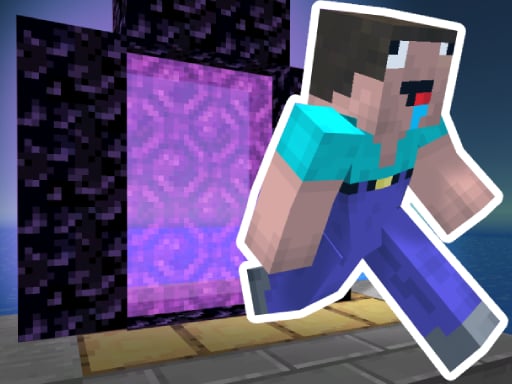
Noob Steve Parkour is a 3D minecraft parkour game where you try to speedrun the map! Speedrun all the maps and complete the parkour as fast as you can. Noob vs pro, who will win the race?
Arcade game
Noob Steve Parkour is a 3D block-style speedrun game where players navigate tricky obstacle courses as fast as possible. Control Steve as you run, leap across platforms, and aim to complete every map in record time. Whether tackling jumps casually or racing like a pro, the challenge focuses entirely on fast-paced platforming execution.
Choose Play now to load the game.
Official listing
Noob Steve Parkour is a 3D minecraft parkour game where you try to speedrun the map! Speedrun all the maps and complete the parkour as fast as you can. Noob vs pro, who will win the race?
From the game listing
Mouse or right joystick - Look around WASD or left joystick - Movement Space - Jump ESC Key - Pause
Open this card to load the gameplay video.
Noob Steve Parkour is a 3D block-style speedrun game where players navigate tricky obstacle courses as fast as possible. Control Steve as you run, leap across platforms, and aim to complete every map in record time. Whether tackling jumps casually or racing like a pro, the challenge focuses entirely on fast-paced platforming execution.
Noob Steve Parkour puts players into a classic 3D obstacle-course environment inspired by blocky voxel adventures. In this single-player arcade title, the primary objective is to speedrun across challenging courses filled with jumps and hazards. Players must carefully coordinate their movement and camera direction while sprinting and leaping from platform to platform. Each map tests your spatial awareness and agility, encouraging you to reach the finish line as swiftly as possible. Combining straightforward movement controls with demanding obstacle layouts, the game delivers an authentic speedrunning challenge designed for fans of fast arcade platformers who want to prove their jumping mastery.
The main goal in Noob Steve Parkour is to complete every parkour map as quickly as possible. You must navigate Steve across consecutive platforms, clear tricky gaps without falling, and reach the final stage of the course to post your fastest run. Strive to beat the clock across all available maps and prove yourself as a top parkour speedrunner.
1. Start a map and prepare your run across the 3D obstacle course.
2. Use WASD or the left joystick to guide Steve forward and steer between obstacles.
3. Adjust your camera angle with the mouse or right joystick to align your jumps.
4. Press Space to leap across gaps, elevated blocks, and platform edges.
5. Use the ESC key whenever you need to pause your session during a run.
6. Race toward the finish line of each map to achieve your fastest speedrun time.
WASD: Movement
Mouse: Look around
Space: Jump
ESC Key: Pause
Left joystick: Movement
Right joystick: Look around
Gameplay in Noob Steve Parkour centers on momentum, precision timing, and camera coordination. Because parkour routes demand exact footing, aligning your view before leaping is essential to landing on narrow platforms. Players must balance top-speed running with calculated takeoffs to avoid falling off the path. Speedrunning each course requires learning the rhythm of consecutive jumps and executing tight turns without breaking pace. By mastering smooth transitions between movement keys and camera adjustments, players can shave seconds off their attempts and conquer even the toughest obstacle layouts.
Progression in Noob Steve Parkour is driven by conquering a succession of distinct speedrun maps. As players complete individual courses, they are challenged to take on all available maps and continually lower their completion times.
Noob Steve Parkour supports desktop play using standard keyboard and mouse controls alongside touch or gamepad setups with dual virtual joysticks for movement and looking around on mobile devices.
As an arcade adventure title, Noob Steve Parkour emphasizes rapid reflexes, responsive movement, and repeated trial runs. Arcade platformers challenge players to refine their physical execution across short, obstacle-dense stages where immediate feedback rewards precision. By combining traditional arcade jumping mechanics with modern 3D navigation, the game delivers an accessible yet competitive platforming loop that appeals to players who enjoy testing their agility.
Finding an engaging noob steve parkour game offers players a direct, browser-based obstacle challenge inspired by voxel visuals. This arcade game online focuses purely on speed, timing, and navigation without requiring complex setups. Players searching for noob steve parkour can immediately jump into action-packed courses, refine their platforming lines, and compete against the clock to master every block-based map.
Minecraft: Like Minecraft, Noob Steve Parkour features a recognizable blocky aesthetic and character styling within a 3D environment. However, while Minecraft emphasizes sandbox building, resource gathering, and open-world survival, this game concentrates strictly on linear speedrun obstacle courses and jump timing.
What is the main goal in Noob Steve Parkour? The objective is to speedrun through each 3D obstacle map as quickly as possible by jumping between platforms and reaching the course finish line without falling.
What controls are used to play on desktop? Desktop players use WASD to move Steve, the mouse to look around, the Space bar to jump across platforms, and the ESC key to pause the game.
Can I play Noob Steve Parkour on mobile devices? Yes, the game includes joystick controls for movement and camera look, allowing players to navigate parkour maps on supported mobile platforms.
Tell us if the game does not load, the information is wrong or the content needs review.
Report a problemExplore popular games by category, shared tags and site-wide activity.

















