Official listing
Game description
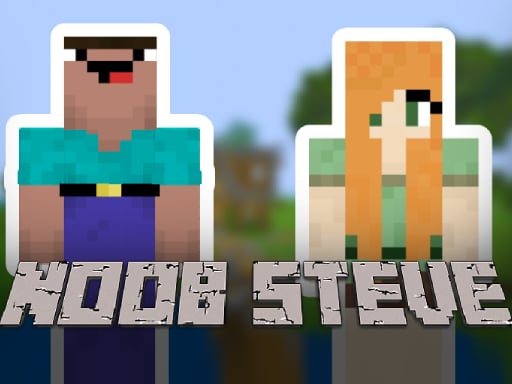
Noob Steve Head War is a 3D, 2 player minecraft challenge game where you play as a popular characters such as steve and alex.
Arcade game
Noob Steve Head War brings two competitors into a shared 3D arena for head-to-head competition. Taking control of familiar block-style avatars such as Steve and Alex, two players share the same keyboard to move around the arena and execute timely jumps during this fast-paced action challenge.
Choose Play now to load the game.
Official listing
Noob Steve Head War is a 3D, 2 player minecraft challenge game where you play as a popular characters such as steve and alex.
From the game listing
Player 1 WASD - Movement T - Jump Player 2 Arrow keys - Movement P - Jump
Open this card to load the gameplay video.
Noob Steve Head War brings two competitors into a shared 3D arena for head-to-head competition. Taking control of familiar block-style avatars such as Steve and Alex, two players share the same keyboard to move around the arena and execute timely jumps during this fast-paced action challenge.
Built for head-to-head local multiplayer, Noob Steve Head War drops participants into a 3D arena inspired by block-building aesthetics. One participant controls Steve while the second controls Alex, setting up an active challenge between two players on a single machine. The action centers around managing positioning in a three-dimensional space while keeping track of your opponent.
Both competitors maneuver simultaneously across the arena floor, utilizing dedicated movement keys and distinct jump inputs. Because both control schemes operate on the same keyboard, spatial awareness and coordinated physical inputs are crucial for outmaneuvering the other character during the duel.
The primary objective in this two-player competition is to outmaneuver your opponent within the 3D arena. By using your designated directional controls and jump button, you must maintain favorable positioning against the rival avatar, avoiding awkward footing while responding to the other player's movements in real time.
1. Assign roles at the keyboard so one participant handles Player 1 and the other takes Player 2.
2. Player 1 navigates the 3D space using the W, A, S, and D keys for multi-directional movement.
3. Player 1 presses the T key whenever a vertical jump is needed.
4. Player 2 moves their character across the arena utilizing the Arrow keys.
5. Player 2 presses the P key to jump during the match.
W, A, S, D: Player 1 Movement
T: Player 1 Jump
Arrow Keys: Player 2 Movement
P: Player 2 Jump
The core gameplay loop centers on immediate, tactile reactions inside the 3D arena. Because the controls split navigation between left-side letter keys and right-side directional arrows, each participant must stay focused on their own hand placement while tracking character coordinates on screen. Jumping at opportune moments provides elevation adjustments, helping players avoid getting pinned or cornered by their adversary.
Continuous movement is key to surviving the encounter. With no complex button combinations required, mastery comes down to smooth steering and well-timed leaps during head-to-head skirmishes.
As an arcade title, Noob Steve Head War focuses on accessible, immediate action rather than intricate simulation. Players jump straight into a competitive duel without lengthy setup, emphasizing spatial positioning and direct player-versus-player rivalry within a compact 3D battle space.
Players looking for a noob steve head war game experience get a straightforward arcade game online featuring two-player competition. The controls enable direct local play where competitors battle across a 3D arena as familiar block characters.
Minecraft: Noob Steve Head War shares block-aesthetic character inspirations like Steve and Alex with Minecraft, but shifts the focus from open sandbox exploration and crafting to a focused, two-player local arena challenge.
Can two people play Noob Steve Head War on the same computer? Yes, the game is specifically designed for two players sharing a single keyboard, using separate control layouts for Player 1 and Player 2.
Which keys are used to jump in the game? Player 1 presses the T key to jump, while Player 2 presses the P key on the opposite side of the keyboard.
Which characters can players control? Players take control of popular block-style characters, including Steve and Alex, during the arena duel.
Tell us if the game does not load, the information is wrong or the content needs review.
Report a problemExplore popular games by category, shared tags and site-wide activity.

















