About Noob Restaurant Simulator
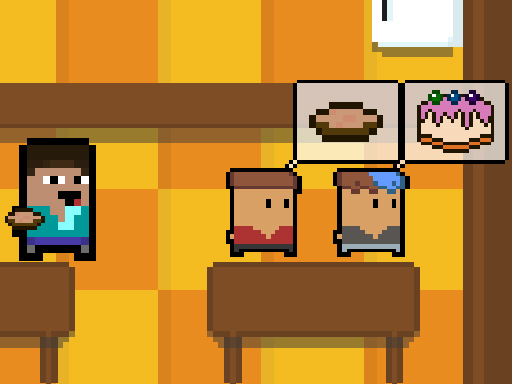
Noob Restaurant Simulator is a 2D arcade simulation game where you help manage a dining establishment founded by Noob. Welcome hungry customers as they arrive, prepare requested dishes like soup, kebab, and cake, and keep patron satisfaction high. Balance kitchen cooking duties with inventory checks and market visits to maintain a thriving restaurant business.
In Noob Restaurant Simulator, players run the daily operations of a lively eatery created by Noob. When guests walk through the front door, your main responsibility is to take their food orders and prepare the exact meals they desire to fill their bellies. The menu includes items such as soup, kebab, and sweet cake.
Success in the game revolves around attentive customer service. Fulfilling meals accurately and keeping guests satisfied prevents your overall restaurant score from dropping. Beyond the active dining room rush, managing supplies is vital: you can close up shop, check your stock, and head out to the market to gather essential goods for upcoming service shifts.
Your goal
The primary objective in Noob Restaurant Simulator is to efficiently prepare and serve ordered meals to satisfy every visiting customer and protect your restaurant score from dropping. Keep up with customer orders for soup, kebab, and cake, monitor your stored supplies regularly, and make necessary shopping trips to the market after closing the shop.
How to play Noob Restaurant Simulator
1. Move your character around the restaurant floor and kitchen using the WASD keys.
2. Check incoming customer requests for food items such as soup, kebab, or cake.
3. Interact with cooking stations and press the E key to prepare the ordered dishes.
4. Serve the finished meals to waiting customers to fill their bellies and keep your restaurant score high.
5. Press the Tab button at any time during gameplay to check your current ingredient stock.
6. Close up shop when service concludes and visit the market to restock your supplies.
Controls and device support
WASD: Move character and navigate restaurant
E: Cook food
Tab: Check stock inventory
- Controls: See in-game controls
- Device support: Browser
- Game frame: 800 x 600
Rules to keep in mind
- Cook and deliver the exact meals requested by customers to keep satisfaction high.
- Failing to satisfy visiting patrons lowers your overall restaurant score.
- You must close the shop to travel to the market and restock essential supplies.
What makes the challenge interesting
Gameplay in Noob Restaurant Simulator balances fast-paced kitchen execution with deliberate resource management. During active service, players navigate the dining space with WASD controls and trigger cooking actions with the E key to prepare soup, kebabs, and cakes on demand. Quick, accurate cooking prevents patron dissatisfaction and protects your restaurant rating. Outside of direct food preparation, keeping track of ingredients is equally important. Players must press Tab to review inventory counts and take time after closing to visit the market, ensuring the restaurant stays fully stocked for future rushes.
Tips for Noob Restaurant Simulator
- Regularly press Tab to inspect your stock so you never run out of critical ingredients during busy dining periods.
- Prioritize preparing food for the earliest arriving customers first to prevent prolonged waiting and protect your restaurant score.
- Use the closing period to visit the market promptly, preparing all necessary items before reopening for the next wave.
The skills behind the game
Categorized under 2D arcade and simulation games, Noob Restaurant Simulator merges simple keyboard-driven movement with classic service mechanics. Arcade dining simulations emphasize quick physical routing, task switching, and inventory awareness. Instead of complex menu micromanagement, the game focuses on accessible direct control, allowing players to navigate the floor, trigger cooking stations, and manage shop visits within a clear, single-player arcade format.
Who will enjoy this game
Players looking for a noob restaurant simulator or an engaging arcade game online will encounter a hands-on kitchen routine here. This noob restaurant simulator game offers straightforward WASD movement, interactive cooking stations for soup, kebab, and cake, and market restocking between shifts, delivering an approachable browser simulation for fans of casual restaurant management.
Games with a similar feel
Cooking Fever: Like Cooking Fever, Noob Restaurant Simulator tasks players with preparing dishes to satisfy hungry customers. However, Noob Restaurant Simulator features direct 2D character movement via WASD and separate market shopping phases rather than static time-management stations.
Frequently asked questions
What food items can you cook in Noob Restaurant Simulator? Players can prepare dishes such as soup, kebab, and cake for visiting guests, fulfilling specific meal orders to keep customer satisfaction high and maintain their restaurant rating.
How do you check stock and buy more ingredients? Press the Tab button during gameplay to view your current stock levels. When service finishes, close the shop and head to the market to replenish supplies.
What keyboard controls are used to play on desktop? Navigate your character around the kitchen and dining area using the WASD keys, press E to cook meals at stations, and tap Tab to check inventory.
Something not right?
Tell us if the game does not load, the information is wrong or the content needs review.
Report a problem ›