About Noob Jigsaw
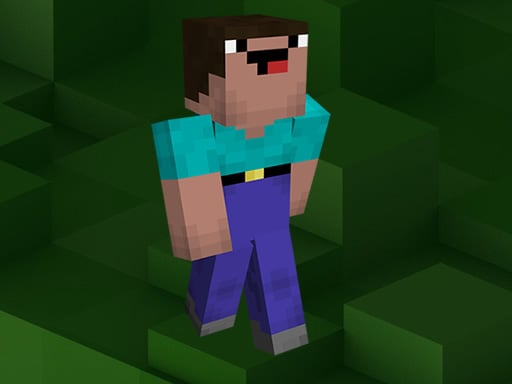
Noob Jigsaw is a casual browser puzzle title featuring nine distinct Minecraft-inspired illustrations. Players select their preferred image and pick between four piece-count modes ranging from 16 to 100 tiles. The core challenge centers on sorting scrambled block-style fragments and fitting them into a cohesive picture as quickly as possible.
The game presents players with a gallery of nine themed pictures inspired by blocky, pixelated sandbox adventures. After selecting an image, players choose their desired difficulty level by picking a 16, 36, 64, or 100-piece board. The chosen picture is then divided into interlocking jigsaw tiles scattered across the playfield.
Solving each board requires visual scanning, spatial comparison, and steady piece placement. Because the artwork relies on distinct voxel textures and character designs, recognizing color clusters and character outlines helps players orient parts efficiently. The experience encourages completing the full image in the shortest time achievable.
Your goal
The primary objective is to assemble all fragmented tiles back into the selected full illustration in the lowest possible time. Players work to improve their visual sorting speed, reduce hesitation when identifying edge pieces, and systematically reconstruct higher piece counts without getting lost in similar pixel patterns.
How to play Noob Jigsaw
1. Browse the main gallery and click or tap one of the nine available illustrations.
2. Select your puzzle difficulty by choosing 16, 36, 64, or 100 pieces.
3. Scan the loose fragments across the board to locate corners, outer borders, or dominant color patches.
4. Drag matching pieces together using mouse movement or touch controls to reconstruct the picture.
5. Fit the remaining central sections together until the complete image is formed in minimal time.
Controls and device support
Use mouse drag-and-drop on desktop or touch gestures on touchscreen displays to move puzzle pieces.
- Controls: Mouse or touch
- Device support: Desktop + mobile
- Game frame: 1920 x 1080
Rules to keep in mind
- Players must choose exactly one image from nine available gallery options before starting.
- Every puzzle operates under one of four fixed grid configurations: 16, 36, 64, or 100 pieces.
- A puzzle is finished once all interlocking pieces are correctly positioned to display the full image.
What makes the challenge interesting
Noob Jigsaw emphasizes pattern recognition, visual memory, and deliberate spatial organization. The blocky art style presents a specific perceptual challenge: uniform pixel grids, repeated color palettes, and sharp geometric textures make adjacent tiles look quite similar. Players must pay close attention to subtle pixel shading, distinctive character clothing, and environmental boundary lines.
The main strategic tradeoff involves choosing between rapid trial-and-error placement and methodical pre-sorting. Rushing to connect random pieces in the 64 or 100-piece tiers often causes clutter, whereas grouping border pieces first creates a reliable framework that accelerates the rest of the solve.
Tips for Noob Jigsaw
- Sort and assemble outer border pieces first. Building the perimeter establishes clear frame boundaries and prevents you from searching aimlessly through the central pile.
- Group loose fragments by prominent background colors such as sky, foliage, or dirt blocks. Sorting before placing prevents visual fatigue on higher piece counts.
- Look for high-contrast focal points, like character eyes or held tools, to build anchor clusters in the middle of the board before tackling flat backgrounds.
- Start on the 16-piece mode when opening a new illustration to memorize its full layout before challenging the 64 or 100-piece versions.
Stages and progression
Progression in Noob Jigsaw is self-directed across its nine pictures and four piece-count tiers (16, 36, 64, and 100 pieces). Rather than locking stages behind strict completion gates, the game lets players tailor their own difficulty curve.
A practical practice plan involves clearing all nine scenes on the 16 or 36-piece setting to build familiar recognition of each scene. Once the visual layouts are mastered, stepping up to 64 and 100 pieces provides a much deeper test of speed and spatial sorting discipline.
Playing on different devices
Noob Jigsaw supports both desktop mouse control and mobile touchscreen input. On desktop screens, mouse dragging offers precise piece positioning, which is particularly helpful on the dense 100-piece grid. On mobile devices or tablets, direct touch dragging makes piece placement intuitive for quick, casual sessions.
The skills behind the game
Classified under online puzzles and skill games, Noob Jigsaw belongs to the enduring genre of digital picture assembly. Jigsaw puzzles emphasize spatial reasoning, shape comparison, and steady visual search. By incorporating block-craft artistic themes, the game pairs classic tabletop mechanics with recognizable voxel aesthetics suitable for both kids and casual puzzle enthusiasts.
Who will enjoy this game
Players looking for a relaxing jigsaw puzzle online or a lighthearted noob jigsaw game can use this title for accessible mental warmups. The tiered piece counts make it equally suited for quick two-minute breaks on the 16-piece setting or extended visual practice across detailed 100-piece boards.
Games with a similar feel
Minecraft: Noob Jigsaw shares the distinct block-based voxel visual style and character motifs popular in Minecraft, but applies them to static 2D jigsaw reconstruction rather than 3D sandbox survival and open-world building. Players who enjoy block-world imagery will find a relaxed, picture-sorting exercise instead of resource gathering or crafting.
Frequently asked questions
How many piece options can I choose in Noob Jigsaw? You can select from four distinct piece counts for every picture: 16 pieces for a quick session, 36 pieces for moderate difficulty, and 64 or 100 pieces for a longer puzzle challenge.
Can I play Noob Jigsaw on a phone or tablet? Yes. The game accepts direct touchscreen input as well as desktop mouse controls, allowing you to drag and place pieces smoothly on mobile devices.
How do I achieve faster completion times on larger boards? Separate flat-edged border tiles first to create the outer frame, then cluster the remaining pieces by dominant pixel colors before assembling the central figures.
Something not right?
Tell us if the game does not load, the information is wrong or the content needs review.
Report a problem ›