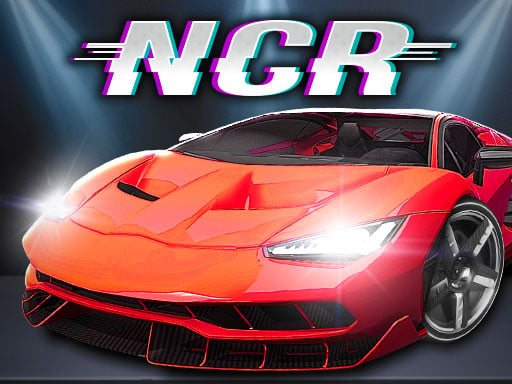
About Night City Racing
Night City Racing is a 3D car driving simulator where players take control of high-speed vehicles through urban tracks. Featuring ten customizable super-sport cars, the game lets you tweak engine performance and visual styling while navigating races either alone or in a head-to-head two-player mode on the same screen.
Night City Racing delivers a full-throttle 3D driving experience centered on ten distinct super-sport vehicles designed for speed. Built as an engaging car simulation, the game allows drivers to tune both engine output and exterior aesthetics to match their preferred racing approach. Whether taking on courses solo or sharing the keyboard with a second participant in two-player mode, the core focus stays on precise control, timely acceleration, and mastering urban street layouts.
Your goal
The primary objective in Night City Racing is to maneuver your chosen high-performance car smoothly through each course, utilizing nitro speed bursts to outpace opponents or set strong drive times. Players strive to optimize their vehicle through engine and visual upgrades while competing across single-player challenges or going head-to-head in two-player matchups.
How to play Night City Racing
1. Select your preferred play format by choosing between 1-player single driving and 2-player competitive split setups.
2. Pick from the lineup of 10 super-sport cars and customize engine and visual settings to suit your driving style.
3. Steer and accelerate using the WASD or Arrow Keys in single-player mode to guide your vehicle around turns.
4. Trigger NOS with Left Shift or Right Shift to gain an instant boost of high-speed acceleration on straightaways.
5. Switch camera perspectives with C, check behind you with T, and press R to reset your vehicle position if you crash.
Controls and device support
W, A, S, D / Arrow Keys: Drive and steer vehicle (Single Player)
Left Shift / Right Shift: Activate NOS boost (Single Player)
R: Restart car position (Single Player)
T: Look back behind car (Single Player)
C: Change camera view (Single Player)
Arrow Keys: Player 1 drive and steer (Two Player)
- Controls: Keyboard
- Device support: Browser
- Game frame: 800 x 450
Rules to keep in mind
- Players can compete individually in 1-player mode or challenge another competitor directly via 2-player local mode.
- Ten distinct super-sport vehicles are available for selection and modification across engine and visual components.
- Vehicles that veer off track or collide heavily can be repositioned immediately using the restart command.
What makes the challenge interesting
Mastering Night City Racing requires a balanced mix of steady cornering and disciplined nitrous management. Because 3D simulation physics reward clean trajectories, entering turns at controlled speeds prevents spinouts and keeps momentum high. Activating NOS along long straight sections provides maximum gain without compromising steering stability. Switching camera angles can also give drivers better visibility around tight city bends.
Tips for Night City Racing
- Save nitrous boosts for long straight paths where sudden acceleration will not push your car off course or into barriers.
- Experiment with alternate camera views using the C key to find the perspective that gives you the best road visibility.
- Use the quick reset key promptly whenever a collision stops momentum to minimize time lost during tight races.
The skills behind the game
Within the online racing and simulation categories, titles like Night City Racing emphasize responsive vehicle handling, urban environments, and speed optimization. Offering both solo practice and split-screen multiplayer options alongside car tuning gives players versatile ways to experience competitive driving right from a web browser.
Who will enjoy this game
Players searching for a night city racing game or a capable racing game online often look for realistic vehicle handling, visual customization, and 3D simulation elements. Night City Racing fits these queries by providing ten customizable super-sport cars and multiple driving formats.
Games with a similar feel
Asphalt: Like Asphalt, Night City Racing focuses on fast-paced driving with super-sport vehicles and nitro speed boosts. However, Night City Racing operates directly in the browser with dedicated local two-player support and focused engine customization.
Frequently asked questions
How many cars are available in Night City Racing? Night City Racing includes 10 fastest super-sport cars, which can be modified on both the engine performance side and visual appearance side.
Can two people play Night City Racing together? Yes, the game offers a dedicated 2-player mode alongside its single-player mode, allowing two competitors to race together locally.
How do you trigger nitro boost in single-player mode? In single-player mode, press either the Left Shift or Right Shift key to activate NOS for an immediate burst of speed.
Something not right?
Tell us if the game does not load, the information is wrong or the content needs review.
Report a problem ›