Official listing
Game description
A revamped classic game of pong. can be played: multiplayer: split-screen online: with your friend! singleplayer: against the computer Singleplayer and multiplayer(Local) can also be palayed with Powerups!
Multiplayer game
Newpong Multiplayer is a revamped 2D arcade title that brings the classic game of pong to modern web browsers. Featuring split-screen local multiplayer, online matches with friends, and a single-player mode against the computer, it offers versatile paddle-rallying action. Players can also enable power-ups in single-player and local modes to enhance the traditional table tennis contest.
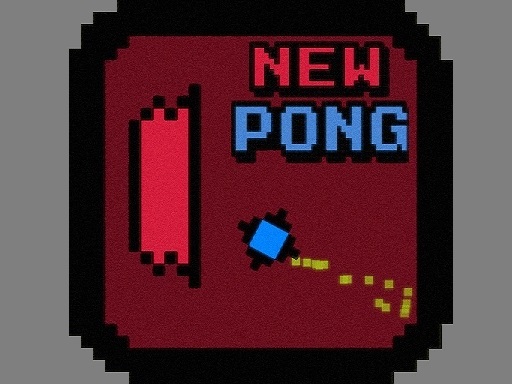
Choose Play now to load the game.
Official listing
A revamped classic game of pong. can be played: multiplayer: split-screen online: with your friend! singleplayer: against the computer Singleplayer and multiplayer(Local) can also be palayed with Powerups!
From the game listing
multiplayer Local red W up S down blue down Arrow and up Arrow multiplayer Online W S or down Arrow up Arrow Your choose Singlepayer W up S down
Open this card to load the gameplay video.
Newpong Multiplayer is a revamped 2D arcade title that brings the classic game of pong to modern web browsers. Featuring split-screen local multiplayer, online matches with friends, and a single-player mode against the computer, it offers versatile paddle-rallying action. Players can also enable power-ups in single-player and local modes to enhance the traditional table tennis contest.
Newpong Multiplayer updates traditional two-dimensional paddle tennis by introducing multiple match configurations and interactive gameplay modifiers. You can challenge an AI opponent alone, share a keyboard for split-screen competition on a single machine, or jump into online matchmaking with a friend. The local and single-player modes offer an optional power-ups feature, adding dynamic twists to standard volleys. During local matches, one player operates the red paddle using the W and S keys, while the second competitor manages the blue paddle via the arrow keys. For online or solo play, participants can select their preferred control scheme. Designed for quick arcade sessions, this online multiplayer title captures the timeless rhythm of deflection, positioning, and precision timing across all supported play modes.
The primary objective in Newpong Multiplayer is to defend your goal line while deflecting the ball past your opponent's paddle. Whether competing against the computer, a local friend on split-screen, or an online rival, you must track ball trajectory, react quickly, and utilize available power-ups in eligible modes to outscore your challenger across fast-paced rounds.
1. Choose your preferred game mode from the menu: single-player against the computer, local split-screen multiplayer, or online with a friend.
2. Decide whether to enable power-ups when playing single-player or local multiplayer modes.
3. Take control of your paddle using W and S for the red side or the Up and Down arrow keys for the blue side.
4. Move your paddle vertically along the goal line to intercept and deflect incoming ball volleys.
5. Outmaneuver your opponent by aiming returns into open angles to bypass their paddle and score points.
W: Move paddle up (Red paddle in local, or choice in online/singleplayer)
S: Move paddle down (Red paddle in local, or choice in online/singleplayer)
Up Arrow: Move paddle up (Blue paddle in local, or choice in online)
Down Arrow: Move paddle down (Blue paddle in local, or choice in online)
Gameplay in Newpong Multiplayer centers on sharp reflexes and tactical court positioning. Because the action takes place in a clean 2D arena, players must constantly anticipate bounce angles and velocity shifts. In power-up enabled matches, tracking special modifiers introduces unpredictable ball behavior, requiring rapid adjustment. Successful defense depends on returning to a balanced central position after every strike, ensuring you can react equally well to high or low shots. Mastering the distinct split-screen layout or online responsiveness allows players to dominate fast rallies against both computer AI and human rivals.
Belonging to the classic multiplayer and 2D arcade category, Newpong Multiplayer modernizes one of gaming's earliest competitive concepts. Digital table tennis games rely on straightforward mechanics and direct peer competition, making them accessible to players of all skill levels. By offering both shared-keyboard local play and remote online connections, this title caters to casual social gatherings as well as focused head-to-head competitive sessions.
Players searching for a newpong multiplayer game will find a versatile browser-based adaptation of classic pong mechanics. The title provides diverse formats, allowing fans of 2 player games to jump into immediate split-screen rallies or connect over the internet. Whether competing offline with power-ups or testing reflexes in standard online mode, Newpong Multiplayer offers a complete package for retro paddle sports enthusiasts.
Can I play Newpong Multiplayer with two players on the same keyboard? Yes, the game features a local split-screen mode where one player controls the red paddle using W and S while the second player uses the Up and Down arrow keys.
Are power-ups available in all game modes? Power-ups can be played in single-player matches against the computer as well as in local split-screen multiplayer matches, providing dynamic gameplay modifiers during rallies.
Tell us if the game does not load, the information is wrong or the content needs review.
Report a problemExplore popular games by category, shared tags and site-wide activity.