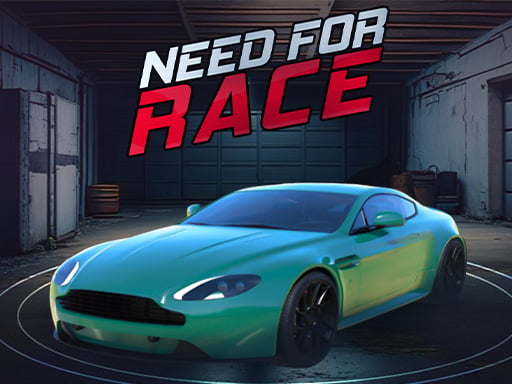
About Need for Race
Need for Race tests your reflexes in a fast-paced highway driving challenge where your car moves forward automatically. Your mission is to survive as long as possible by switching lanes, dodging obstacles, and preventing dangerous collisions. Staying clean on the asphalt keeps your run alive and progressively pushes your vehicle to higher velocities, demanding sharper timing with every second you survive.
Need for Race places players behind the wheel of a rapid vehicle traveling along a busy roadway. Because forward motion is handled automatically, your entire focus centers on steering, lane positioning, and immediate hazard avoidance. Obstacles and other traffic require you to rearrange between lanes quickly and perform decisive detours to keep your vehicle moving forward without interruption.
The core loop revolves around maintaining a flawless run. As you travel farther down the track without crashing, your vehicle naturally accelerates, raising the stakes and reducing your reaction window. A single miscalculation or drift off the track threatens to end your attempt, making the pursuit of a high score an intense exercise in concentration and lane discipline.
Your goal
The primary objective in Need for Race is to drive as far as possible without suffering a collision or flying off the track. Players strive to survive clean stretches of road to reach peak velocity, building the highest distance or score record their reflexes can sustain before an impact halts their vehicle.
How to play Need for Race
1. Start the run and observe the road ahead while your vehicle begins rolling forward under automatic acceleration.
2. Identify oncoming hazards, slower vehicles, and open lanes ahead to plan your immediate line of travel.
3. Steer left or right using your keyboard keys or by clicking and tapping the appropriate sides of the screen.
4. Rearrange between lanes cleanly to bypass obstacles without scraping barriers or driving off the paved course.
5. Maintain your lane discipline as the car speeds up, reacting faster to hold an accident-free record as long as you can.
Controls and device support
The car moves forward automatically. Steer left by pressing the A key, the Left Arrow key, or by clicking the left side of the screen. Steer right by pressing the D key, the Right Arrow key, or by clicking the right side of the screen.
- Controls: Keyboard
- Device support: Browser
- Game frame: 720 x 1280
Rules to keep in mind
- Forward movement is automatic, leaving the player responsible solely for directional steering.
- Players must actively avoid collisions with other vehicles and hazards across all lanes.
- Vehicles must stay on the paved course and avoid flying off the track edges.
- Driving for longer durations without any collision directly increases your vehicle's speed and record potential.
What makes the challenge interesting
The defining mechanic of Need for Race is the compounding relationship between safety and speed. Unlike traditional racing games where players regulate their own throttle or brake into corners, this title automates forward momentum and steadily ramps up the pace the longer you stay out of trouble. This dynamic creates a delicate risk-and-reward rhythm: surviving longer brings greater prestige and higher distance marks, but it also strips away your margin for error.
Success hinges on visual scanning and proactive lane management rather than sudden panic swerves. Because steering inputs shift your vehicle laterally across the road, overreacting to an obstacle can throw you toward track boundaries or into an adjacent hazard. Mastering the game means looking two moves ahead, recognizing which gap remains safe, and committing to clean lane transitions before high velocities overwhelm your reaction window.
Tips for Need for Race
- Look far down the highway rather than directly in front of your bumper. Spotting obstructions early allows smooth lane changes instead of frantic last-second corrections that can clip neighboring cars.
- Commit to one lane transition at a time. A frequent beginner mistake is double-tapping sideways in panic, which easily forces your car into track barriers or off the road completely.
- Favor middle lanes when the roadway allows it. Holding central positioning generally leaves open escape routes to either side when sudden blockages appear in your path.
- Prepare your reflexes as your run continues. Because speed climbs during collision-free stretches, your steering inputs must become briefer and more deliberate as the car accelerates.
Stages and progression
Progression in Need for Race is driven directly by run longevity. The game does not rely on manual gear shifting; instead, the longer you sustain an unbroken run without colliding into traffic or leaving the course, the faster your car travels. This automatic speed ramp creates an escalating test of skill that challenges you to push your personal best distance with each fresh attempt.
To improve over time, players can structure their practice around disciplined steering habits. Early attempts help you dial in the exact response time of lane switches at moderate speeds, while subsequent runs train your peripheral vision to track multiple lanes simultaneously as velocities peak.
Playing on different devices
The game provides flexible control schemes tailored for both desktop setups and mobile touchscreens. Desktop players can choose between the standard A and D keys or the Left and Right Arrow keys, offering tactile, responsive steering that helps prevent oversteering during rapid transitions.
On mobile devices or touchscreen displays, input is split cleanly across the display surface. Tapping or clicking the left half triggers a left turn, while the right half handles rightward movement. The portrait-friendly 720 by 1280 layout allows comfortable two-thumb play without obstructing your view of oncoming traffic.
The skills behind the game
As an arcade driving title, Need for Race strips away complex mechanical simulation in favor of pure, immediate reflex challenges. Classic highway racers often emphasize high-speed dodging and split-second avoidance, inviting players to dive straight into the action without worrying about manual clutches, braking points, or pit strategies.
By zeroing in on lane switching and obstacle evasion, the game highlights the core thrill of open-road driving. It appeals to casual racers who want rapid session loops where survival time and clean maneuvering serve as the true measure of behind-the-wheel mastery.
Who will enjoy this game
Players looking for a quick online racing game often desire instant accessibility coupled with an engaging test of hand-eye coordination. Need for Race fulfills that expectation by offering straightforward inputs that anyone can pick up on mobile or desktop browsers within seconds.
The title works exceptionally well for short reflex warmups and casual score-chasing sessions. Because survival directly dictates velocity, players can repeatedly challenge their own visual tracking and lane judgment in brief, intense runs whenever they have a few spare minutes.
Games with a similar feel
Asphalt: Need for Race shares the fast-paced car racing excitement popularized by Asphalt, placing high speed and evasive driving at the center of the experience. However, while Asphalt focuses on elaborate arcade stunt courses and complex race events, Need for Race presents a focused, stream-lined survival runner where automatic acceleration leaves all your attention on lane discipline and collision avoidance.
Frequently asked questions
Does the car brake or accelerate manually in Need for Race? No, the car moves forward automatically. Your gameplay is focused on steering left and right to dodge obstacles, switch between traffic lanes, and keep the car safely on the road.
How do you achieve a higher speed and better record in the game? Your vehicle naturally gains speed the longer you drive without collisions. Avoiding contact with hazards and staying on the track allows your momentum to build, yielding a higher maximum record.
What control keys can be used on a desktop computer? Desktop users can steer using either the A and D keys or the Left and Right Arrow keys. Alternatively, clicking the left or right sides of the game screen also steers the car.
Something not right?
Tell us if the game does not load, the information is wrong or the content needs review.
Report a problem ›