Official listing
Game description
A puzzle game with ninja Naruto and his friends. Choose your level of difficulty and collect a complete picture of the ninja Naruto and his friends.
Puzzles game
Naruto Match3 Puzzle is an anime-themed browser puzzle game centered around the ninja Naruto and his companion characters. In this game, players choose their desired difficulty setting and interact with puzzle elements to reconstruct complete character images. Designed for casual puzzle fans, the title provides an accessible assembling challenge suitable for players of various skill levels.
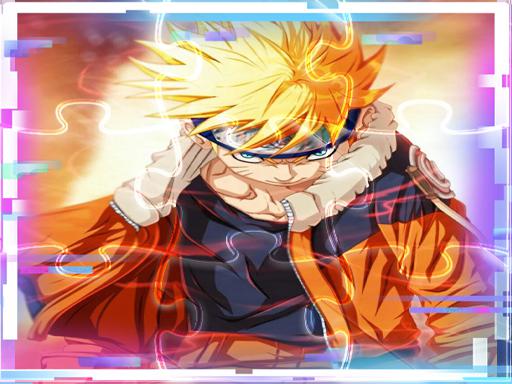
Choose Play now to load the game.
Official listing
A puzzle game with ninja Naruto and his friends. Choose your level of difficulty and collect a complete picture of the ninja Naruto and his friends.
From the game listing
Use Mouse To Play and Follow introduction
Open this card to load the gameplay video.
Naruto Match3 Puzzle is an anime-themed browser puzzle game centered around the ninja Naruto and his companion characters. In this game, players choose their desired difficulty setting and interact with puzzle elements to reconstruct complete character images. Designed for casual puzzle fans, the title provides an accessible assembling challenge suitable for players of various skill levels.
Naruto Match3 Puzzle invites players into a colorful puzzle environment featuring the popular ninja Naruto and his close friends. Although the title carries a match-3 name, the core experience centers on choosing a difficulty level and assembling scattered pieces into a finished picture illustration.
Players use mouse controls to navigate the interface, heed the introductory cues, and place visual components together. The selectable difficulty allows both beginners and experienced puzzle solvers to enjoy the activity at a comfortable pace. By focusing on image completion, the game offers a calm yet engaging mental workout for anime enthusiasts and puzzle lovers alike.
The primary objective in Naruto Match3 Puzzle is to assemble a complete, coherent illustration featuring ninja Naruto and his friends. After choosing your preferred difficulty setting at the start, your goal is to manipulate and fit all necessary puzzle fragments into their rightful places, successfully revealing the finished artwork and mastering the selected challenge level.
1. Launch the game and review any introductory instructions displayed on the screen.
2. Select your preferred level of difficulty from the available game options.
3. Use your mouse to pick up and maneuver individual puzzle pieces across the play area.
4. Fit corresponding pieces together to gradually reconstruct the artwork featuring Naruto and his friends.
5. Continue connecting all pieces until the complete picture is fully assembled.
Mouse: Interact with on-screen puzzle elements and follow instructions
Naruto Match3 Puzzle focuses on visual recognition, spatial orientation, and patient problem-solving. Players inspect the details, colors, and line art of individual puzzle fragments to determine how they connect to depict Naruto and his friends. Because the game allows you to choose your difficulty, you can tailor the complexity of the assembling task to your preferences. The intuitive mouse-driven controls ensure straightforward manipulation, letting players concentrate on matching piece shapes and color patterns without complicated mechanics or distracting overlays.
As part of the browser puzzle and jigsaw category, Naruto Match3 Puzzle provides an approachable, relaxing brain-training experience. Puzzle games often emphasize pattern identification and spatial reasoning, allowing players of all ages to unwind while solving visual challenges. Combining these straightforward jigsaw mechanics with popular anime themes delivers an engaging, family-friendly activity that fits seamlessly into quick casual gaming sessions directly within any standard desktop web browser.
Whether searching for a naruto match3 puzzle game, an online anime puzzle, or a relaxing jigsaw puzzle online, players seek accessible visual entertainment featuring favorite characters. Naruto Match3 Puzzle caters to this demand by offering clear picture-building challenges with selectable difficulty settings. The mouse-controlled interface ensures smooth puzzle solving across various online browser gaming platforms without demanding specialized hardware or complicated setups.
How do you control Naruto Match3 Puzzle on desktop? You use your mouse to interact with the game interface, select difficulty options, and move puzzle pieces into position according to the on-screen instructions.
Can I adjust the difficulty in Naruto Match3 Puzzle? Yes, the game lets you choose your level of difficulty, allowing you to customize the challenge before assembling the complete picture of Naruto and his friends.
Tell us if the game does not load, the information is wrong or the content needs review.
Report a problemExplore popular games by category, shared tags and site-wide activity.


















