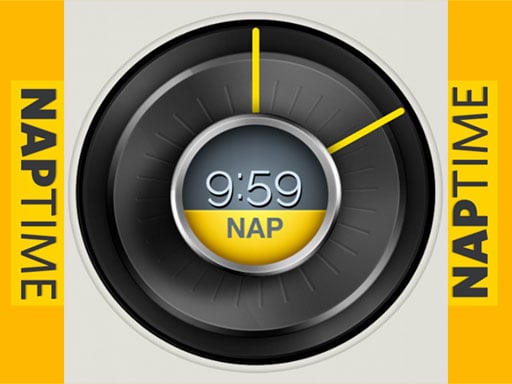
About Nap Time
Nap Time provides a dedicated timing application designed around quick power naps, standard countdowns, and precision stopwatch tracking. Featuring a clean clock layout and responsive one-touch knob controls, the utility allows users to easily configure a one-hour nap alert or manage general timing intervals to stay refreshed, boost daily productivity, and maintain optimal alertness.
Nap Time is designed to simplify personal time tracking by offering multiple functional clock modes within an accessible browser interface. The tool centers on the concept of structured power napping, offering built-in presets such as a quick one-hour nap timer alongside a standard timer and a digital stopwatch. Users interact with the software through an intuitive dial and one-touch knob interface to configure their desired time periods rapidly.
Whether you need a dedicated session to rest and recharge cognitive performance or a straightforward countdown for routine daily activities, the program delivers clean visual feedback. With its single-tap controls and streamlined visual presentation, setting alarms and running stopwatches requires minimal navigation.
Your goal
The primary objective in Nap Time is to select and activate your desired timing tool—whether starting a rapid one-hour power nap countdown, tracking elapsed seconds with the built-in stopwatch, or setting a customized standard timer interval using simple one-touch controls.
How to play Nap Time
1. Launch Nap Time to view the main clock display and available timer modes.
2. Select your preferred mode from the one-hour nap timer, standard timer, or stopwatch.
3. Use the one-touch knob interface or single-tap action to configure your chosen duration.
4. Start the countdown and allow the timer to track your rest or activity session.
Controls and device support
Interact with the clock interface, adjust knob settings, and activate timer modes using single click or tap actions.
- Controls: Mouse or touch
- Device support: Desktop + mobile
- Game frame: 600 x 1024
Rules to keep in mind
- The application features distinct operating modes: a dedicated one-hour nap preset, a standard timer, and an active stopwatch.
- Inputs are handled via the one-touch knob interface and direct single-click or tap commands to trigger functions.
What makes the challenge interesting
Interaction in Nap Time emphasizes straightforward utility and effortless control. Rather than dealing with complex multi-menu navigation, users manage their sessions through a focused clock interface built with a tactile one-touch knob design. Switching between a quick nap countdown, a general-purpose interval timer, and a real-time stopwatch takes only a single tap or click. This streamlined flow ensures that setting up a restorative break or tracking a physical activity remains fast, clear, and convenient directly in your browser.
Tips for Nap Time
- Choose the preset one-hour nap mode when you need an immediate, zero-setup rest countdown without manually adjusting dials.
- Utilize the built-in stopwatch feature whenever you need open-ended time tracking rather than a fixed countdown timer.
- Interact deliberately with the one-touch knob interface to make sure your desired standard timer duration is correctly selected.
The skills behind the game
Cataloged under sports and timing categories, Nap Time applies interval and stopwatch mechanisms familiar to physical training and rest routines. Timing discipline is central to both athletic recovery and structured daily workouts, making lightweight stopwatch and countdown tools practical assets for keeping schedules consistent.
Who will enjoy this game
Players searching for a nap time game or general online sports timing utilities can use Nap Time to organize restful pauses and track session durations. Its accessible browser-based design provides immediate timer tools without complex downloads.
Frequently asked questions
What modes are available in Nap Time? Nap Time includes a dedicated one-hour nap timer, a customizable standard countdown timer, and a precision stopwatch interface for tracking elapsed time.
How do you control the timer and interface? All interface adjustments and activation commands are performed using direct single-click or tap interactions on the one-touch knob and clock layout.
Something not right?
Tell us if the game does not load, the information is wrong or the content needs review.
Report a problem ›