About My Pony Scene
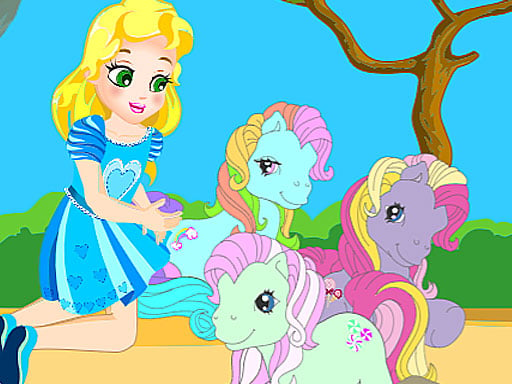
My Pony Scene is a cute cartoon creation game where you design your own outdoor stage. Pick your favorite ponies, bring in a cute girl character, and arrange items like hedges, grass, and carrots however you wish. Using simple drag-and-drop actions, you can freely edit the setting to build your ideal pony scene.
My Pony Scene lets players step into a sandbox decoration experience centered on ponies and charming scenery. In this creation game, you are provided with a stage environment where you can freely place and rearrange different elements. The available assets include favorite ponies, a cute girl character, and environmental decorative props such as grass patches, hedges, and carrots. Rather than following strict timers or pressure-filled challenges, the gameplay centers around open-ended creative fun. You can reposition characters and decorative props around the screen as much as you want to experiment with different visual setups. Whether you want to position ponies grazing by the hedge or group them around the girl, the game gives you total freedom to drag, drop, and edit the scene to your liking.
Your goal
The primary objective in My Pony Scene is to create and customize an appealing pony stage. Select your preferred ponies, arrange the cute girl alongside them, and place props like hedges, grass, and carrots across the display. The goal is to design a personalized scene layout that matches your creative vision using straightforward drag-and-drop placement.
How to play My Pony Scene
1. Select a pony or character from the available options to add them to your stage.
2. Touch or click and drag objects across the screen to change their location.
3. Place decorative landscape items like grass, hedges, and carrots around the scene.
4. Position the cute girl and ponies together to set up your story or play scenario.
5. Adjust and edit the positions of all props and characters until the scene looks just right.
Controls and device support
Touch and drag: Move and drop ponies and props on stage
- Controls: Mouse or touch
- Device support: Desktop + mobile
- Game frame: 1024 x 648
Rules to keep in mind
- Characters and props can be placed anywhere on the stage by dragging and dropping them.
- Decorations including hedges, grass, and carrots can be relocated freely as you edit the scene.
What makes the challenge interesting
Gameplay in My Pony Scene focuses entirely on relaxed creativity and visual composition. Without restrictive objectives, score counters, or countdown timers, players are encouraged to explore different arrangements at their own pace. You can experiment with spacing between the ponies, position the girl character next to her favorite animals, and spread carrots and grass across the ground. Because every piece can be dragged and repositioned at any time, refining your setup is seamless and intuitive. This makes the experience especially appealing for players who enjoy cute animal themes, casual decoration, and stress-free creative sandboxes.
Tips for My Pony Scene
- Group carrots near the ponies to create a lively feeding setup on your stage.
- Place hedges along the background or edges to establish natural framing for the scene.
- Reposition the cute girl character near your favorite pony to make her the focal point of the design.
The skills behind the game
My Pony Scene fits naturally within the Girls and creation game categories, drawing on popular themes of cute animals, cartoons, and decoration. Games of this type emphasize artistic expression and gentle sandbox play over competitive mechanics. By offering an open stage with friendly cartoon pony assets and customizable props, the game provides a welcoming, low-pressure environment for players who enjoy styling scenes and interacting with adorable characters.
Who will enjoy this game
Players searching for my pony scene or looking for a my pony scene game will discover an accessible, web-based decorating title. The experience highlights cartoon pony creation, allowing users to assemble an outdoor scene complete with animals, characters, and garden props. Its simple drag-and-drop gameplay ensures quick, straightforward engagement for anyone interested in pony decoration.
Frequently asked questions
Can I move items again after placing them? Yes, you can edit the scene at any time by dragging and dropping ponies, props, hedges, and carrots to new locations.
What items are available to decorate the scene? You can decorate using your favorite ponies, a cute girl character, hedges, patches of grass, and carrots.
Something not right?
Tell us if the game does not load, the information is wrong or the content needs review.
Report a problem ›