About My Cake Shop: Candy Store Game
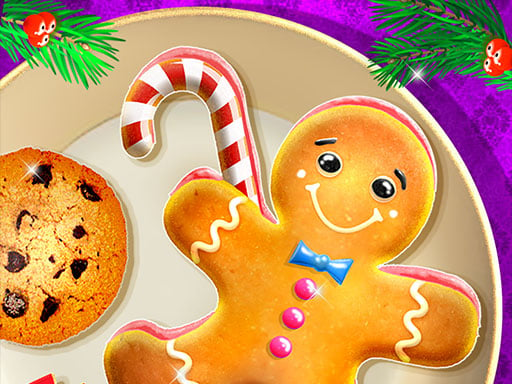
My Cake Shop: Candy Store Game invites players to step into the kitchen and operate a vibrant confectionery business. Taking on the role of a local baker, your goal is to manage the sweetest shop in town by checking essential ingredients and serving mouth-watering cakes to visiting patrons using smooth mouse controls.
In My Cake Shop: Candy Store Game, players run their own dessert bakery dedicated to delighting patrons with delicious confections. The core experience revolves around the daily responsibilities of a baker, requiring you to monitor pantry supplies, check ingredients, and prepare appealing baked goods tailored to customer tastes. Every visitor arrives looking for a specific sweet treat, encouraging players to pay close attention to incoming requests.
As an accessible cooking title, the game focuses on intuitive point-and-click interactions rather than overly complicated simulation systems. By using mouse controls to organize supplies and hand over freshly made cakes, you maintain an active storefront and build a reputation as the top sweet shop in town. It provides an inviting, casual cooking loop that celebrates the art of baking mouth-watering desserts.
Your goal
The primary objective in My Cake Shop: Candy Store Game is to successfully operate the premier cake boutique in town. Players achieve this by carefully examining required ingredients, preparing tempting baked selections, and fulfilling customer orders accurately. By consistently providing visitors with their favorite sweet desserts through responsive mouse controls, you keep your storefront thriving and maintain a bustling candy shop environment.
How to play My Cake Shop: Candy Store Game
1. Launch the game in your browser window to open your sweet bakery storefront.
2. Observe incoming customers to identify which tempting cake varieties they wish to purchase.
3. Check your kitchen ingredients to verify that all necessary supplies are ready for baking.
4. Use your mouse controls to select ingredients and assemble the requested mouth-watering desserts.
5. Hand over the finished cake treats to your patrons to fulfill their orders and satisfy your guests.
Controls and device support
Mouse: Check ingredients, select bakery items, and serve cakes to customers.
- Controls: Mouse or touch
- Device support: Browser
- Game frame: 800 x 600
What makes the challenge interesting
Gameplay in My Cake Shop: Candy Store Game centers on order fulfillment, ingredient awareness, and customer satisfaction. Rather than complex multi-key inputs, players manage shop operations entirely through mouse controls, keeping the rhythm accessible and relaxing. The gameplay loop demands attentiveness as you cross-reference what each customer desires with the ingredients available at your baking station. Successfully preparing tempting cakes and handing them off cleanly reinforces the satisfying fantasy of running a bustling neighborhood bakery. By combining light strategy with straightforward item selection, the game delivers an engaging arcade-casual baking session centered on delightful pastries.
Tips for My Cake Shop: Candy Store Game
- Carefully inspect your available ingredients before initiating any recipe, making sure you have every component ready to prepare the correct baked goods for your shop visitors.
- Prioritize customer orders promptly as they arrive, ensuring that each guest receives their favorite cake selection without unnecessary confusion or delays during your service routine.
- Familiarize yourself with mouse navigation across the preparation counter so that selecting items and serving baked treats feels quick, smooth, and natural during busy periods.
The skills behind the game
Within the cooking game category, titles typically blend casual order management with step-by-step culinary preparation. My Cake Shop: Candy Store Game fits comfortably into this genre by letting players handle sweet ingredients and assemble mouth-watering baked goods for a queue of dessert lovers. Cooking titles like this appeal to players who enjoy colorful food presentation, low-friction mouse controls, and the charming routine of serving bakery guests without overly punitive constraints.
Who will enjoy this game
Players exploring a cooking game online often seek welcoming experiences focused on culinary assembly, sweet recipes, and shopkeeping. My Cake Shop: Candy Store Game addresses this interest by framing every activity around managing a confectionery counter and baking custom cakes. The approachable mouse interface and casual pacing make it an easy recommendation for anyone browsing arcade and casual cooking titles who wants a lighthearted dessert shop session.
Games with a similar feel
Cooking Mama: Like Cooking Mama, this title emphasizes engaging food-preparation steps and baking tasty meals for appreciative guests. However, while Cooking Mama features strict mini-game scoring and diverse kitchen techniques, My Cake Shop: Candy Store Game focuses more directly on managing counter orders and serving cake selections with straightforward mouse controls.
Frequently asked questions
What are the primary controls in My Cake Shop: Candy Store Game? The game utilizes mouse controls for all kitchen interactions. Players use their mouse to check ingredients, select items on the preparation counter, and serve finished cakes directly to awaiting customers.
What is the main goal when running the cake shop? Your main objective is to operate a successful bakery in town by verifying recipe ingredients and preparing delicious cakes tailored to the preferences of visiting patrons.
Do you need a keyboard to play this game? No, keyboard controls are not required. The official game instructions specify mouse controls, allowing you to manage baking tasks and fulfill customer dessert orders entirely with point-and-click actions.
Something not right?
Tell us if the game does not load, the information is wrong or the content needs review.
Report a problem ›