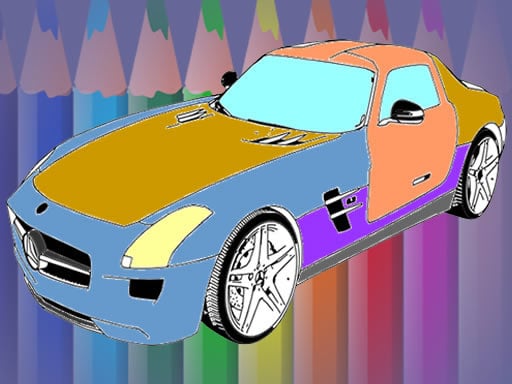
About Muscle Cars Coloring
Muscle Cars Coloring is a creative digital coloring game designed for kids and vehicle enthusiasts. Players can select from eight distinct vehicle levels to create custom paint designs. Using a versatile color palette, adjustable brush thickness settings, and an eraser tool, you can customize individual car parts or coat an entire vehicle before saving your completed automotive artwork.
Muscle Cars Coloring provides an accessible creative outlet centered on powerful vehicles. The game features eight separate car illustrations ready to be filled with vibrant shades. Players are free to explore their creativity by applying different tones across distinct body panels, wheels, and trim, or by coating an entire vehicle in a uniform color scheme.
The interface equips players with practical art tools to refine their designs. You can adjust the brush size to handle broad strokes or fine details, use the eraser to clean up unwanted marks, and save the finalized image once your custom paint job is complete.
Your goal
The main goal in Muscle Cars Coloring is to complete detailed custom paint jobs across eight available car templates. Players aim to select harmonious color palettes, carefully fill in vehicle sections using adjustable brush sizes, clean up accidental strokes with the eraser, and produce finished car artwork ready to be saved to their device.
How to play Muscle Cars Coloring
1. Select one of the eight offered muscle car outline levels to begin painting.
2. Choose a color from the available palette options shown on the screen.
3. Adjust the brush thickness setting to suit broad sections or finer details.
4. Use your mouse to apply paint across specific vehicle parts or the entire body.
5. Select the eraser tool whenever you need to remove stray paint marks or mistakes.
6. Save your finished colored car illustration when your artwork is complete.
Controls and device support
Mouse: Select colors, adjust brush thickness, paint car parts, erase mistakes, and save images
- Controls: Mouse or touch
- Device support: Browser
- Game frame: 1280 x 720
Rules to keep in mind
- Players can color individual vehicle components in contrasting shades or paint the entire car with a single color.
- Brush thickness can be increased or reduced at any time to match the size of the area being colored.
- Unwanted strokes and coloring mistakes must be cleaned up using the designated in-game eraser tool.
- Completed vehicle designs can be saved directly upon finishing the coloring process.
What makes the challenge interesting
Gameplay in Muscle Cars Coloring focuses on open-ended artistic customization rather than high-speed racing or strict time constraints. The creative loop invites players to experiment with contrasting hues across fenders, hoods, roofs, and rims. Because brush thickness can be modulated dynamically, players can comfortably balance quick coverage on broad chassis areas with careful coloring along intricate lines. The presence of an undoing eraser ensures mistakes are easily corrected, making the painting flow smooth, forgiving, and rewarding for younger audiences and casual coloring fans alike.
Tips for Muscle Cars Coloring
- Set the brush to a wider thickness when filling large car body sections to finish base coats faster.
- Reduce the brush size significantly when working near edges, wheels, or smaller trim details to avoid spilling over lines.
- Use the eraser immediately after making an accidental stroke so adjacent colored areas remain clean and well-defined.
- Remember to use the save feature after finishing each vehicle design so your custom artwork is preserved.
Stages and progression
Muscle Cars Coloring features a gallery of eight distinct vehicle levels. Players can explore and color each car template at their own pace, producing a full portfolio of custom-painted automotive designs that can be saved individually.
The skills behind the game
Within browser-based puzzle and kids games, digital coloring titles offer a relaxed, creative experience centered on visual expression. Muscle Cars Coloring combines the popular appeal of classic automotive design with straightforward coloring mechanics, giving young players a creative space to practice fine motor coordination, color recognition, and artistic design without cleanup hassles.
Who will enjoy this game
Players searching for a muscle cars coloring game or an engaging coloring game online will find an accessible painting environment in Muscle Cars Coloring. Offering multiple vehicle templates, brush controls, and palette options, it serves as a casual puzzle and coloring activity suitable for quick creative sessions directly in the web browser.
Games with a similar feel
Happy Color: Like Happy Color, Muscle Cars Coloring offers digital picture coloring in a relaxed format. However, while Happy Color focuses on numbered region-filling puzzles, Muscle Cars Coloring gives players freeform brush tools, variable thickness settings, and vehicle-focused templates.
Frequently asked questions
How many car designs are available in Muscle Cars Coloring? The game includes eight distinct car outline levels that players can choose from and color with custom palettes.
Can you fix mistakes while coloring a car? Yes, you can select the built-in eraser tool to remove any accidental paint strokes or unwanted marks from your artwork.
Can you save your completed car pictures? Yes, the game includes a save function that allows you to store your finished colored car illustrations once you finish painting.
Something not right?
Tell us if the game does not load, the information is wrong or the content needs review.
Report a problem ›