Official listing
Game description
Push boxes into the designated red areas. You cannot push two or more boxes at once. Have fun!
Puzzles game
Move Boxes (Sokoban) is a spatial logic puzzle where players push boxes across the board into designated red target zones. Every move requires careful spatial awareness, as your character cannot push two or more boxes at once. Navigating tight layouts without trapping objects against walls forms the central challenge of this classic warehouse-style brain teaser.
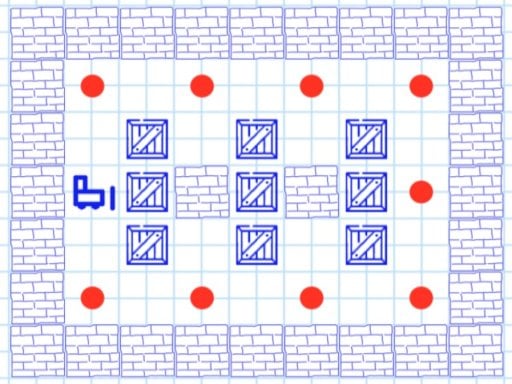
Choose Play now to load the game.
Official listing
Push boxes into the designated red areas. You cannot push two or more boxes at once. Have fun!
From the game listing
Keyboard or mouse
Open this card to load the gameplay video.
Move Boxes (Sokoban) is a spatial logic puzzle where players push boxes across the board into designated red target zones. Every move requires careful spatial awareness, as your character cannot push two or more boxes at once. Navigating tight layouts without trapping objects against walls forms the central challenge of this classic warehouse-style brain teaser.
Move Boxes (Sokoban) delivers a pure grid-based puzzle experience rooted in classic warehouse-arranging gameplay. The player navigates an enclosed area with the clear objective of delivering every crate onto its designated red destination spot. Because boxes can only be pushed forward and never pulled, a single careless shove can permanently trap a crate in an unrecoverable position.
The game focuses entirely on deliberate deduction rather than rapid reflex demands. Players can control the action via keyboard or mouse, making it easy to test movement angles and survey the board before committing to an approach. Finding the right sequence demands evaluating open corridors, keeping movement pathways clear, and planning several steps ahead.
The primary goal is to successfully place every box into its designated red area on the board. Achieving this requires identifying which target spots should be filled first, preventing bottlenecks in narrow passageways, and ensuring your pusher retains free access around obstacles to reposition remaining boxes without pushing multiple crates together.
1. Examine the layout of the room, noting the initial positions of all boxes, obstacles, and designated red goal spaces.
2. Use your keyboard or mouse to move your character into position behind the first box you intend to relocate.
3. Push a single box forward toward an open lane, ensuring that space remains behind it to continue steering.
4. Avoid clustering two or more boxes in a straight line, as your character cannot push multiple boxes simultaneously.
5. Maneuver each crate one by one until every designated red area is occupied to complete the puzzle.
The game supports input via keyboard or mouse to navigate the playfield and push crates.
The core appeal of Move Boxes (Sokoban) lies in spatial forecasting and irreversible commitment. Because the pusher cannot pull crates backward or shove two adjacent crates at once, every move reshapes the reachable map. Players must mentally trace route sequences backwards from the target squares to avoid wedging boxes into dead corners. This creates a satisfying mental rhythm where deliberate patience and clean route planning are rewarded far more than quick, impulsive actions.
The game is designed with an 800 x 480 display canvas and accepts input from either a physical keyboard or mouse. Keyboard directional controls provide crisp, step-by-step tile navigation, while mouse clicks allow for relaxed, single-handed cursor guidance on desktop setups.
Categorized under puzzle and logic games, Move Boxes (Sokoban) represents the time-honored genre of block-shifting brain teasers. These games emphasize pure deductive reasoning over quick physical reflexes. Players who enjoy spatial planning, pathfinding puzzles, and methodical problem-solving will find the format familiar and engaging for short mental workouts or focused logic sessions.
For players searching for a classic puzzle game online, the Move Boxes (Sokoban) game offers an accessible browser-based option that requires no downloads. Its clean layout and straightforward push mechanics make it suitable for casual reasoning practice during quick breaks or extended logic training.
What is the main objective in Move Boxes (Sokoban)? The objective is to guide and push all loose boxes across the board until each designated red area is occupied.
Can you push multiple boxes at the same time? No. The rules explicitly state that you cannot push two or more boxes at once, so keeping crates unblocked is vital.
What controls are used to play Move Boxes (Sokoban)? Players can navigate and interact with the puzzle environment using either keyboard keys or mouse inputs.
Tell us if the game does not load, the information is wrong or the content needs review.
Report a problemExplore popular games by category, shared tags and site-wide activity.


















