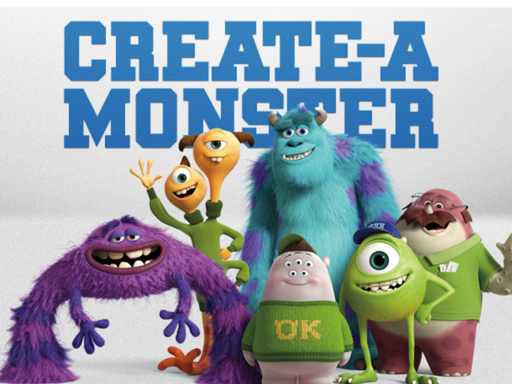
About Monster Maker
Monster Maker is a creative hypercasual generator where players can instantly design unique creature designs on screen. By pressing the generate button, entering custom seeds, toggling multi-color randomization, and cycling through different backdrop options, you can experiment with varied creature appearances directly in your browser without complicated setup or long tutorials.
Monster Maker offers a straightforward monster generation experience built around experimentation and creative variety. Instead of testing reflexes or navigating complex obstacle courses, the core loop centers on creating new character visuals with immediate feedback. Players can trigger the generator to produce a completely random monster or input specific seed text to influence the visual output. In addition to creating creature silhouettes, the application allows users to toggle multi-color randomization for distinct palette variations and swap between available background options to suit their preferred presentation. Whether you want to test different combinations or quickly browse through diverse monster art styles, the tool provides an accessible and relaxing creative outlet.
Your goal
The main objective in Monster Maker is to experiment with visual creature variations by combining randomized elements, custom seeds, and background scenes. Rather than pursuing high scores or beating timed challenges, your goal is to discover interesting monster combinations, test color palettes, and curate your favorite creature designs using the available customization toggles.
How to play Monster Maker
1. Click or tap the Generate button to produce a new random monster.
2. Enter a specific seed value into the input field or leave it blank for an entirely random result.
3. Toggle the multi-color check box if you want to randomize the color scheme of your creature.
4. Select the Background option to cycle through and choose different backdrop settings.
Controls and device support
Tap: Play
- Controls: Mouse or touch
- Device support: Desktop + mobile
- Game frame: 800 x 600
Rules to keep in mind
- Leaving the seed field empty produces a completely random monster generation upon clicking Generate.
- Enabling the multi-color check applies randomized color palettes across your generated monster.
- The screenshot wallpaper export feature is specifically designated for the Windows build of the application.
What makes the challenge interesting
Monster Maker emphasizes player-driven visual discovery within a casual creative sandbox. Because the game operates without timers, fail states, or life counters, players can take their time testing different parameter combinations. The interaction is focused entirely on user inputs such as seed values and feature toggles, allowing for rapid generation cycles. By adjusting background settings and color properties alongside new generations, players can systematically explore the range of creature aesthetics offered by the generator engine.
Tips for Monster Maker
- Try entering specific words or numbers in the seed box to see if consistent seeds produce repeatable monster designs during your creative sessions.
- Toggle the multi-color checkbox on and off to observe how distinct palette randomization alters the mood and look of your generated creature.
- Cycle through all available background options for each generated creature to find a setting that provides the best visual contrast for its colors.
The skills behind the game
Positioned within the hypercasual category, Monster Maker strips away complicated mechanics in favor of instant visual stimulation and ease of use. Hypercasual games and utilities emphasize immediate interaction with zero learning curve. By offering one-touch monster generation alongside simple toggle settings, Monster Maker fits comfortably among lightweight creative applications that provide quick entertainment without demanding lengthy commitments or high-stakes gameplay.
Who will enjoy this game
Players searching for a monster maker or exploring a monster maker game typically seek accessible tools to design imaginative creatures quickly. Monster Maker addresses this interest by letting users input seeds, randomize colors, and cycle environments to create distinct monster art without requiring advanced design skills or specialized software.
Frequently asked questions
How do I generate a completely random monster? To generate a totally random monster, leave the seed text box empty and click the Generate button. The system will create a fresh creature variation automatically.
Can I change the background behind the monster? Yes, you can click on the Background button within the game interface to choose another background scene and enhance the presentation of your monster.
What does the multi Color check do? Clicking the multi Color check box enables randomized color schemes for your monster, allowing each newly generated creature to feature diverse and vibrant palette combinations.
Something not right?
Tell us if the game does not load, the information is wrong or the content needs review.
Report a problem ›