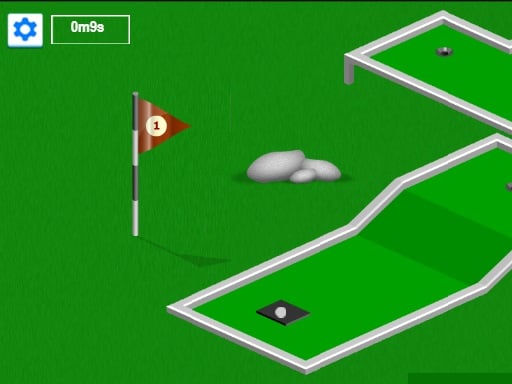
About Minigolf
Minigolf is a single-player online sports game featuring 19 distinct levels designed to test your precision and shot control. Available on computers, tablets, and smartphones, the challenge focuses on clearing each hole in as few attempts as possible. With automatic level saving and a final leaderboard, players can refine their putting skills session by session.
Minigolf delivers a direct golf simulation centered on navigating 19 unique course layouts. Designed as a solo sports challenge, the objective is to sink the ball on each stage while minimizing the total number of strokes taken. The title supports smooth browser play across desktop computers, notebooks, smartphones, and tablet touchscreens. If you need to step away during your run, the game saves your level progress, allowing you to load your last active game whenever you return. Once all 19 courses are completed, you can submit your final performance score to the global leaderboard to see how your putting efficiency ranks against other players.
Your goal
The primary objective in Minigolf is to navigate through all 19 distinct course levels while maintaining the lowest possible shot count. You must aim carefully to avoid exceeding the minimum shot targets, as fewer strokes directly result in a higher overall score. Successfully completing every hole allows you to submit your final tally to the leaderboard.
How to play Minigolf
1. Start a new match or choose to load your last saved game to resume prior progress.
2. Examine the layout of the current course among the 19 available stages.
3. Use your mouse on a computer or your finger on a touchscreen device to aim and hit the ball.
4. Direct the ball toward the hole while keeping your total shot count as low as possible.
5. Advance through each completed hole until reaching and clearing the final 19th level.
6. Submit your finished score to the leaderboard once all 19 courses are completed.
Controls and device support
Mouse: Aim and shoot the golf ball
Touchscreen / Finger: Aim and shoot the golf ball
- Controls: Mouse or touch
- Device support: Desktop + mobile
- Game frame: 900 x 450
Rules to keep in mind
- Complete the entire sequence of 19 distinct course levels.
- Keep strokes to a minimum below the target count to achieve higher overall scores.
- Leaderboard submission becomes available upon completing all 19 levels.
What makes the challenge interesting
Gameplay in Minigolf revolves around precise input handling and strategic shot pacing across 19 progressive stages. Because high scoring depends directly on staying under the minimum shot count per hole, players must evaluate angles and surface interactions before taking a shot. Using either mouse drag mechanics on desktop or touch gestures on mobile screens, smooth execution is key to avoiding wasted strokes. The built-in save feature encourages players to tackle difficult holes methodically without losing overall campaign progress.
Tips for Minigolf
- Carefully line up your trajectory on each hole to avoid extra strokes that lower your final score.
- Take advantage of the save system to take breaks during difficult stages and reload your last active level later.
- Focus on reaching the 19th hole cleanly so your overall leaderboard submission reflects minimal total shots.
Stages and progression
Minigolf guides players through a linear series of 19 levels. Your progress is saved automatically during the session, allowing you to load your last active stage if you exit before finishing. After successfully completing all 19 holes, your cumulative score unlocks the option to submit your result to the leaderboard.
Playing on different devices
The game runs in a 900x450 canvas and supports computers, notebooks, tablets, and smartphones. Controls adapt seamlessly between mouse input for desktop setups and direct finger touches on mobile screens.
The skills behind the game
As part of the sports genre, Minigolf emphasizes accuracy, angle planning, and stroke efficiency over fast-paced action. Single-player golf games test a player's ability to gauge power and direction across varied obstacles. The focus on completing short, tactical holes makes it an accessible digital representation of traditional miniature golf.
Who will enjoy this game
Players searching for a casual minigolf game or an accessible sports game online will find a structured 19-hole challenge in Minigolf. Designed for single-player gaming, it offers straightforward mechanics tailored for quick sessions on desktop or mobile, delivering a focused putting experience centered around shot efficiency and leaderboard ranking.
Frequently asked questions
How many levels are in Minigolf? Minigolf features 19 distinct levels to complete from start to finish.
Does Minigolf save my game progress? Yes, the game saves your level progress, allowing you to reload and resume from your last played level if you do not finish in one session.
What devices can I use to play Minigolf? You can play on computers and notebooks using a mouse, or on smartphones and tablets using touchscreen finger controls.
Something not right?
Tell us if the game does not load, the information is wrong or the content needs review.
Report a problem ›