Official listing
Game description
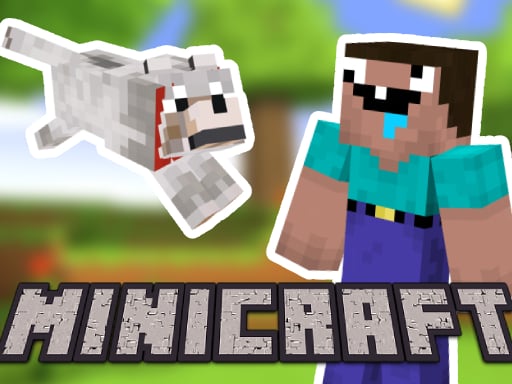
Minicraft: Steve And Wolf Adventure is a 2D platformer for 2 players in the minecraft universe. Grab your friend and play together.
Adventure game
Minicraft: Steve And Wolf Adventure is a cooperative 2D platformer set in a pixel-styled universe where two players team up locally. One participant guides Steve while the other guides the wolf companion through shared adventure obstacles, combining movement and camera management to progress together smoothly across each platforming challenge.
Choose Play now to load the game.
Official listing
Minicraft: Steve And Wolf Adventure is a 2D platformer for 2 players in the minecraft universe. Grab your friend and play together.
From the game listing
Player 1 WASD to move Player 2 Arrow keys to move press the on-screen button to change the camera focus
Open this card to load the gameplay video.
Minicraft: Steve And Wolf Adventure is a cooperative 2D platformer set in a pixel-styled universe where two players team up locally. One participant guides Steve while the other guides the wolf companion through shared adventure obstacles, combining movement and camera management to progress together smoothly across each platforming challenge.
Designed for local dual-player interaction, Minicraft: Steve And Wolf Adventure places two adventurers into a block-inspired 2D arcade environment. One player navigates using standard WASD keys, while the second uses arrow keys, making simultaneous cooperation accessible on a single keyboard setup. Because both characters explore the course concurrently, communication is vital to keep everyone on screen and navigate jumps cleanly.
The title incorporates an interactive on-screen button to adjust camera focus, allowing players to track whichever character needs priority visual positioning during tricky sequences. With pixel visuals and dungeon adventure themes, the game emphasizes teamwork, synchronized movement, and coordinated platform navigation.
The main goal in Minicraft: Steve And Wolf Adventure is to successfully guide both Steve and his wolf companion across each 2D platforming area together. Players must jump across obstacles, traverse dungeon pathways, and maintain team alignment without leaving either character stranded behind.
1. Invite a second player to share the keyboard for two-player cooperative play.
2. Player 1 uses the WASD keys to move and jump through the 2D stage.
3. Player 2 controls the companion character using the directional arrow keys.
4. Press the designated on-screen button whenever you need to switch the active camera focus.
5. Coordinate your jumps and movement so both Steve and the wolf advance safely through each area.
WASD: Move and jump (Player 1)
Arrow Keys: Move and jump (Player 2)
On-screen button: Change camera focus
Gameplay revolves around mutual timing and spatial awareness. Since both participants share one screen, neither adventurer can rush recklessly ahead without leaving the other partner at a disadvantage. Players must communicate when leaping between platforms, navigating tight dungeon corridors, and managing character gaps. Utilizing the on-screen camera focus button helps teams ensure whichever character faces the tougher jump has the necessary visibility to land safely.
As part of the browser adventure category, this title emphasizes paired movement and obstacle navigation over solitary speedruns. Two-player cooperative platformers encourage cooperative problem-solving, requiring partners to adapt their pacing and support each other through pixelated platform challenges.
Players searching for a casual platform game online or an engaging adventure game online can enjoy simultaneous cooperative play. Minicraft: Steve And Wolf Adventure delivers accessible dual-control mechanics suitable for friends sharing a single screen session.
Minecraft: Minicraft: Steve And Wolf Adventure adopts the pixelated aesthetic and character inspiration of Minecraft, but trades open sandbox crafting for structured 2D dual-player platforming.
Super Mario Bros.: Like Super Mario Bros., this title features classic 2D obstacle jumping, but shifts focus toward synchronized cooperative duo movement and manual camera toggling.
Can Minicraft: Steve And Wolf Adventure be played with two players on one keyboard? Yes, the game is built for two players, assigning Player 1 to WASD and Player 2 to the arrow keys for shared-keyboard play.
How do players change which character the view follows? You can press the on-screen camera focus button during play to switch active visual tracking between the two characters.
What genre does this title belong to? It is a 2D arcade adventure platformer featuring pixel graphics and cooperative duo navigation inspired by block-world themes.
Tell us if the game does not load, the information is wrong or the content needs review.
Report a problemExplore popular games by category, shared tags and site-wide activity.





















