Official listing
Game description
Put on your sneakers, and get ready to go onto the court in this brand new basketball game! Experience basketball like never before, in this fresh and easy to play basketball game
Sports game
Mini Basketball -MiniClip is a casual sports title designed to bring quick, accessible basketball action directly to web browsers. Styled around accessible court play, the game invites players to step out onto the floor and experience a simplified take on shooting hoops and making plays. Without demanding complicated inputs, it provides an immediate entry point into arcade basketball for players seeking swift athletic recreation.
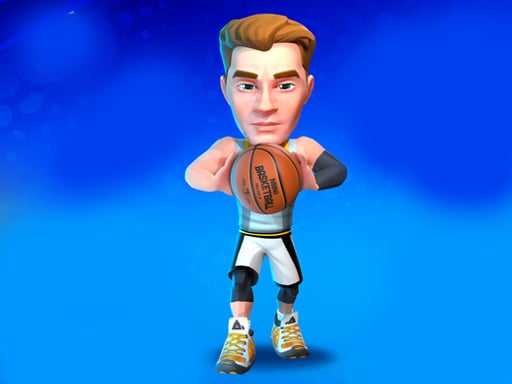
Choose Play now to load the game.
Official listing
Put on your sneakers, and get ready to go onto the court in this brand new basketball game! Experience basketball like never before, in this fresh and easy to play basketball game
From the game listing
Mouse Controls
Open this card to load the gameplay video.
Mini Basketball -MiniClip is a casual sports title designed to bring quick, accessible basketball action directly to web browsers. Styled around accessible court play, the game invites players to step out onto the floor and experience a simplified take on shooting hoops and making plays. Without demanding complicated inputs, it provides an immediate entry point into arcade basketball for players seeking swift athletic recreation.
Set against a vibrant court atmosphere, Mini Basketball -MiniClip focuses on the fundamental thrill of handling the ball and attacking the rim. The game presents an easy-to-play interpretation of basketball that strips away dense operational playbooks in favor of immediate, kinetic involvement. Whether executing shots or timing athletic leaps around the net, the emphasis remains squarely on clean execution and arcade-friendly rhythm.
Because the experience runs natively inside desktop browser windows, players can jump straight onto the court without extensive preparation. The three-dimensional presentation and bouncy pacing create a lighthearted environment where getting shots off and finding a comfortable rhythm take center stage. Each possession offers an opportunity to test spatial awareness, release timing, and basic court positioning.
The primary objective in Mini Basketball -MiniClip is to successfully score baskets on the court by coordinating your aim, movement, and shooting attempts. Players strive to establish consistent shot trajectories, convert offensive opportunities into points, and refine their timing across successive possessions. As you become more familiar with the physics of the hoop and the ball, the broader goal is to minimize wasted chances and maximize personal consistency during every session.
1. Load Mini Basketball -MiniClip in your browser and ensure your display area comfortably accommodates the 800 by 600 canvas.
2. Survey the court layout, noting your player's initial position relative to the basketball hoop and backboard.
3. Use your mouse pointer to guide your player's alignment or aim your shot toward the basket.
4. Initiate jumping or shooting actions with mouse clicks, paying close attention to your release point and angle.
5. Observe the ball's trajectory as it reaches the rim, adjusting your subsequent attempts based on whether the shot fell short or sailed long.
6. Continue practicing your court mechanics to establish a steady, reliable shooting rhythm across multiple attempts.
The game specifies mouse controls for interaction. Point and click with your mouse to direct actions and execute basketball maneuvers on the court.
The core appeal of Mini Basketball -MiniClip lies in mastering the physical rhythm of casual arcade shooting. Success hinges on reading the distance between your ball handler and the rim, translating that visual gap into smooth mouse input. Unlike dense simulations that require memorizing intricate button combinations, this title centers entirely on precision, hand-eye coordination, and clean release timing.
A key tradeoff involves balancing speed with deliberate accuracy. Rushing every shot to maximize overall attempts often leads to off-target trajectories, whereas taking extra moments to steady your cursor allows for cleaner arcs into the net. Learning when to commit to a jump and when to stabilize your aim forms the primary mechanical challenge.
Mini Basketball -MiniClip does not publish explicit tier unlocks or formal stage rosters, meaning progression revolves around self-directed skill building. In early attempts, focus entirely on finding the ideal release timing for standard mid-range opportunities. Once your mouse hand develops reliable muscle memory for the arc of the ball, challenge yourself to sink consecutive baskets without relying on backboard bounces. Structuring sessions around personal shooting streaks offers an engaging way to track noticeable improvement over time.
Configured at a fixed resolution of 800 by 600 pixels, Mini Basketball -MiniClip is ideally tailored for desktop and laptop displays. Because the game relies entirely on mouse controls, a physical mouse paired with a reliable tracking surface provides noticeably superior accuracy compared to a laptop trackpad. Ensure your browser zoom is set to standard scaling so that mouse tracking aligns precisely with the visual court boundaries.
Mini Basketball -MiniClip falls within the sports and hypercasual arcade genres, emphasizing low-friction playability over deep tactical simulation. In broad sports games, mechanics often focus on physical timing, spatial judgment, and responsive reflexes. By paring down basketball to its essential components of jumping, positioning, and shooting, the game captures the core satisfaction of court play in an approachable, rapid-fire format.
Fans searching for mini basketball -miniclip or a lighthearted sports game online typically look for instant entertainment without complex setup requirements. Mini Basketball -MiniClip fulfills this demand by offering quick sessions suitable for short practice breaks. It appeals to casual gamers wanting to test their aim on the virtual court, providing an immediate sports challenge that rewards hand-eye coordination and steady rhythm.
NBA 2K: Both Mini Basketball -MiniClip and NBA 2K focus on the fundamental sport of basketball, challenging players to handle the ball and sink baskets. However, while NBA 2K is a comprehensive franchise built around deep team strategies and extensive shooting mechanics, Mini Basketball -MiniClip offers an approachable, mouse-driven arcade session ideal for quick, casual play without steep learning curves.
What controls are used to play Mini Basketball -MiniClip? The game operates via mouse controls. Players use mouse movement and clicks to direct their athlete, jump, and take shots toward the basket on the court.
Do I need to install software to play this game? No installation is required. The game runs directly inside standard web browsers within an 800 by 600 viewport, allowing you to begin playing right away.
How can I improve my shooting accuracy? Focus on stabilizing your mouse hand and timing your release near the top of your jump. Rushing attempts leads to errant shots, while smooth, measured clicks yield consistent trajectories.
Tell us if the game does not load, the information is wrong or the content needs review.
Report a problemExplore popular games by category, shared tags and site-wide activity.




















