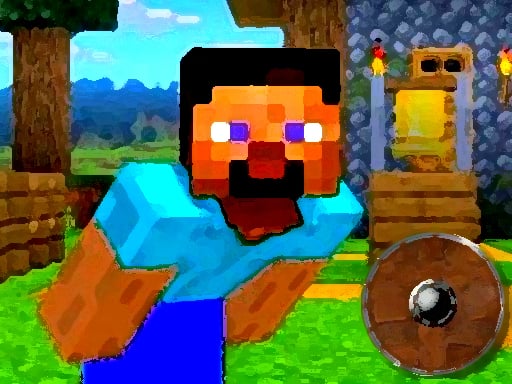
About Minecraft World Adenture
Minecraft World Adenture is a browser-based arcade platform game where players guide Steve through a sequence of rotating surfaces and hazardous gaps. Your goal is to find your way home across pixel-themed stages by timing jumps past pitfalls and obstacles. Every move relies on clean timing to stay aloft and clear incoming dangers.
Set in a blocky realm reminiscent of voxel sandbox worlds, Minecraft World Adenture places Steve onto spinning platforms surrounded by open drop-offs. The central loop revolves around waiting for the right alignment, executing a leap, and landing securely on the next safe footing while avoiding traps along the path.
Rather than focusing on building or mining resources, the experience centers on immediate arcade reflexes. Players must read the motion of the turning platform beneath their feet, spot oncoming hazards, and commit to jumps without stumbling into surrounding pitfalls.
Your goal
The primary objective in Minecraft World Adenture is to navigate Steve safely through each challenge to help him find his way home. To succeed, players must avoid falling into pitfalls, steer clear of active obstacles, and maintain a consistent jumping rhythm across moving terrain.
How to play Minecraft World Adenture
1. Observe Steve's position on the spinning platform and watch how the stage moves.
2. Scan the immediate path ahead for open pitfalls and incoming obstacles.
3. Press Space or click the mouse when you have a clear landing zone in view.
4. Time subsequent leaps to stay balanced and continue forward toward safety.
Controls and device support
The official instructions indicate that players can use either the mouse or the Space bar to jump.
- Controls: Mouse or touch
- Device support: Browser
- Game frame: 854 x 480
Rules to keep in mind
- Jumping is triggered via mouse click or the Space key.
- Players must navigate past hazards and dodge obstacles to survive.
- Stepping or falling into pitfalls interrupts the journey home.
What makes the challenge interesting
The defining skill in Minecraft World Adenture is rotational spatial awareness. Because the platform beneath Steve is constantly spinning, a leap launched a fraction of a second too early or too late will send your character off in an unexpected direction. Players must balance patience with decisive action.
The core gameplay tension comes from managing moving hazards while keeping track of your platform's orientation. Rushing into a jump before reading the rotational cycle often leads directly into an obstacle, whereas hesitating too long can trap you against an oncoming danger.
Tips for Minecraft World Adenture
- Track the rotation speed of your platform for a full cycle before jumping so you can anticipate the exact direction Steve will launch.
- Choose either the mouse or Space bar and stick with it throughout your run to build consistent muscle memory for jump timing.
- Look ahead at the path rather than staring solely at Steve; spotting pitfalls early prevents panic leaps that miss solid ground.
- Avoid jumping repeatedly in rapid succession without checking your landing spot, as uncalculated hops quickly lead into obstacles.
The skills behind the game
As an arcade platformer, this title fits neatly alongside classic reflex challenges where players manage a single primary interaction under dynamic environmental pressure. Instead of expansive exploration, the focus remains squarely on dodging obstacles and timing jumps accurately across moving ground.
Hypercasual skill games of this variety are designed for quick pick-up-and-play sessions. By stripping away complex inventory management in favor of simple leap timing, it emphasizes rapid decision-making and pattern recognition over long-term tactical planning.
Who will enjoy this game
Players looking for a lightweight arcade game online often enjoy direct mechanics that test hand-eye coordination. Minecraft World Adenture offers an accessible jumping challenge that anyone can pick up for short practice sessions between other tasks.
Whether testing your timing with a mouse or using the keyboard, the game provides straightforward arcade action centered on hazard evasion. It serves well as a casual coordination exercise for players who appreciate voxel-themed visuals paired with simple obstacle navigation.
Games with a similar feel
Minecraft: While Minecraft is an open-ended sandbox centered on building, mining, and exploring vast block worlds, Minecraft World Adenture uses that visual motif exclusively for a focused arcade jumping challenge. Players wanting deep crafting will prefer the original sandbox, whereas those seeking brief timing trials around spinning platforms will appreciate this game's direct obstacle-dodging pace.
Frequently asked questions
What controls do I use to make Steve jump? You can jump using either a mouse click or by pressing the Space bar on your keyboard. Both inputs trigger the same leaping action.
What kind of game is Minecraft World Adenture? It is an arcade obstacle-avoidance platformer where players time jumps across rotating surfaces, dodge stage hazards, and guide Steve toward safety.
How can I improve my timing on spinning platforms? Focus on identifying regular visual cues in the platform's rotation. Waiting for a repeatable angle before pressing jump helps ensure predictable leaps over hazards.
Something not right?
Tell us if the game does not load, the information is wrong or the content needs review.
Report a problem ›