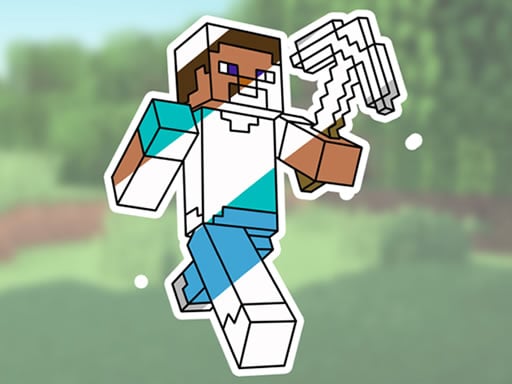
About Minecraft Coloring Book Online
Minecraft Coloring Book Online is a browser-based creative activity that invites players to decorate illustrations inspired by the famous block-building universe. Featuring scenes with recognizable characters, tameable animals, and rugged terrain, the activity provides a digital canvas equipped with paint tools and color palettes. It gives fans a relaxing space to practice basic art skills, test out varied palettes, and bring static line drawings to life.
The experience centers on selecting black-and-white outlines and filling them with color using an accessible point-and-click interface. Players can explore a collection of Minecraft-themed images depicting familiar figures, creatures, and outdoor environments. The digital workspace includes practical coloring utensils such as a paintbrush and a color picker, allowing participants to choose precise shades for each section.
Beyond solid fills, the application lets creators experiment with different patterns and surface textures to produce customized designs. Without the pressure of health bars, crafting recipes, or wandering monsters, the game offers a calm environment where younger users and casual fans can explore color coordination, fine-tune their visual presentation, and enjoy familiar voxel-inspired settings at an unhurried pace.
Your goal
The primary objective is to complete digital coloring sheets by selecting appealing shades and applying them cleanly across characters, animal companions, and environmental backgrounds. Players aim to balance contrasting tones, experiment with decorative patterns, and develop their personal sense of color coordination across every available illustration in the gallery.
How to play Minecraft Coloring Book Online
1. Browse the available catalog of Minecraft-themed line art, choosing between character portraits, animal scenes, or outdoor landscapes.
2. Use the mouse to select your primary tool from the interface, such as the digital paintbrush.
3. Pick your desired hue from the palette or activate the color picker to select specific tones for your artwork.
4. Click or drag across the drawing canvas to fill in line segments and apply your chosen colors.
5. Incorporate different patterns and surface textures into the clothing, creatures, or scenery to create a distinct finish.
Controls and device support
The game instructions specify using the mouse to navigate menus, choose art tools, select palette swatches, and paint on the canvas.
- Controls: Mouse or touch
- Device support: Browser
- Game frame: 850 x 480
What makes the challenge interesting
Because there are no timers or hazard encounters, the central skill in Minecraft Coloring Book Online is visual deliberation and motor precision. Players must exercise patience when aiming the cursor at narrow segments of blocky armor, creature limbs, or detailed backgrounds. The creative appeal lies in deciding whether to replicate canonical in-game color schemes or invent brand-new themes using vibrant pigments.
A key design tradeoff involves balancing plain flat fills against decorative patterns and textures. Covering an entire landscape with intense textures can make the scene appear cluttered, whereas relying solely on flat solid colors might leave open spaces looking plain. Developing an eye for contrast helps make characters stand out clearly against their surroundings.
Tips for Minecraft Coloring Book Online
- Plan your background colors first before detailing figures. Laying down sky and grass tones prevents accidental color clashes and keeps the central character easily visible against the scenery.
- Use the color picker to maintain tonal harmony across related objects. Reusing consistent hues on armor sets or foliage produces a neat, cohesive composition instead of mismatched patches.
- Apply textured patterns sparingly on focal points like shields or creature coats. Overusing textures across every adjacent surface can make borders difficult to distinguish.
- Establish high contrast between characters and surroundings. Pairing dark landscape backgrounds with bright character tones ensures your subjects do not blend invisibly into the terrain.
Playing on different devices
The application renders in a fixed 850 x 480 widescreen frame designed for desktop web browsers. Operating the paintbrush and color picker with a physical mouse gives users steady control when targeting fine lines and small color zones. A standard mouse mat and moderate cursor sensitivity help avoid slipping outside boundaries during detailed painting sessions.
The skills behind the game
Digital coloring books represent an accessible branch of casual browser pastimes, emphasizing low-stress engagement, self-expression, and pattern recognition. Rather than challenging reflexes or tactical speed, these titles encourage users to focus on spatial coordination, hand-eye motor precision, and color balance. They serve as a relaxing digital equivalent of physical activity books.
Blending coloring mechanics with familiar gaming motifs allows players to engage with popular fictional worlds from a fresh angle. Exploring character silhouettes and iconic block shapes in a paint format lets younger audiences practice deliberate mouse manipulation while enjoying their favorite aesthetic themes in an accessible web format.
Who will enjoy this game
Players looking for a minecraft coloring book online typically want a lightweight, zero-download activity that captures the look of the sandbox phenomenon without complex survival mechanics. It suits kids and casual hobbyists seeking quiet screen time centered on digital drawing and creative color coordination.
When browsing for a coloring game online, audiences prioritize straightforward controls, responsive tool palettes, and immediate access. This title meets those interests by running directly in the browser window, requiring only basic mouse clicks to pick colors, brush textures, and fill outlines across multiple scene categories.
Games with a similar feel
Minecraft: Minecraft is a vast 3D sandbox centered on mining blocks, surviving hostile threats, and building structures. In contrast, Minecraft Coloring Book Online focuses strictly on 2D digital painting using themed line art of voxel characters and landscapes, catering to players who want a relaxing artistic session rather than an active survival adventure.
Happy Color: Happy Color is a structured digital coloring title built around matching numbered zones to preset palette tones. Minecraft Coloring Book Online differs by offering a freeform coloring experience with a paintbrush, color picker, and customizable textures, appealing to users who prefer artistic freedom over following rigid numerical guides.
Frequently asked questions
What tools are available in Minecraft Coloring Book Online? The interface provides dedicated creative tools including a digital paintbrush for applying strokes, a color picker for sampling or selecting shades, and options for patterns and textures to customize illustrations.
What types of images can players color? The game offers an array of Minecraft-themed drawings featuring blocky characters, familiar animals, and outdoor voxel landscapes ready for digital painting.
Does the game feature time limits or penalties? No. The coloring book is designed as a relaxing artistic activity with no clocks, failure states, or error penalties, allowing users to color freely at their own pace.
How do you control the paintbrush on desktop? Navigation and painting are managed entirely with the mouse. Players move the cursor to select palette options and click or drag over the canvas to color.
Something not right?
Tell us if the game does not load, the information is wrong or the content needs review.
Report a problem ›