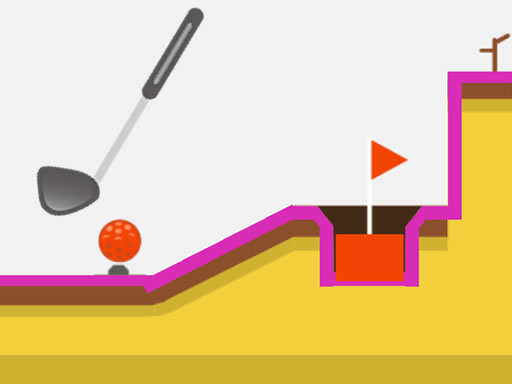
About Micro Golf Ball 2
Micro Golf Ball 2 is a Sports golf logic game about driving balls into holes through obstacle-filled courses. The listing describes portals to pass through, springs that help the ball rise, light sources that change ball color, and boxes that block the route, with mouse or touch input.
Micro Golf Ball 2 sits in the Sports category and is tagged Fun, Golf, Kids, Logic, Mobile, Skill, and Sport, so the page should frame it as an accessible golf challenge rather than a realistic simulator. The official description says each attempt is about driving golf balls into holes while avoiding obstacles. Along the way, portals must be used as passages, springs can help the ball move upward, light sources change the ball’s color, and many boxes can block the route. That mix gives the game a puzzle-like sports feel: read the layout, choose a safe route, and use the course features instead of forcing a straight line.
Your goal
The objective is to get each golf ball into its hole. The playable loop is to assess the obstacles between ball and cup, use mouse or touch input, avoid blocking boxes, and take advantage of portals, springs, and color-changing light sources when they appear. Success means reaching the hole while treating portals as required passages and springs as upward help rather than decorations.
How to play Micro Golf Ball 2
1. Start the game and identify the ball, the hole, and the obstacles lying between them.
2. Use mouse or touch the screen, which is the only control guidance supplied.
3. Drive the golf ball toward the hole while avoiding obstacles and boxes that can block the way.
4. When portals appear, move through them as part of the route toward the goal.
5. Use springs to help the ball move upward, and note light sources that change the ball’s color.
Controls and device support
The only control guidance supplied is: "Use mouse or touch the screen." No button, drag, power, or keyboard mapping is stated.
- Controls: Mouse or touch
- Device support: Desktop + mobile
- Game frame: 1080 x 1920
Rules to keep in mind
- Drive the golf ball into the hole.
- Avoid obstacles; boxes can block the way.
- Move through portals when they are on the route.
- Use springs for upward help and note that light sources change ball color.
What makes the challenge interesting
The focus is route selection under golf rules: the ball must reach the hole, but the course is crowded with things that redirect, block, or alter it. Boxes are described as blockers, portals as passages you need to move through, springs as upward help, and light sources as color changers. That makes the challenge closer to a logic-skill golf puzzle than a simple straight putt.
Tips for Micro Golf Ball 2
- Before acting, trace the route from ball to hole and mark boxes, portals, springs, and lights so the obstacle order is clear.
- Treat portals and springs as route tools when they appear: the description frames portals as passages and springs as upward help toward the goal.
- Because only mouse or touch is named, keep inputs simple and deliberate; if the path is blocked, recheck the layout instead of expecting hidden keys.
Playing on different devices
The supplied frame is 1080 x 1920, a tall portrait size, and the tags include Mobile while the instructions allow touch. No other device, browser, performance, or compatibility requirement is stated.
The skills behind the game
Within Sports, this is a golf entry with Fun, Kids, Logic, Mobile, Skill, and Sport tags. That combination suggests casual play built around aiming judgment and obstacle reading, not league rules, licensed teams, or realistic golf simulation. It fits players who want short, clear golf challenges with a puzzle edge on a tall mobile-friendly frame.
Who will enjoy this game
Natural keyword context centers on the exact title Micro Golf Ball 2, the longer phrase Micro Golf Ball 2 game, and the broader sports game online intent. Those terms align with a Sports golf listing tagged Logic, Skill, Kids, and Mobile; they should be used descriptively, not as proof of demand.
Frequently asked questions
What is Micro Golf Ball 2? It is a Sports golf game where you drive balls into holes while avoiding obstacles. The description also names portals, springs, color-changing light sources, and blocking boxes as course features.
How do you control it? The listing only says to use mouse or touch the screen. Use that input to guide the ball toward the hole; no keyboard map, buttons, drag length, or power meter is specified.
Is Micro Golf Ball 2 mobile friendly? It is tagged Mobile, uses a 1080 x 1920 portrait frame, and allows touch input, so a tall touch layout is reasonable. The source does not list other device requirements.
Something not right?
Tell us if the game does not load, the information is wrong or the content needs review.
Report a problem ›