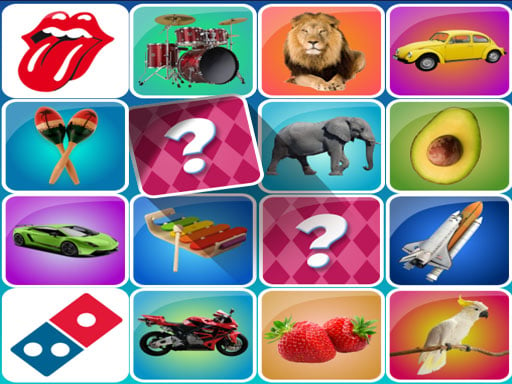
About Memory
Memory offers an accessible puzzle format focused on mental recall and pattern retention for players of all ages. Presented as a casual brain-training activity, the experience challenges you to test your mental focus in quick browser-based sessions that fit seamlessly into short breaks.
Designed as a straightforward mental exercise, Memory encourages players to test their visual concentration and recall abilities through structured matching challenges. The experience aims to provide casual brain stimulation suitable for family play without requiring complex setups or lengthy tutorials.
Running directly in standard desktop browsers at a native 800x600 resolution, the presentation stays lightweight and approachable. Whether you are seeking a quick mental warm-up or a relaxed puzzle session to share with family members, the title centers entirely on personal observation and systematic recall.
Your goal
Your objective is to test and refine your recall skills by identifying matching items and solving visual puzzle layouts. Players aim to maintain active concentration throughout each session to recognize patterns steadily without losing track of previously observed positions.
How to play Memory
1. Load the game in your web browser to display the active puzzle board.
2. Examine the arrangement of puzzle elements to establish a starting point for exploration.
3. Select individual tiles or cards using your mouse cursor or touchscreen to reveal their underlying symbols.
4. Commit the locations of revealed graphics to memory as you continue searching the board.
5. Pair matching symbols together systematically until the entire layout is solved.
Controls and device support
Memory relies on direct mouse clicks or touch inputs to select and reveal puzzle pieces across the display area.
- Controls: See in-game controls
- Device support: Browser
- Game frame: 800 x 600
What makes the challenge interesting
The core gameplay focuses on short-term spatial retention and systematic deduction. Rather than demanding fast reflex inputs or complex mechanical dexterity, success depends on patient observation and creating structured mental maps of the board.
A key tradeoff involves balancing exploratory guesses against deliberate memorization. Flipping items randomly without recording their visual placement can lead to repetitive mistakes, whereas methodically moving across rows or columns allows you to link pairs efficiently as more of the board is revealed.
Tips for Memory
- Scan the grid in a structured sequence, such as row by row, rather than selecting scattered positions at random to make item locations easier to reconstruct in your head.
- Associate newly revealed shapes or colors with simple verbal cues or grid coordinates to anchor them more reliably in your short-term memory.
- Avoid rushing through multiple unconfirmed clicks in quick succession; giving yourself a second to register each revealed item prevents duplicate exploratory moves.
- Prioritize pairs you have already located before uncovering completely unknown areas of the board to reduce cognitive clutter.
Playing on different devices
The game is formatted in an 800x600 fixed aspect window, making it well suited for desktop monitors and standard laptop screens. The point-and-click control format functions naturally with standard computer mice or laptop trackpads.
The skills behind the game
As part of the casual puzzle category, memory-matching titles emphasize deliberate cognitive engagement over high-speed action. Players typically seek these experiences for low-pressure mental stimulation, using visual deduction and spatial tracking to solve self-contained challenges.
Within the wider puzzle landscape, memory games bridge the gap between educational brainteasers and relaxed entertainment. They offer immediate pick-up-and-play accessibility, making them enjoyable for younger learners building observation habits as well as adults wanting a brief cognitive break.
Who will enjoy this game
Players looking for a quick memory game often want clean, accessible interfaces that jump straight into puzzle solving without heavy narrative overhead. These titles serve as convenient options for daily mental warm-ups or casual practice sessions that can be enjoyed in short bursts.
When seeking an engaging puzzle game online, users appreciate formats that combine simple controls with genuine mental focus. Memory delivers this fundamental experience, offering straightforward tile-flipping challenges designed to test observation and recall in a relaxed browser environment.
Frequently asked questions
What is the primary objective in Memory? The main goal is to test and train your visual recall by uncovering cards or tiles and matching identical symbols across the puzzle board.
Is Memory suitable for casual family play? Yes, the game is designed with accessible rules and friendly puzzle mechanics intended for players of various ages looking for light mental exercise.
Do I need to download files to play this puzzle game online? No installation is required. The game runs directly in modern desktop web browsers within an 800x600 display area.
Something not right?
Tell us if the game does not load, the information is wrong or the content needs review.
Report a problem ›