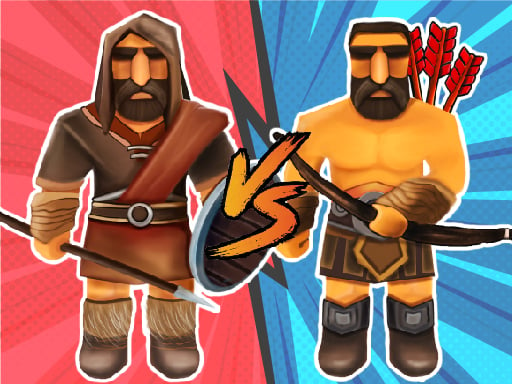
About Medieval Battle 2P
Medieval Battle 2P takes you back in time to command armies on historical battlefields. In this 3D battle simulation, players organize powerful soldiers and execute tactical battle strategies. Offering both single-player and two-player modes, the game lets you test combat formations against tactical opponents or challenge a friend in head-to-head medieval warfare.
Medieval Battle 2P delivers a strategic combat experience centered around army positioning and tactical unit management. Players step onto 3D battlefields to orchestrate historical clashes between rival forces. Success requires thoughtful planning rather than direct melee hacking, as you must place your warriors strategically before the action unfolds.
The game accommodates different playstyles with its flexible match formats. You can take on strategic scenarios on your own in single-player mode or face off directly against another player in two-player mode. By navigating the battlefield camera and organizing your troops carefully, you can observe combat dynamics and refine your tactical approaches across every engagement.
Your goal
The primary objective in Medieval Battle 2P is to outmaneuver and defeat enemy forces through thoughtful unit positioning and battlefield strategy. Deploy your powerful soldiers in effective tactical formations, observe combat encounters from multiple camera angles, and overcome opposing armies to secure victory whether competing solo in single-player mode or facing a rival commander in two-player battles.
How to play Medieval Battle 2P
1. Select your preferred game format by choosing either single-player mode or head-to-head two-player mode.
2. Navigate the 3D battlefield view using W, A, S, D keys and rotate your camera angle by holding the right mouse click.
3. Use the left mouse click to interact with the game interface and place your soldiers onto the deployment grid.
4. Hold CTRL while placing units to arrange soldiers properly across your chosen combat formation.
5. Press X to remove misplaced soldiers if you need to adjust your army setup before initiating combat.
6. Initiate the battle simulation and watch your medieval warriors execute your strategy against the opposing army.
Controls and device support
W, A, S, D: Camera movement
Right-Click: Camera rotation
Left-Click: Interact and select
CTRL: Place soldiers properly
X: Remove soldiers
- Controls: Mouse or touch
- Device support: Browser
- Game frame: 800 x 450
Rules to keep in mind
- Troop Deployment: Soldiers must be placed within designated setup areas before starting the simulation combat phase.
- Mode Selection: Battles can be engaged as a solo tactician in single-player mode or against another user in two-player mode.
- Roster Adjustment: Mispositioned units can be cleared from the battlefield using the removal key before fighting begins.
What makes the challenge interesting
Medieval Battle 2P focuses on pre-battle planning and unit positioning within an engaging tactical simulator. Rather than manually controlling individual warrior attacks during the fray, players act as army generals deciding how troops should be deployed across the map. Utilizing smooth camera movement and angle rotation allows you to survey the battlefield terrain comprehensively from multiple vantage points. Structuring cohesive formations, adjusting unit placement with precision controls, and anticipating enemy deployment determine combat success across every single-player encounter and two-player competitive contest.
Tips for Medieval Battle 2P
- Use WASD and right-click camera rotation to examine enemy army arrangements from multiple angles before finalizing your troop deployment.
- Hold the CTRL key while deploying units to maintain neat, effective army lines that prevent units from clumping together during combat.
- Press X to delete unnecessary or misaligned soldiers quickly so you can reallocate formation space for better tactical balance.
The skills behind the game
As an entry in the action and war simulation genres, Medieval Battle 2P combines tactical thinking with 3D combat simulation. Unlike reflex-heavy brawlers, strategic action titles emphasize army organization and battle anticipation. The medieval setting provides thematic warrior battles where careful positioning shapes every clash, offering strategic depth for players who enjoy commander-style simulations.
Who will enjoy this game
Players searching for a medieval battle 2p experience will discover an accessible battle simulator that supports both solo practice and split competition. Whether looking for a medieval battle 2p game to challenge friends locally or seeking an action game online with historical war themes, the title provides tactical sandbox warfare driven by soldier placement and strategic planning.
Frequently asked questions
Can Medieval Battle 2P be played with two players? Yes, Medieval Battle 2P includes both a single-player mode for solo tactical play and a dedicated two-player mode for head-to-head matches.
How do you control the camera in Medieval Battle 2P? You can move the camera view across the battlefield using the W, A, S, and D keys, and rotate the perspective by holding the right mouse button.
How do you remove soldiers before the battle starts? Press the X key on your keyboard to remove placed soldiers and adjust your army layout before starting the engagement.
Something not right?
Tell us if the game does not load, the information is wrong or the content needs review.
Report a problem ›