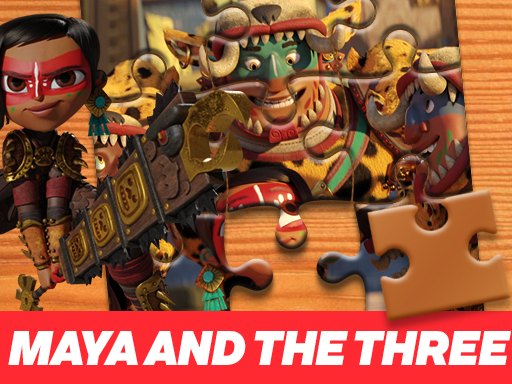
About Maya and the Three Jigsaw Puzzle
Maya and the Three Jigsaw Puzzle is a browser-based tile assembly challenge centered on character artwork from the animated adventure. Players select their preferred difficulty setting before scattered pieces disperse randomly across the play area. Using direct cursor movement, you drag each fragment across the screen to align with a transparent background guide. Matching every piece restores the original image, providing an approachable and relaxing session for puzzle enthusiasts of all ages.
Maya and the Three Jigsaw Puzzle presents players with an interactive digital board where scattered pieces must be reassembled into a complete scene. At the start of each round, you choose among easy, medium, or hard difficulty configurations, which dictates how the puzzle segments are generated and organized. Once selected, the individual jigsaw pieces are scattered randomly across the display, leaving the central board open for construction.
The core gameplay loop centers on visual recognition and physical alignment. The board features a faint, transparent version of the target illustration, serving as an underlying template for every piece. By clicking and dragging tiles with your mouse, you can test placements directly against the ghosted background. The round concludes successfully once every interlocking piece connects properly, fully recreating the initial illustration without missing segments.
Your goal
Your objective is to assemble all scattered jigsaw puzzle pieces onto the board until the artwork matches the initial complete picture. By comparing piece shapes, colors, and line details against the transparent background image, you aim to place every fragment into its correct orientation. Completing the puzzle confirms all connections across your chosen difficulty mode without leaving stray parts on the table.
How to play Maya and the Three Jigsaw Puzzle
1. Select your desired challenge tier from the menu by choosing easy, medium, or hard.
2. Observe the scattered puzzle pieces distributed randomly across the game display.
3. Examine the transparent background outline on the central board to identify key landmarks and colors.
4. Click and hold the left mouse button over a jigsaw piece to pick it up.
5. Drag the selected piece over its matching section on the transparent guide and release to place it.
6. Continue linking adjacent fragments until all pieces are connected and the illustration is fully restored.
Controls and device support
Official instructions specify drag and drop mouse controls to pick up, move, and position puzzle pieces across the display.
- Controls: Mouse or touch
- Device support: Browser
- Game frame: 800 x 600
Rules to keep in mind
- Players must choose a difficulty setting—easy, medium, or hard—before the puzzle pieces are scattered.
- All jigsaw pieces are dispersed at random across the screen when the board is initialized.
- Pieces must be dragged over the matching areas of the transparent underlying image to lock in place.
- The session is complete only when every individual piece is connected and the image reflects its original state.
What makes the challenge interesting
Maya and the Three Jigsaw Puzzle emphasizes spatial reasoning, color recognition, and methodical sorting rather than twitch reflexes. The presence of a transparent reference image underneath the play area alters the typical jigsaw dynamic: instead of blind trial and error, players engage in pattern matching against a visible blueprint. This makes the experience especially forgiving and relaxing, encouraging careful observation of edge lines, distinctive character silhouettes, and localized color gradients. The primary trade-off involves deciding whether to build outward from prominent visual anchors or methodically assemble outer borders first. Because pieces are scattered across the screen at the start, maintaining visual order by grouping similar hues prevents clutter, allowing a steady and satisfying rhythm from opening moves to final connection.
Tips for Maya and the Three Jigsaw Puzzle
- Start by setting the difficulty to easy if you want to familiarize yourself with the illustration layout before attempting higher fragment densities.
- Use the transparent backdrop to isolate high-contrast elements like faces and bold clothing patterns first, reducing visual noise across the play area.
- Group loose fragments by dominant color patches along the margins of the screen so matching candidate parts becomes quicker and less disorganized.
- Align pieces with clear edge borders before tackling dense interior textures, giving the overall composition structural stability as you build inwards.
Stages and progression
Structure in Maya and the Three Jigsaw Puzzle is driven by your choice of difficulty tier at the beginning of each session. Players can choose between easy, medium, and hard modes, which alter how the image is divided into jigsaw components. While the core artwork remains centered on the featured visual, stepping up through the tiers increases the piece count and sorting complexity. Rather than unlocking stages sequentially through point thresholds, progression is self-directed: players can master the layout on easy before testing their spatial efficiency on hard.
Playing on different devices
Configured for an 800 by 600 display canvas, the game is built for standard desktop browser environments. Interaction relies on direct mouse input to drag and position pieces smoothly across the screen. A stable mouse surface ensures precise placement over the transparent template, preventing accidental drops outside the designated target zone.
The skills behind the game
Within the puzzle genre, jigsaw games occupy a distinct niche focused on reconstitution rather than logic deduction or spatial clearance. While grid-based tile puzzles often ask players to clear rows or navigate mazes, jigsaw titles invite players to inspect color gradients, silhouette contours, and interlocking edges to assemble a static artistic scene. Maya and the Three Jigsaw Puzzle fits squarely within this relaxing, visual-recognition tradition, offering an accessible mental workout that rewards patience and careful observation over rapid inputs.
Who will enjoy this game
Players looking for an engaging puzzle game online often seek straightforward mechanics that can be enjoyed immediately in a web browser without complex installation steps. Maya and the Three Jigsaw Puzzle meets this need by providing an authentic jigsaw puzzle online format, pairing familiar drag-and-drop piece manipulation with beloved animated character themes. It serves as an accessible casual pastime for casual gamers, family audiences, and anyone wanting a low-stress visual challenge during a quick break.
Frequently asked questions
What difficulty options are available in Maya and the Three Jigsaw Puzzle? At the start of the game, players can select from easy, medium, or hard settings depending on how intricate they want the puzzle division to be.
How do you control and move puzzle pieces? You move pieces by clicking and dragging them with your mouse, releasing each tile over its matching spot on the board guide.
Does the game offer visual assistance while solving? Yes, the playing area includes a transparent outline of the complete image, allowing you to match pieces directly against the faint underlying artwork.
How do you know when the jigsaw puzzle is completed? The game is solved once every individual scattered fragment has been connected correctly and the display matches the original complete illustration.
Something not right?
Tell us if the game does not load, the information is wrong or the content needs review.
Report a problem ›