About Math Playground
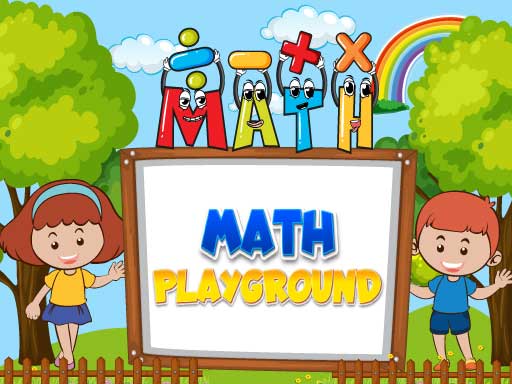
Math Playground is a free online educational game designed to help young learners practice essential mathematics concepts through interactive browser activities. Covering foundational topics such as addition, subtraction, multiplication, division, and elementary geometry, the title delivers varied challenges tailored to make foundational learning engaging. Players can jump in directly on desktop or mobile screens using simple tap-driven inputs to test their problem-solving skills across diverse math exercises.
Designed as an approachable learning space, Math Playground introduces children to core mathematical operations within an accessible digital environment. Rather than presenting abstract formulas on a worksheet, the game packages basic arithmetic and shape identification into approachable challenges. Young learners can explore varied activities that reinforce classroom topics, including addition and subtraction drills, multiplication and division tasks, and introductory geometry concepts.
The overarching experience centers on accessible, self-directed practice. Because the title operates as an online HTML5 title with responsive tap controls, children can easily navigate menus and input their answers whether playing on a computer or handheld touchscreen. With multiple activities available free of charge, the game serves as an entertaining study companion where players can build confidence working with numbers and geometric relationships at their own pace.
Your goal
The central goal in Math Playground is to correctly solve educational math problems across diverse categories to strengthen everyday numeracy. Players work through individual activities covering addition, subtraction, multiplication, division, and basic geometry. The aim is to steadily improve problem accuracy, enhance mental calculation speed, and master fundamental mathematical principles across every available exercise.
How to play Math Playground
1. Launch the game in your web browser and tap the screen or click the display to begin.
2. Browse the available activities to choose an arithmetic concept or geometry challenge you want to practice.
3. Carefully review the prompt, reading each equation, number problem, or geometric shape displayed on the screen.
4. Formulate your solution using mental arithmetic or scratch paper before entering your answer.
5. Tap or click your chosen response to submit your answer and progress to subsequent challenges.
Controls and device support
The game lists tap-to-play controls. On desktop browsers, use your mouse cursor to click buttons and select answers; on mobile devices, tap directly on the touchscreen.
- Controls: Mouse or touch
- Device support: Desktop + mobile
- Game frame: 720 x 1280
What makes the challenge interesting
At its core, Math Playground balances cognitive calculation with interactive decision-making. Educational games often present a tension between speed and accuracy: answering impulsively can lead to careless calculation errors, while overthinking simple arithmetic slows engagement. The primary skill demanded here is careful observation combined with steady mental arithmetic.
By shifting between numerical operations and spatial geometry exercises, the game encourages players to alternate between analytical computation and visual pattern recognition. This variety keeps training sessions dynamic, rewarding patient focus rather than frantic tapping.
Tips for Math Playground
- Read the arithmetic operator carefully before calculating. A frequent mistake is mixing up subtraction and division signs, which causes incorrect answers despite sound arithmetic.
- Break down large multiplication problems into smaller addition steps. Doing so reduces mental fatigue and helps avoid rushed guesses during harder equations.
- Keep a scratchpad nearby for multi-step division or complex geometry tasks. Writing out numbers prevents memory slips and reinforces long-term calculation habits.
- Verify your selection before tapping the screen. Because tap inputs register immediately, taking an extra second to confirm prevents accidental input mistakes.
Playing on different devices
Math Playground is formatted with a portrait canvas of 720 by 1280 pixels, making it particularly well-suited for smartphones and tablets held upright. The HTML5 architecture ensures compatibility across modern mobile and desktop web browsers.
Because interaction relies entirely on tap commands, desktop users can navigate seamlessly using standard left mouse clicks, while mobile players can enjoy intuitive direct finger taps on touchscreen buttons.
The skills behind the game
Online educational games play an important role in casual browser gaming by transforming academic practice into approachable, low-stress digital activities. While feed classification metadata sometimes groups browser titles into broad puzzle or matching tags, Math Playground functions primarily as an educational learning platform. By blending basic arithmetic drills with shape exploration, the game offers children an interactive alternative to traditional study sheets.
Within the broader realm of HTML5 web games, interactive learning tools prioritize clean interfaces and direct responsiveness. This focus allows young players of all backgrounds to concentrate fully on numerical challenges, strengthening comprehension without navigating complicated gameplay mechanics.
Who will enjoy this game
Players searching for a math playground or a dedicated math playground game typically seek accessible, browser-based activities that make studying arithmetic engaging. These searches reflect interest from parents, educators, and students looking for quick calculation practice without software downloads or subscription barriers.
Math Playground satisfies this search intent by presenting structured mathematical challenges that can be tackled in short, flexible sessions. Whether used for after-school homework reinforcement or casual morning drills, the title provides direct, no-fuss practice in addition, subtraction, multiplication, division, and basic geometry.
Games with a similar feel
Geometry Dash: Geometry Dash is a rhythm-based platformer where players time jumps through geometry-themed obstacle courses. In contrast, Math Playground focuses on educational arithmetic and elementary geometry exercises. While Geometry Dash tests fast reflexes and muscle memory under strict collision penalties, Math Playground provides a relaxed environment for practicing addition, multiplication, and spatial shape concepts at a self-directed pace.
Frequently asked questions
What mathematical topics are covered in Math Playground? The game includes activities focusing on core elementary mathematics. Players can practice basic addition and subtraction, multiplication and division, as well as foundational geometry exercises across varied challenges.
Do I need to install software or pay to play Math Playground? No installation is required. Math Playground runs directly in your web browser as a free HTML5 title, accessible without fees on both mobile devices and desktop computers.
How do controls work on computers versus mobile devices? The title uses simple tap-to-play mechanics. On mobile phones and tablets, tap your display directly to make selections. On desktop PCs, use your mouse to click on the appropriate buttons.
Something not right?
Tell us if the game does not load, the information is wrong or the content needs review.
Report a problem ›