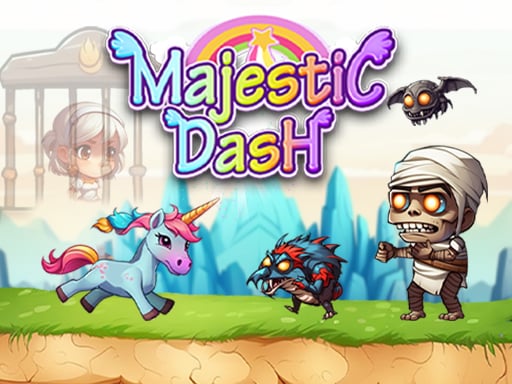
About Majestic Dash
Majestic Dash is a side-scrolling 2D fantasy adventure where you take control of Milo on an urgent rescue quest. When a villain kidnaps Milo's companion Nova, Milo must navigate forward across challenging terrain to retrieve the legendary Crystal. Because your character is constantly on the move, success depends on quick reactions, well-timed jumps across platforms, and triggering power attacks to clear obstacles along your journey.
Majestic Dash places players in a vibrant fantasy realm where peaceful life is interrupted by Nova's sudden capture. Milo immediately embarks on an adventurous mission to track down the Crystal necessary to rescue his captured friend. Built as an auto-advancing 2D platformer, the game maintains constant forward motion, challenging you to react swiftly to whatever appears ahead.
The core loop revolves around balancing mobility and offense. As Milo runs through each area, players use responsive touch or screen inputs to leap over hazardous terrain and trigger offensive power strikes when threats emerge. Successfully managing your momentum while watching the screen edge allows you to survive hardships, clear quests, and push forward into subsequent levels.
Your goal
Your primary mission in Majestic Dash is to find the mystical Crystal and complete the rescue of Milo's friend Nova. To accomplish this, you must survive each course by jumping cleanly over landscape hazards and utilizing power attacks to overcome hardships and advance toward the next level.
How to play Majestic Dash
1. Observe Milo's automated forward running movement as the stage begins.
2. Monitor the path ahead for elevated ledges, ground hazards, and incoming obstacles.
3. Press the Jump button located on the right side of the screen to leap over gaps and obstacles.
4. Press the Power button on the left side of the screen to generate energy and unleash attacks.
5. Continue pressing forward across platform sections to locate the Crystal and rescue Nova.
Controls and device support
According to the game's interface instructions, the character moves forward automatically. Use the on-screen Jump button on the right side to jump, and press the on-screen Power button on the left side to generate power and attack.
- Controls: See in-game controls
- Device support: Browser
- Game frame: 1280 x 720
What makes the challenge interesting
The defining challenge in Majestic Dash stems from its divided control scheme paired with continuous auto-run mechanics. Because Milo cannot stop running, you must split your focus between reading platform heights on the right and timing offensive strikes on the left. The rhythm demands proactive visual scanning rather than reactive panic tapping.
A crucial tradeoff involves deciding when to jump over a danger versus when to expend energy on a power attack. Leaping too early can leave Milo vulnerable upon landing, while mistimed attacks might fail to neutralize threats before collision. Developing a consistent rhythm between jumping and striking is essential for maintaining steady progression through each quest.
Tips for Majestic Dash
- Scan the far right edge of your display early. Looking ahead gives you ample time to prepare jump arcs instead of reacting at the very last moment.
- Keep both thumbs poised over their respective screen zones. Keeping one hand ready on Jump and the other on Power prevents hesitation during rapid obstacle sequences.
- Trigger power attacks slightly in advance when encountering blockers. Attacking prematurely or too late often leads to accidental collisions before the attack connects.
- Commit to your platform landings before queuing another jump. Panicking mid-air can disrupt your landing alignment and make subsequent gaps harder to clear.
Stages and progression
Majestic Dash structures its adventure around overcoming consecutive hardships to advance into the next level. As you progress, the environment presents varied platforming layouts and quest challenges that test your timing and reaction speed.
To improve consistently across stages, focus on building muscle memory for simultaneous two-handed inputs. Establishing a steady rhythm during earlier runs allows you to handle denser obstacle patterns and stay focused on the ultimate goal of finding the Crystal.
Playing on different devices
Majestic Dash features a touch-optimized layout with on-screen interface buttons designed for two-handed play. The Jump button is situated on the right side of the screen, while the Power attack button is placed on the left side.
On mobile devices or touchscreens, holding your device in landscape mode allows natural thumb placement over both control zones. When playing in browser windows, ensure the game display maintains focus so on-screen interactions register immediately.
The skills behind the game
As a 2D action-adventure platformer, Majestic Dash blends the fast pacing of auto-runners with classic platforming navigation. Players who enjoy side-scrolling obstacle courses will appreciate the immediate forward momentum, where continuous movement transforms every ledge and enemy into a real-time timing test.
Adventure games in this style emphasize continuous visual reading and responsive reflexes. By combining leaping mechanics with an active attack option, the game offers a traditional fantasy quest atmosphere presented through streamlined browser-friendly mechanics.
Who will enjoy this game
Players looking for a quick majestic dash game session can dive directly into Milo's quest without complex setup. The accessible two-button control design allows newcomers to start running, jumping, and attacking right away while working through platforming challenges.
For fans exploring an adventure game online, this title provides focused casual practice in rhythm, obstacle anticipation, and split-second input management. Its clean format makes it an engaging pick for short play sessions focused on platform navigation.
Frequently asked questions
What is the primary story goal in Majestic Dash? The main objective is to rescue Milo's friend Nova, who was taken by a villain. To save Nova, you must guide Milo through fantasy levels and track down the Crystal.
Does Milo stop moving during stages? No, the player character is always moving forward automatically. Your role is to time Milo's jumps and offensive power attacks to clear obstacles along the path.
How do the on-screen buttons work? The right-hand button activates Milo's jump to clear pits and ledges, while the left-hand button generates power and triggers attacks against threats.
Is Majestic Dash suitable for casual platformer practice? Yes, its straightforward two-button setup and direct auto-runner format make it an accessible option for practicing hand-eye coordination and rhythm-based platform timing.
Something not right?
Tell us if the game does not load, the information is wrong or the content needs review.
Report a problem ›