Official listing
Game description
You get Boom and Line removal booster to speed up your challenge. You will get these items if you match 5 or more blocks. Tap or click any block with same color, 2 blocks at minimum. Can you complete all levels ?
Puzzles game
Magic Match Puzzle is a casual block-matching puzzle game where your goal is to tap or click connected blocks of the same color to clear them from the board. Matching groups of five or more blocks creates special Boom and Line removal boosters to speed up your progress and help you complete every level.
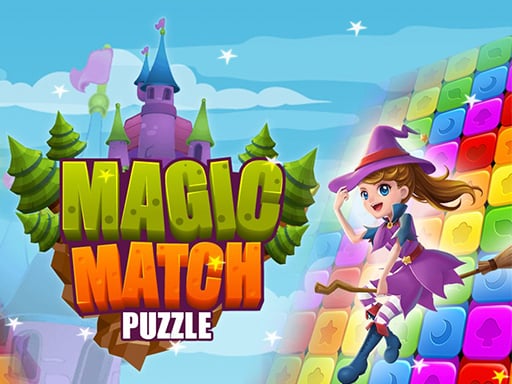
Choose Play now to load the game.
Official listing
You get Boom and Line removal booster to speed up your challenge. You will get these items if you match 5 or more blocks. Tap or click any block with same color, 2 blocks at minimum. Can you complete all levels ?
From the game listing
Use mouse or touch to play this game
Open this card to load the gameplay video.
Magic Match Puzzle is a casual block-matching puzzle game where your goal is to tap or click connected blocks of the same color to clear them from the board. Matching groups of five or more blocks creates special Boom and Line removal boosters to speed up your progress and help you complete every level.
Magic Match Puzzle delivers accessible block-clearing gameplay built around color recognition and strategic cluster selection. Players interact with a grid of colorful blocks, looking for groups of two or more adjacent identical blocks to clear them with a single click or tap.
The core excitement comes from forming larger combinations. When you connect five or more identical blocks, the game rewards you with powerful Boom and Line removal boosters. Activating these items helps speed up your puzzle-clearing challenge by wiping out clusters or clearing entire lines at once. With multiple levels to tackle, the game invites you to test your observation skills and efficient board clearing across every puzzle session.
The main objective in Magic Match Puzzle is to clear matching color blocks across the board and complete all available levels. You achieve this by locating connected clusters of two or more matching blocks, clearing them efficiently, and triggering five-plus block combos to generate Boom and Line removal boosters that help you solve each stage.
1. Scan the board to locate groups containing at least two connected blocks of the same color.
2. Click with your mouse or tap your touchscreen on any matching cluster to clear those blocks.
3. Target clusters of five or more matching blocks to generate Boom and Line removal booster items.
4. Activate your earned boosters to clear larger sections or entire rows and columns quickly.
5. Continue clearing matching blocks and utilizing boosters to complete the level and advance.
Left Mouse Button: Click matching blocks or activate boosters
Touch / Tap: Tap matching blocks or activate boosters
Gameplay in Magic Match Puzzle centers on tactical cluster management and maximizing booster generation. While clearing pairs of two blocks keeps the board moving, the primary strategic advantage comes from identifying or building clusters of five or more pieces. Earning Boom and Line removal boosters transforms tough layouts into manageable boards. Deciding when to clear smaller pairs to drop larger color groups together encourages forward-thinking puzzle play. Balancing quick clears with calculated high-value matches is essential to overcome board layouts and progress through the levels.
As part of the puzzle and match-3 genre, Magic Match Puzzle emphasizes pattern recognition, spatial awareness, and logical decision-making. Matching games have long captivated casual players due to their intuitive mechanics and satisfying visual clearing feedback. By incorporating special booster creation from larger clusters, the title follows established puzzle game traditions while providing quick, accessible sessions that players can enjoy immediately in their web browser.
Players searching for a casual match 3 puzzle game or a fun puzzle game online will find familiar mechanics in Magic Match Puzzle. The game combines block-matching fundamentals with booster mechanics, making the magic match puzzle game experience easy to understand while delivering satisfying challenges as you work through different color-matching stages on web and mobile devices.
What is the minimum number of blocks needed to make a match? You must click or tap a group of at least two adjacent blocks of the same color to clear them from the board.
How do you earn boosters in Magic Match Puzzle? You receive Boom and Line removal boosters whenever you match five or more connected blocks of the same color in a single move.
What devices and control methods are supported? You can play the game on desktop and mobile devices using standard mouse clicks or touchscreen taps to select blocks.
Tell us if the game does not load, the information is wrong or the content needs review.
Report a problemExplore popular games by category, shared tags and site-wide activity.

















