Official listing
Game description
Mad Shark by gamed is an exhilarating mobile game where players take on the role of a fearsome, rampaging shark in an underwater adventure
Adventure game
Mad Shark Fish is an action-oriented browser title where players take on the role of a fearsome, rampaging shark navigating an underwater adventure. Built for quick sessions across desktop and mobile devices, the game places you directly in the deep sea to guide the predator through open waters using responsive mouse tracking or touchscreen gestures.
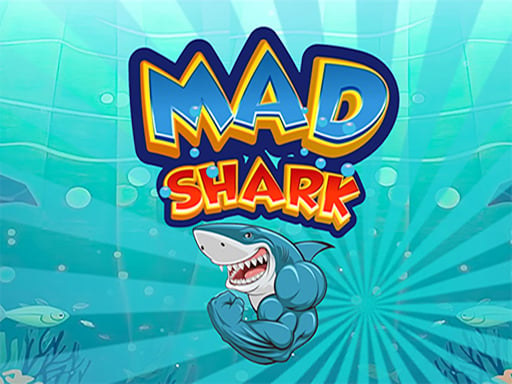
Choose Play now to load the game.
Official listing
Mad Shark by gamed is an exhilarating mobile game where players take on the role of a fearsome, rampaging shark in an underwater adventure
From the game listing
for mobile use the touch for pc use the mouse
Open this card to load the gameplay video.
Mad Shark Fish is an action-oriented browser title where players take on the role of a fearsome, rampaging shark navigating an underwater adventure. Built for quick sessions across desktop and mobile devices, the game places you directly in the deep sea to guide the predator through open waters using responsive mouse tracking or touchscreen gestures.
In Mad Shark Fish, you dive into an underwater setting as a powerful predator exploring the ocean depths. Developed around straightforward arcade movement, the game lets you navigate through aquatic environments directly through your web browser without complex setup.
The core experience centers on steady movement and spatial awareness. By guiding your shark across the play area, you react to on-screen elements while maintaining control in a widescreen presentation. Whether you want a quick casual run during a break or a relaxing session steering through sea lanes, the title offers immediate accessibility.
Your main objective is to guide your rampaging shark safely through the underwater adventure while maintaining steady control across the screen. Players aim to practice smooth path navigation, steer clear of sudden obstructions, and explore the aquatic environment as effectively as possible during each play session.
1. Launch Mad Shark Fish in your browser window and check the play screen layout.
2. Identify your control method, using the mouse on a desktop computer or your finger on a mobile touchscreen.
3. Guide the shark across the underwater area by moving your cursor or dragging across the display.
4. Keep your movements measured to react smoothly to surrounding space in the deep sea.
For PC play, use the mouse to navigate. For mobile devices, use touch controls directly on your screen.
The core gameplay focus in Mad Shark Fish revolves around fine pointer control and visual anticipation. Because underwater maneuvering requires tracking your character across wide 16:9 viewports, success depends on making small, deliberate adjustments rather than erratic swipes across the screen.
A key challenge is balancing speed with precision. Rushing forward across open water can leave little room to reposition, while overly passive movement limits your range of exploration. Learning the responsive glide of your shark helps you settle into a steady rhythm.
Mad Shark Fish supports both desktop and handheld platforms with dedicated input styles. On PC, the mouse provides crisp cursor tracking across the full high-definition display, allowing precise adjustments. On mobile smartphones and tablets, direct touch interaction gives an intuitive feel. Make sure your browser window remains in landscape orientation to comfortably view the 1920x1080 canvas.
Within the realm of online adventure games and casual aquatic titles, predator-themed games deliver immediate thematic appeal. By stepping into the role of a large sea creature, players enjoy an engaging perspective that differs from standard terrestrial platformers.
These games emphasize fluid movement, quick reflex steering, and broad screen navigation. Mad Shark Fish captures the lighthearted fun of ocean exploration, making it an easy pick for casual players seeking straightforward action in their browser.
Players looking for a fun mad shark fish game often seek quick, accessible browser sessions featuring simple controls and ocean action. Mad Shark Fish provides an instant way to dive into underwater maneuvering without lengthy onboarding.
For fans exploring an adventure game online, the title serves as a casual reflex practice tool. Navigating open water lanes helps hone hand-eye coordination and spatial awareness across both desktop monitors and touch devices.
What kind of game is Mad Shark Fish? Mad Shark Fish is an arcade-style underwater adventure game where players steer a rampaging shark through ocean waters using direct mouse or touchscreen controls.
How do you control the shark on PC and mobile? On desktop computers, you guide the shark using your mouse. On mobile devices such as phones and tablets, you steer directly using touch gestures on the screen.
Can I play Mad Shark Fish online without installing extra software? Yes, Mad Shark Fish runs directly in your web browser on both mobile and desktop setups without requiring separate application downloads.
Tell us if the game does not load, the information is wrong or the content needs review.
Report a problemExplore popular games by category, shared tags and site-wide activity.






















