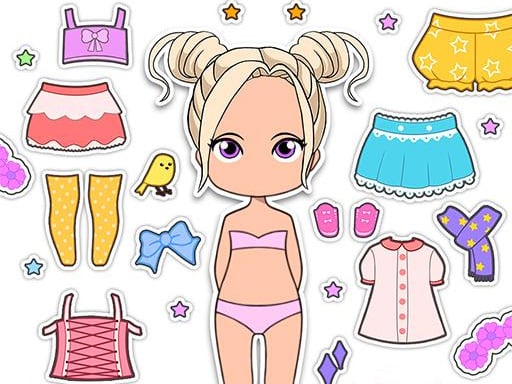
About Lovely Doll Creator
Lovely Doll Creator is an interactive styling game where you design your own fashion avatar face. You can freely personalize every feature by selecting from a wide range of skin tones, eye colors, hairstyles, and hair shades. With simple mouse clicks or screen taps, you can assemble unique custom characters and expressive avatar portraits directly in your web browser.
Lovely Doll Creator functions as a personal avatar creator and emoji maker within a creative fashion games setting. The core gameplay centers on selecting facial traits and hair attributes to construct stylish character designs. Players are presented with dedicated customization menus that allow instant switching between various facial aesthetics and cosmetic choices.
The title offers an accessible environment built with HTML5 technology, ensuring smooth interaction on desktop and mobile browsers alike. Whether you want to recreate your own look as a digital emoji or explore fun visual combinations, the game provides a relaxed digital canvas tailored for casual creation, decoration, and expressive character design.
Your goal
The primary objective in Lovely Doll Creator is to craft a personalized doll avatar face that matches your creative vision. You achieve this by browsing through available aesthetic categories, testing various skin shades, selecting fitting eye colors, and choosing complementary hairstyles and hair colors to produce a polished and expressive custom avatar portrait.
How to play Lovely Doll Creator
Follow these steps to create and customize your character:
1. Launch Lovely Doll Creator in your browser using mouse controls or your touchscreen.
2. Browse the available customization categories for facial features and hair styling.
3. Click or tap on different skin tones to set the base complexion for your doll.
4. Select your preferred eye color and experiment with varied facial looks.
5. Pick from diverse hairstyles and apply your favorite hair colors to complete the design.
Controls and device support
Left Mouse Button: Click to select skin tones, eye colors, hairstyles, and hair colors.
Touchscreen Tap: Tap on customization items and color palettes to personalize your avatar.
- Controls: Mouse or touch
- Device support: Desktop + mobile
- Game frame: 800 x 600
What makes the challenge interesting
Gameplay in Lovely Doll Creator focuses on visual harmony and creative exploration. Because there are no time limits or scoring constraints, players can freely take their time testing how distinct eye shades complement specific hair colors and skin complexions. The streamlined interface allows for effortless switching between options, making it satisfying to test subtle adjustments or build completely contrasting character styles within the design club.
Tips for Lovely Doll Creator
- Start with the skin tone base before choosing hair color so you can easily evaluate which tones and contrasts look best together.
- Try combining bold eye colors with natural hairstyles, or pair vibrant hair dyes with subtle eyes to create striking visual balance.
- Cycle through multiple hairstyles for the same face to discover how different silhouettes change your avatar's overall personality and mood.
The skills behind the game
Lovely Doll Creator fits naturally within the girls and dress up categories by emphasizing creative character design and aesthetic self-expression. Unlike reflex-driven games, dress up titles prioritize visual experimentation, color coordination, and accessible menu-driven customization that appeals to creative players of all ages.
Who will enjoy this game
Players searching for a lovely doll creator game or casual dress up game will find an intuitive avatar workshop here. The focus remains on personalized face creation and emoji-style character design without complicated setup or unnecessary barriers.
Games with a similar feel
Love Nikki-Dress UP Queen: Like Love Nikki-Dress UP Queen, Lovely Doll Creator focuses on aesthetic customization and creative character styling. However, Lovely Doll Creator concentrates specifically on avatar face design, hairstyles, and color choices in a casual format rather than complete multi-layered wardrobe coordination.
Frequently asked questions
What can you customize in Lovely Doll Creator? You can customize your avatar face by choosing between multiple skin tones, eye colors, hairstyles, hair colors, and related facial styling features.
How do you control Lovely Doll Creator on touch devices? You simply tap on any option or color icon on your screen to apply that feature directly to your doll avatar.
Something not right?
Tell us if the game does not load, the information is wrong or the content needs review.
Report a problem ›