About Lift The Girl
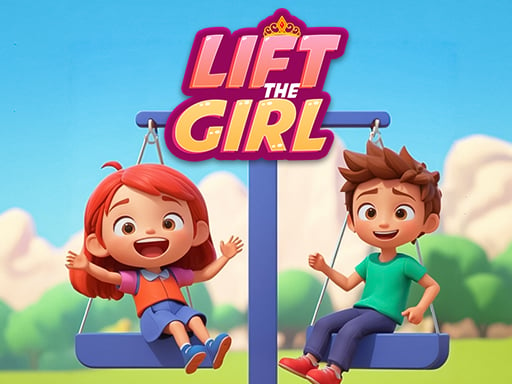
Lift The Girl is a 2D puzzle adventure where players manipulate weights and navigate hazardous obstacles to protect a character from harm. Presented with a colorful cartoon visual style, each stage challenges you to reposition objects and time character movement carefully so that hazards are neutralized before the character proceeds.
In Lift The Girl, players interact directly with level elements across a two-dimensional plane to create a secure path through each stage. The core gameplay loop involves scanning the room for active dangers, dragging and dropping available weights into proper positions, and clicking the character to trigger movement once the environment is secure.
The game features varied obstacle layouts and trap arrangements that require trial and observation. Because getting hurt forces a complete restart of the current challenge, every action requires thoughtful placement of weights to counter environmental threats before sending the character forward.
Your goal
The central objective is to clear each level safely by solving the environmental weight puzzles without allowing the little sister character to get injured. Players aim to analyze the layout, position heavy items to block or neutralize hazards, and time movement inputs cleanly to finish each stage without triggering a restart.
How to play Lift The Girl
1. Examine the 2D stage layout to identify incoming hazards, dangerous traps, and the character's target destination.
2. Select weights in the scene by clicking and holding or tapping on your screen.
3. Drag and drop the weights into position to counter traps, counterbalance mechanisms, or block threats.
4. Click or tap on the character to initiate movement across the cleared path.
5. Reach the end of the stage without taking damage to complete the level and move on to the next puzzle.
Controls and device support
Use the left mouse button to drag and drop weights across the screen, and click directly on the character to start moving. On mobile devices, touch and drag weights to reposition them, then tap the character to move.
- Controls: Mouse or touch
- Device support: Desktop + mobile
- Game frame: 800 x 600
Rules to keep in mind
- The character must not take damage from any level trap or environmental hazard.
- If the character is hurt during a stage, the level fails and you must restart from the beginning of that stage.
- Weights must be dragged and dropped into effective positions before the character can safely pass.
What makes the challenge interesting
The main appeal of Lift The Girl centers on cause-and-effect spatial problem solving. Players must assess how heavy objects interact with traps and pathways before committing to action. The primary tension lies in sequencing: dropping a weight in the wrong spot or triggering movement too early exposes the character to danger.
Because single mistakes reset the attempt, thoughtful planning is favored over rushing. Success depends on double-checking whether each trap is completely blocked or balanced before commanding the character to advance.
Tips for Lift The Girl
- Survey all active traps before moving any weights to ensure you understand which hazard poses the most immediate danger to the character.
- Verify weight placement stability before tapping the character to move, preventing accidental collisions with active hazards.
- Take your time dragging objects into place rather than making hasty drops, as inaccurate positioning often leaves gaps for traps.
- Learn from failed attempts by observing the exact path and timing of the hazard that triggered the restart.
Stages and progression
The game features a variety of level challenges with differing trap combinations and obstacle setups across its 2D stages. As you advance through the puzzles, you encounter new room configurations that require testing different weight placements.
Players should approach later stages with a steady routine: inspect the mechanism, place the weights methodically, and only initiate character walking once the route is fully secured against all visible hazards.
Playing on different devices
On desktop browsers, mouse controls offer smooth cursor precision for picking up, moving, and releasing weights accurately into narrow spaces. Clicking the character initiates forward motion seamlessly.
On touchscreen devices, direct touch dragging makes manipulating weights intuitive, though players should ensure their finger does not obscure nearby traps when placing items.
The skills behind the game
2D puzzle games provide accessible brainteasers built around straightforward physics and spatial awareness. By tasking players with moving environmental elements to create safe passages, these games emphasize logic, observation, and trial-and-error problem solving over frantic reflexes.
Lift The Girl fits neatly into the puzzle category by combining lighthearted cartoon visuals with unforgiving trap hazards. Players who enjoy inspecting contraptions and figuring out the correct order of operations will appreciate the simple drag-and-drop mechanics.
Who will enjoy this game
Players looking for a fun puzzle game online often seek casual titles with quick restarts and clear visual rules. Lift The Girl delivers a bite-sized experience where you can jump in, test puzzle solutions with drag-and-drop weights, and immediately see the results of your actions.
Whether playing on mobile or desktop, the game serves as an entertaining exercise in caution and timing, making it suitable for quick casual puzzle sessions during breaks.
Frequently asked questions
What happens if the character touches a trap? If the little sister character gets hurt by any trap or hazard, you fail the attempt and must start the level over again from the beginning.
How do you control character movement in Lift The Girl? You move the character by clicking or tapping directly on them after you have positioned the necessary weights to make the path safe.
Can weights be moved multiple times in a single stage? You can drag and drop weights as needed to find the right configuration to block traps before sending your character forward.
Something not right?
Tell us if the game does not load, the information is wrong or the content needs review.
Report a problem ›