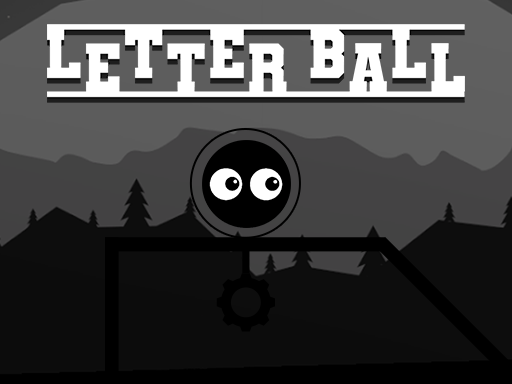
About Letter Ball
Letter Ball combines classic rolling platform movement with active spelling puzzles. Players guide a rolling sphere across obstacle-filled courses to hit specific letters in the correct sequence, piecing together words while jumping over hazards and navigating progressively demanding layout challenges.
In Letter Ball, physical navigation and word-formation skills meet on a single obstacle course. Instead of typing on a keyboard or clicking static tiles, you physically steer a ball across dynamic terrain. Your goal is to spot target letters scattered throughout the level and roll into them in the exact order required to form complete words.
Each level presents an active environment packed with hazards, gaps, and elevation changes. Completing a stage requires more than just knowing how to spell; you must jump across terrain, maintain momentum, and dodge obstacles while positioning your sphere to hit the next necessary letter without losing control.
Your goal
The primary objective is to complete each stage by collecting all required letters in their exact spelling order while avoiding course obstacles. Players aim to refine their movement precision, master tricky jump timings, and clear increasingly difficult stages by securing every necessary item efficiently.
How to play Letter Ball
1. Survey the course ahead to locate the letters on the field and identify the word you need to spell.
2. Use the directional keys or WASD controls to roll your ball along the platform toward the first letter.
3. Press Space to jump over terrain gaps, ledges, and dangerous obstacles in your rolling path.
4. Make contact with each letter in the correct spelling sequence to construct the target word.
5. Gather any remaining required items on the map to complete the level and advance to the next puzzle challenge.
Controls and device support
Use W, A, S, D or the Arrow Keys to steer the ball across the course, and press Space to jump over obstacles.
- Controls: Keyboard
- Device support: Browser
- Game frame: 800 x 600
Rules to keep in mind
- Letters must be collected in the exact correct order to assemble the intended word.
- Players must actively navigate around hazard obstacles while rolling and jumping across the course.
- All necessary items for the stage must be obtained to overcome the stage challenge.
What makes the challenge interesting
The core dynamic of Letter Ball lies in balancing deliberate spatial navigation with sequence planning. Unlike standard rolling ball games where the only task is reaching an exit gate, this game demands mental focus on spelling order. Rushing toward the nearest visible letter can cause you to hit characters out of order or roll into hazards.
Controlling momentum is essential. Because rolling spheres carry speed and require precise steering adjustments, players must anticipate stops and turns ahead of time. Successfully pairing smooth jumps with accurate steering lets you collect items cleanly without overshooting platforms or colliding with nearby hazards.
Tips for Letter Ball
- Trace your spelling route before moving. Identifying the position of every letter in advance prevents accidental out-of-order pickups and unnecessary backtracking.
- Manage rolling momentum when approaching tight corners or narrow paths. Coasting at full speed often causes players to overshoot targets and fall into obstacles.
- Time your jumps carefully over hazardous terrain. Launching too early or too late can lead to direct collisions with moving or static level hazards.
- Prioritize steering stability over pure speed. Maintaining steady control ensures you hit exact letter hitboxes without accidental misdirection.
Stages and progression
Letter Ball features escalating difficulty across successive levels, demanding greater effort and precision to acquire every necessary item. As courses become more intricate, obstacle arrangements and platform layouts require tighter jumping timing and sharper navigation.
To handle later stages effectively, players can develop a steady practice routine: observe the stage layout on entry, establish a clear path for the required word sequence, and maintain controlled rolling speeds rather than attempting hurried runs.
Playing on different devices
Letter Ball runs in a standard 800 x 600 display resolution. Desktop keyboard users can navigate flexibly using either WASD or the standard directional Arrow Keys for steering, leaving the Space bar dedicated to jumping over obstacles.
The skills behind the game
Letter Ball sits at the intersection of puzzle solving and platform action. By combining kinetic ball-rolling mechanics with vocabulary construction, it challenges players to exercise both reflex coordination and cognitive sequencing. The puzzle category structure rewards deliberate planning, while action and jumping elements keep each run dynamic.
Who will enjoy this game
Players looking for an engaging letter ball game or an active puzzle game online will appreciate the blend of physical agility and spelling challenges in Letter Ball. It offers an approachable brain workout for casual gamers wanting light vocabulary practice paired with responsive keyboard platforming.
Frequently asked questions
What is the main goal in Letter Ball? Your main goal is to control a rolling ball across platform courses, dodging hazards and collecting target letters in the correct order to spell out complete words.
How do you control and jump with the ball? You steer the ball using either the WASD keys or the Arrow Keys, and make the ball jump over gaps and obstacles by pressing the Space bar.
What happens if you collect letters out of order? The game requires letters to be gathered in the right sequence to form words. Planning your rolling route before moving helps ensure you hit each letter in proper succession.
Does Letter Ball become harder as you progress? Yes, each successive level increases in difficulty, introducing more demanding obstacles and requiring greater care to retrieve all necessary items.
Something not right?
Tell us if the game does not load, the information is wrong or the content needs review.
Report a problem ›