About Lets Create with Tom and Jerry
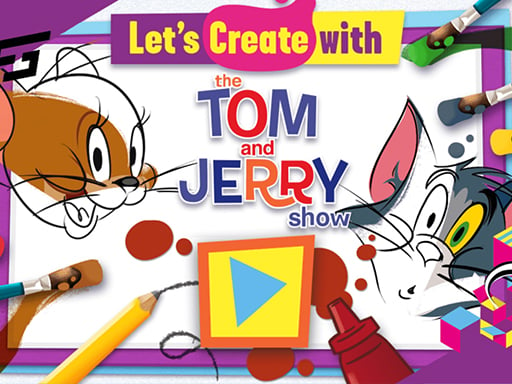
Lets Create with Tom and Jerry is a browser-based art and coloring game starring the classic animated duo. Players pick from available black and white picture outlines and bring them to life using varied digital tools. With freedom to color, modify, and decorate each scene, the game offers a fun creative outlet for young artists and cartoon fans.
Lets Create with Tom and Jerry invites players into an interactive canvas featuring familiar cartoon scenes. Starting with an uncolored black and white template, you can customize every element using surrounding on-screen buttons and art implements. The gameplay emphasizes imaginative freedom, allowing you to fill in colors, apply decorative accents, and modify the image however you wish. Designed for HTML5-compatible web browsers, the game delivers an accessible educational drawing experience suitable for kids and families. Rather than enforcing strict objectives, it provides a relaxed environment where you can freely express your artistic ideas across multiple themed illustrations.
Your goal
The primary objective in Lets Create with Tom and Jerry is to use your imagination to create colorful, personalized artwork from line art. By choosing an available black and white scene and applying surrounding tools to color, modify, and decorate the image, your goal is to craft lively custom illustrations featuring Tom and Jerry.
How to play Lets Create with Tom and Jerry
1. Browse the available collection of black and white Tom and Jerry pictures and choose one to start.
2. Examine the surrounding buttons and creative tools arranged around the main canvas area.
3. Select your preferred coloring or decorative implements using the mouse.
4. Apply colors and modify sections of the image to decorate the scene however you see fit.
5. Experiment with different styles or select another available picture to begin a fresh creative project.
Controls and device support
Mouse: Select pictures, choose art tools, and apply colors or decorations across the canvas
- Controls: Mouse or touch
- Device support: Desktop + mobile
- Game frame: 800 x 600
What makes the challenge interesting
Gameplay centers entirely on creative expression and relaxed picture customization. Instead of dealing with time constraints, complex mechanics, or point systems, players concentrate on visual design and tool experimentation. The interface places various buttons around the central image, giving straightforward access to coloring, drawing, and decorative features. Because the game encourages open-ended modification of existing character scenes, players can take their time deciding which shades and accents best complement Tom and Jerry's antics, making the creative process both soothing and engaging.
Tips for Lets Create with Tom and Jerry
- Explore all perimeter buttons first to see which coloring brushes, palettes, and decorative tools are available before painting.
- Try contrasting background colors with Tom and Jerry's classic shades to make the main characters stand out clearly on the canvas.
- Work on large background sections before adding fine details or accents to keep your finished illustration balanced and neat.
The skills behind the game
While tagged under the Cooking category in the source listing, Lets Create with Tom and Jerry primarily functions as a family-friendly coloring and educational drawing title. Art and creativity browser games let players interact with popular media characters in low-stress environments. They provide digital alternatives to traditional coloring books, allowing children and casual players to experiment with color theory, hand-eye coordination, and visual design directly inside their web browsers.
Who will enjoy this game
Players searching for a lets create with tom and jerry game or a coloring game online will appreciate the accessible digital canvas provided here. Web-based art games emphasize intuitive point-and-click mechanics, letting users decorate and modify scenes without complicated setups. This title offers immediate creative play with iconic cartoon characters, delivering engaging activities for fans seeking lighthearted drawing and coloring entertainment on modern browsers.
Games with a similar feel
Happy Color: Like Happy Color, Lets Create with Tom and Jerry centers on filling in black and white illustration templates. However, Happy Color relies on a guided color-by-number mechanic, whereas Lets Create with Tom and Jerry allows freeform coloring, tool selection, and open decoration of cartoon scenes.
Frequently asked questions
How do you color pictures in Lets Create with Tom and Jerry? Use the mouse to select art tools and color palettes situated around the canvas, then click on the black and white image to apply colors and decorations.
Are there time limits or scoring systems in the game? No, the game focuses on open-ended creativity. You can take as much time as you need to color, modify, and decorate each cartoon picture at your own pace.
Something not right?
Tell us if the game does not load, the information is wrong or the content needs review.
Report a problem ›