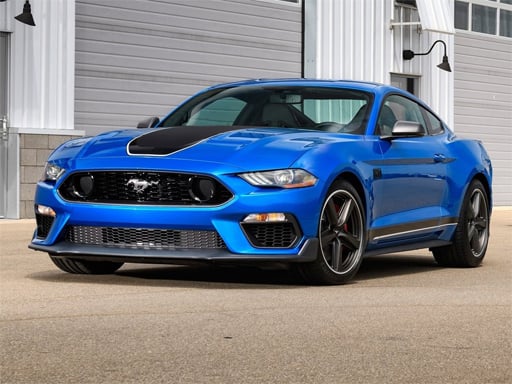
About Lego Cars Jigsaw
Lego Cars Jigsaw is a free online jigsaw puzzle title where players reconstruct vehicle artwork piece by piece. Featuring twelve distinct pictures of Lego-styled cars and three difficulty tiers, the game lets you choose how many pieces to assemble, offering an engaging brain exercise suited for casual puzzle solvers and car enthusiasts alike.
Belonging to the puzzle and jigsaw genre, Lego Cars Jigsaw provides an accessible picture-solving experience that runs directly in your web browser. Players begin by browsing a collection of twelve unique vehicle pictures, each depicting creative brick-built automotive scenes. Once an image is picked, the game allows you to adjust the challenge to your liking by offering three distinct cut configurations.
Whether you prefer quick assemblies or more detailed matching, the game caters to different skill levels through its 25-piece, 49-piece, and 100-piece settings. With straightforward click-and-drag or tap controls, players of all ages can enjoy sorting edges, identifying vehicle details, and fitting every jigsaw piece into its proper position.
Your goal
Your primary objective in Lego Cars Jigsaw is to completely assemble the selected Lego vehicle image by correctly positioning every jigsaw piece on the board. Success is achieved when all pieces interlocking together seamlessly to reveal the finished car illustration in your chosen difficulty setting.
How to play Lego Cars Jigsaw
1. Select any one of the 12 available Lego car pictures from the main menu.
2. Choose your preferred difficulty mode: Easy (25 pieces), Medium (49 pieces), or Hard (100 pieces).
3. Use your mouse to click and drag puzzle pieces, or tap on the screen if playing on a mobile device.
4. Arrange and interlock the pieces until the entire Lego vehicle artwork is fully restored.
Controls and device support
Mouse Click and Drag: Pick up and position jigsaw puzzle pieces onto the board.
Tap and Drag: Touch screen to move puzzle pieces into place.
- Controls: Mouse or touch
- Device support: Desktop + mobile
- Game frame: 1280 x 720
Rules to keep in mind
- Players can select from a roster of 12 distinct vehicle images.
- Each puzzle can be solved in three difficulty modes: Easy (25 pieces), Medium (49 pieces), and Hard (100 pieces).
- Interaction requires using either a computer mouse or direct touch input on the screen.
What makes the challenge interesting
The gameplay focus in Lego Cars Jigsaw centers on pattern recognition, spatial awareness, and visual matching. Each car illustration contains recognizable brick shapes, colors, and vehicle contours that guide your assembly process. Starting by identifying straight border pieces helps outline the frame, while grouping colored blocks makes filling the center intuitive. Switching between the 25, 49, and 100-piece modes lets players customize the complexity and pace of every puzzle session.
Tips for Lego Cars Jigsaw
- Start by identifying pieces with straight edges to construct the outer boundary before filling in inner car details.
- Group scattered fragments by prominent colors and Lego brick patterns to locate matching sections much faster.
- Practice on the 25-piece easy mode first to familiarize yourself with the illustration layout before taking on the 100-piece challenge.
The skills behind the game
As part of the browser-based Puzzles category, Lego Cars Jigsaw offers relaxing, skill-building entertainment centered on visual assembly. Jigsaw puzzles have long been popular for developing spatial reasoning, patience, and shape recognition, making this title a rewarding digital pastime for players of varying skill levels.
Who will enjoy this game
If you are searching for a fun lego cars jigsaw game or a casual jigsaw puzzle online, this title delivers customizable board sizes and bright automotive themes. It provides a simple, browser-friendly puzzle game online without complicated setup or unnecessary barriers.
Frequently asked questions
How many puzzle images are included in Lego Cars Jigsaw? The game features 12 distinct Lego car images that you can choose from at any time during your play session.
What difficulty modes can I choose from? You can select Easy mode with 25 pieces, Medium mode with 49 pieces, or Hard mode with 100 pieces for each picture.
What devices and controls are supported? The game is built with HTML5 and supports both desktop mouse control and mobile touch screen inputs.
Something not right?
Tell us if the game does not load, the information is wrong or the content needs review.
Report a problem ›