Official listing
Game description
Kids Unicorn Slime is an enchanting and immersive game that allows teenagers to explore the world of slime. With its vibrant graphics and captivating gameplay, this game is sure to keep players hooked for hours.
Girls game
Kids Unicorn Slime is a colorful crafting simulation centered on mixing, decorating, and experimenting with playful DIY slime creations. Built with bright visuals and accessible touch-and-click mechanics, the game lets players explore tactile digital crafts at a relaxed, creative pace.
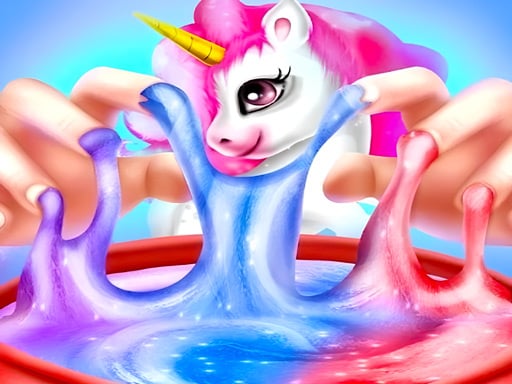
Choose Play now to load the game.
Official listing
Kids Unicorn Slime is an enchanting and immersive game that allows teenagers to explore the world of slime. With its vibrant graphics and captivating gameplay, this game is sure to keep players hooked for hours.
From the game listing
Use the mouse or finger to play
Open this card to load the gameplay video.
Kids Unicorn Slime is a colorful crafting simulation centered on mixing, decorating, and experimenting with playful DIY slime creations. Built with bright visuals and accessible touch-and-click mechanics, the game lets players explore tactile digital crafts at a relaxed, creative pace.
In Kids Unicorn Slime, players engage with interactive craft activities inspired by unicorn themes and colorful slime creations. The experience invites players to explore vibrant visual steps, combining ingredients and interacting directly with virtual textures on screen.
Designed with a vertical layout, the game presents each creative stage directly through responsive cursor and touch interactions. Whether experimenting on a desktop browser or mobile screen, players can enjoy a mess-free digital crafting environment full of cute aesthetics.
The main goal is to complete each DIY crafting phase by following on-screen prompts, mixing materials thoroughly, and enjoying the final decorative slime results.
1. Start the activity by selecting your crafting tools or on-screen materials.
2. Use your mouse cursor or finger to drag, pour, and mix ingredients together.
3. Follow interactive visual cues to stir the mixture until it reaches the desired texture.
4. Add colorful decorative elements and unicorn-themed accents to finish your slime.
5. Interact directly with your finished creation to see how the virtual slime stretches and reacts.
Use the mouse or finger to play by clicking, tapping, or dragging items across the screen.
The central appeal of Kids Unicorn Slime lies in tactile exploration and casual creativity. Rather than demanding fast reflexes or precision timing, the gameplay focuses on step-by-step assembly, sensory interaction, and rewarding visual feedback as ingredients blend together.
Kids Unicorn Slime is built with a vertical aspect ratio of 504 by 800 pixels, making it naturally comfortable on mobile phones and tablets. Direct touch inputs allow for intuitive squishing and stirring, while desktop players can achieve identical precision using standard mouse clicks and drags.
Slime-making simulations belong to the broader family of casual creative games that emphasize tactile satisfaction, colorful customization, and stress-free interaction. Players who enjoy cute crafting activities can explore step-by-step recipes without the cleanup of real-world materials.
Players searching for kids unicorn slime or a kids unicorn slime game are typically looking for gentle, family-friendly craft simulations. This title provides straightforward interactive steps that introduce the basics of virtual slime crafting on any web-enabled device.
What type of game is Kids Unicorn Slime? It is a casual DIY crafting and simulation game where players mix ingredients, apply colorful decorations, and play with virtual unicorn-themed slime.
How do you control the actions in Kids Unicorn Slime? You can play using either a mouse cursor on a desktop computer or your finger on mobile touchscreens to tap, drag, and stir items.
Is there a time limit or penalty for making mistakes? The game focuses on casual creative play and exploration without rigid countdown timers or failure penalties, allowing you to craft at your own pace.
Tell us if the game does not load, the information is wrong or the content needs review.
Report a problemExplore popular games by category, shared tags and site-wide activity.























