About Kids Alphabet
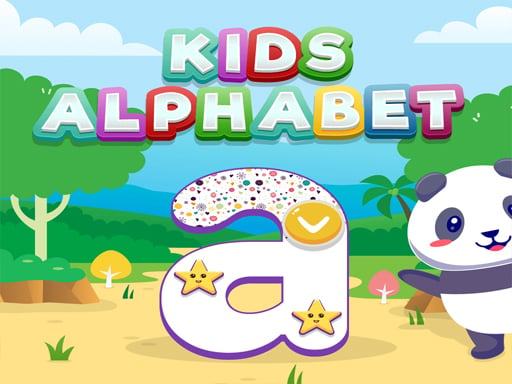
Kids Alphabet is a browser-based educational game created by RolinkStudio to help young learners explore letter shapes, basic writing practice, and vocabulary. Built with colorful visuals and voice narration, the game provides a welcoming kindergarten-style learning space where children interact with alphabet fundamentals through simple clicks and taps.
Designed specifically for early childhood learning, Kids Alphabet introduces letter recognition and handwriting fundamentals in a bright, friendly environment. The experience pairs visual letter prompts with spoken audio cues from a narrator, helping children connect the appearance of each character with its spoken sound and related vocabulary words.
Players interact by selecting prompts on screen, following writing exercises, and listening to audio feedback. Because the interface uses accessible tap and click controls, young learners can practice independently or alongside parents and teachers without navigating complex menus.
Your goal
The main goal in Kids Alphabet is to complete letter exploration and writing activities while building early word recognition. Learners aim to familiarize themselves with letter shapes, practice steady line-following for handwriting development, and reinforce vocabulary through recurring audio and visual cues.
How to play Kids Alphabet
1. Launch the game in your desktop or mobile browser to view the main alphabet activity screen.
2. Select a letter or activity prompt using a mouse click or touchscreen tap.
3. Listen carefully to the spoken voice narration as each letter and corresponding vocabulary item is introduced.
4. Follow the on-screen writing and tracing guidance using steady cursor movements or finger strokes.
5. Repeat completed letters and words to reinforce pronunciation, visual shape memory, and motor control.
Controls and device support
The game uses simple mouse clicks on desktop and touchscreen taps or drags on mobile devices to interact with all letter activities and menu prompts.
- Controls: Mouse or touch
- Device support: Desktop + mobile
- Game frame: 800 x 600
What makes the challenge interesting
The primary focus of Kids Alphabet centers on foundational literacy and fine motor coordination. Rather than testing speed or enforcing punitive fail states, the activity encourages deliberate repetition. Young players balance visual observation with auditory listening, associating character strokes with spoken letter names and vocabulary.
This relaxed rhythm makes the game especially suitable for pre-school and kindergarten learners who are developing initial hand-eye coordination. Taking time to trace lines cleanly and vocalize sounds aloud alongside the narrator yields a more grounded learning session than rushing through prompts.
Tips for Kids Alphabet
- Keep device audio turned on so learners can hear the voice narration clearly, helping connect printed characters with their natural pronunciations.
- Encourage children to repeat words out loud after hearing them spoken to build pronunciation confidence and expand working vocabulary.
- Guide young players to use slow, smooth mouse strokes or finger taps when tracing letter shapes to cultivate steady motor control.
- Revisit previously completed letters across multiple short sessions rather than trying to finish every activity at once, preventing early fatigue.
Playing on different devices
Kids Alphabet is built for both desktop web browsers and mobile devices. On desktop setups, the 800x600 display format offers clear visual visibility for shared parent-child sessions using a standard mouse. On touchscreens, the tap-and-play input allows children to trace letter shapes directly with their fingers, offering a tactile handwriting exercise.
The skills behind the game
Within the realm of educational and hypercasual web games, alphabet titles provide accessible, low-friction learning tools. These experiences strip away complicated menus and high-pressure mechanics, emphasizing direct visual and audio engagement. Kids Alphabet exemplifies this approach by turning letter recognition and handwriting practice into an approachable, self-paced activity for young children.
Who will enjoy this game
Families and educators looking for an interactive kids alphabet game often seek simple tools that combine phonics audio with letter tracing. Kids Alphabet addresses this need by merging guided voice prompts with clean visual demonstrations, making casual letter practice engaging for pre-school and kindergarten learners in quick daily sessions.
Frequently asked questions
What skills does Kids Alphabet focus on? The game focuses on early alphabet recognition, letter writing practice, and vocabulary building. Spoken narration and bright visuals combine to help young learners identify letter forms and associated words.
Can Kids Alphabet be played on mobile phones and tablets? Yes. Kids Alphabet is mobile-friendly and operates in modern web browsers on both desktop computers and touchscreen mobile devices using simple click or tap inputs.
Is sound required to play Kids Alphabet? While the game can be viewed silently, enabling audio is strongly recommended because the female voice narration provides vital letter pronunciations and vocabulary cues for early learners.
Something not right?
Tell us if the game does not load, the information is wrong or the content needs review.
Report a problem ›