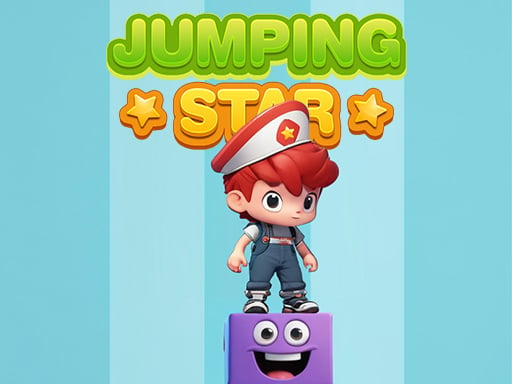
About Jumping Star
Jumping Star is a fast-paced casual jumping game where precise timing determines how high you can climb. Players control a lively character leaping upward as incoming obstacles and tower platforms slide in from both sides of the screen. By timing each jump to clear hazards and land squarely in the center, you can maintain momentum and build a stable climbing rhythm across each session.
In Jumping Star, your main task is to guide the central character up a rising tower by executing well-timed vertical jumps. As you play, bouncy platforms and obstacles approach rapidly from either the left or right side of the screen. Missing a jump or mistiming your leap leaves the character vulnerable to incoming hazards, making steady visual tracking essential from the very first move.
The core loop revolves around continuous elevation and positioning. Successfully hopping over approaching objects lets you stack your climb higher, while aiming for the middle of each landing spot delivers a smoother and safer ride. Each leap tests your reaction time and spatial judgment, turning simple one-button jumping mechanics into an engaging test of rhythmic precision.
Your goal
The primary objective in Jumping Star is to ascend as high as possible by hopping onto incoming tower pieces while evading obstacles arriving from both sides. To maximize stability and sustain a long run, players aim to touch down precisely in the middle of each platform. Improving your performance means reading incoming movement speeds early, minimizing off-center landings, and maintaining a consistent jumping cadence without panicking under pressure.
How to play Jumping Star
1. Start the game session and observe the starting position of your character in the center of the play area.
2. Watch both edges of the screen closely to detect incoming obstacles and moving tower segments.
3. Press Space, the Up Arrow key, or W on your keyboard to trigger a jump just before an incoming piece reaches your character.
4. Aim your descent so that you land directly in the middle of the newly arrived block to maintain a stable standing position.
5. Repeat your leaps consecutively for each new inbound obstacle to continue climbing the tower.
Controls and device support
According to the official instructions, you can use the Space bar, Up Arrow Key, or W key to jump and avoid incoming obstacles.
- Controls: Keyboard
- Device support: Browser
- Game frame: 800 x 600
Rules to keep in mind
- Obstacles and tower components slide inward from both the left and right sides of the screen.
- Players must jump using Space, Up Arrow, or W to evade inbound hazards.
- Landing toward the center of the stack provides a safer and smoother climb.
What makes the challenge interesting
The defining skill in Jumping Star is peripheral awareness paired with strict timing. Because incoming pieces arrive from alternating sides, you cannot fixate solely on your character. Instead, you must scan the screen boundaries to judge velocity and release your jump at the exact threshold that allows the moving platform to slide beneath your feet.
There is an inherent risk-reward dynamic in how you center your landings. Rushing a jump too early or delaying too long causes off-center landings, which leave less margin for error when the next hazard arrives. Developing an internal metronome and staying calm as the stack rises allows you to execute clean acrobatic moves consistently.
Tips for Jumping Star
- Focus your gaze slightly above the character's feet to track incoming blocks from both sides simultaneously, avoiding tunnel vision.
- Prioritize landing in the middle of each platform. Off-center landings reduce your reaction window for subsequent incoming pieces.
- Choose a single jump key that feels most comfortable—Space, Up Arrow, or W—and stick with it to build dependable muscle memory.
- Resist the urge to double-tap or panic-jump before an obstacle actually enters your character's immediate clearance zone.
Stages and progression
As your run in Jumping Star continues, your progression is defined by how steadily you can maintain your rhythm while building the tower higher. While the initial sequence gives you time to calibrate your jump timing, sustained climbing requires tighter execution and quicker adaptation to incoming blocks from either side.
A practical practice plan involves focusing on center-landing consistency during early attempts rather than solely pursuing maximum height. By mastering the fundamental leap timing across repeated runs, you naturally build the focus needed to handle longer climbing sequences.
Playing on different devices
Jumping Star offers three keyboard input options on desktop: the Space bar, the Up Arrow key, and the W key. Players using standard desktop keyboards may prefer the Space bar for a broad, relaxed thumb rest, while those accustomed to WASD or directional arrows can use W or Up Arrow respectively.
The game is designed with a standard 800 by 600 resolution, providing a clear visual field to spot approaching hazards entering from the display borders.
The skills behind the game
Jumping Star fits squarely into the hypercasual jumping game genre, where immediate accessibility and instant feedback drive the experience. Rather than requiring complex multi-button setups or elaborate strategic planning, the title distills gameplay into pure timing and rhythmic coordination.
Casual jumping games offer short, repeatable sessions that work well for quick relaxation breaks. The emphasis on clean execution, dodging hazards, and building height creates an easy-to-learn challenge that players can enjoy casually while practicing their hand-eye coordination.
Who will enjoy this game
Players looking for an engaging session of jumping star can jump right into action without long tutorials or complicated setup. The streamlined core mechanics make it a great option for casual gamers who enjoy reflex-based timing challenges and tower-stacking formats.
Whether you are practicing steady jump intervals or trying to beat your personal climbing record in the jumping star game, each attempt offers a fast, accessible test of timing. Its simple controls and focus on obstacle evasion make it ideal for quick warm-ups and casual play.
Frequently asked questions
What controls are available in Jumping Star? You can jump by pressing the Space bar, the Up Arrow key, or the W key on your keyboard to leap over incoming obstacles and onto platforms.
Why is standing in the middle of the platform important? Landing in the center gives your character a safer and smoother footing, providing optimal clearance against subsequent obstacles approaching from either side.
From which directions do obstacles appear in the game? Obstacles and sliding tower components enter the screen from both the left and right sides, requiring you to monitor both directions.
Something not right?
Tell us if the game does not load, the information is wrong or the content needs review.
Report a problem ›