About Jelly Party
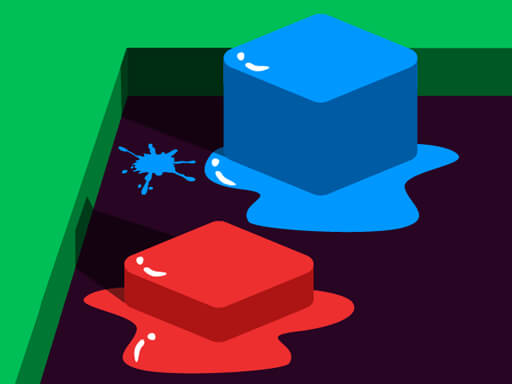
Jelly Party is a color-based puzzle game where matching colors pull together and different colors push apart. Guide each jelly orb into its correct spot, using careful movement, simple keyboard or touch controls, and the attraction rules to solve 25 challenging levels one stage at a time.
Jelly Party is a puzzle game built around a simple color rule: like colored objects attract, while different colored objects repel. The player uses that push-and-pull behavior to move colored jelly orbs into the correct spots. The listing describes 25 challenging levels, keyboard control through WASD or arrow keys, and touch control where the jelly moves toward the touched point. A Video button on the main menu is also described as a walkthrough option for completing all levels.
Your goal
The objective is to get all of the colored jelly orbs into the correct spot. To do that, the player has to account for attraction between like colors and repulsion between different colors, then steer the jelly so the orbs settle where they belong.
How to play Jelly Party
1. Start a level and look for the colored jelly orbs and the spots they need to reach.
2. On keyboard, use the WASD keys or arrow keys to control the jelly.
3. On touch, touch the screen to have the jelly move towards the spot touched.
4. Use the color rule to plan movement: like colored objects attract and different colored objects repel.
5. Keep adjusting positions until all colored jelly orbs are in the correct spot.
6. If stuck, go to the main menu and click the Video button to see the walkthrough video for the levels.
Controls and device support
WASD keys or arrow keys: control the jelly
Touch the screen: have the jelly move towards the spot touched
- Controls: WASD + arrow keys
- Device support: Desktop + mobile
- Game frame: 1800 x 1300
Rules to keep in mind
- Like colored objects attract each other.
- Different colored objects repel each other.
- The puzzle goal is to get all colored jelly orbs in the correct spot.
What makes the challenge interesting
The focus is on positioning rather than speed: every movement can pull matching colors together or push different colors apart, so a route that helps one orb may disturb another. Players need to read the color relationships, choose a direction with WASD, arrow keys, or touch, and make small corrections until the orbs are placed correctly.
Tips for Jelly Party
- Before moving, identify which orbs are the same color and which are different, because attraction and repulsion can help or block the next placement.
- Use short, deliberate inputs with WASD, arrow keys, or touch when an orb is close to its spot, since the color forces may keep affecting nearby pieces.
- If a level stops making sense, use the main menu Video button described in the listing to watch the walkthrough and compare the intended solution path.
Stages and progression
The source describes 25 challenging levels to complete. It also says players who get stuck can click the Video button on the main menu to see a walkthrough video showing how to complete all of the levels.
The skills behind the game
Jelly Party sits in the Puzzles category and is also tagged Arcade and Puzzle. That fits a compact logic challenge where the player manipulates movement and color reactions to solve each board, rather than relying on story, combat, or reflex-only play.
Who will enjoy this game
Natural phrase context for this page centers on the exact title Jelly Party, the broader phrase jelly party game, and the genre phrase puzzle game online. Those phrases should be used descriptively only, because the supplied keyword evidence is unverified and does not establish search volume or ranking.
Frequently asked questions
How do you control the jelly in Jelly Party? The instructions list WASD keys or arrow keys for keyboard control. For touch, touch the screen and the jelly moves towards the spot touched.
What is the goal in Jelly Party? The goal is to get all colored jelly orbs into the correct spot by using the rule that like colors attract and different colors repel.
What can I do if I get stuck on a level? The description says to click the Video button on the main menu to see a walkthrough video showing how to complete all of the levels.
Something not right?
Tell us if the game does not load, the information is wrong or the content needs review.
Report a problem ›