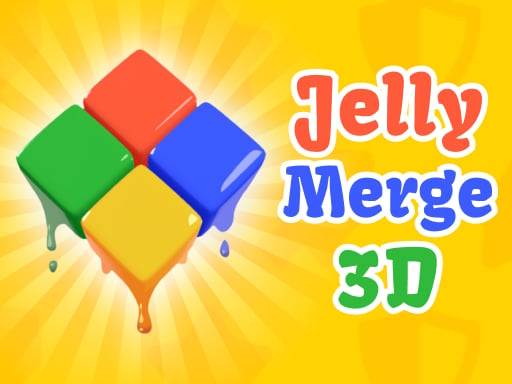
About Jelly merge 3D
Jelly merge 3D is a spatial puzzle game where players navigate squishy colored blocks across a board to combine matching pairs. The core challenge requires maneuvering cubes around layout obstacles until exactly one consolidated cube of each distinct color remains on the grid across more than seventy unique brainteasers.
In Jelly merge 3D, players enter a vibrant three-dimensional puzzle field populated by separated jelly cubes and spatial barriers. Each stage presents a distinct starting layout where multiple cubes of corresponding colors are scattered across the board. The fundamental loop revolves around shifting the blocks across the grid, routing them past static obstacles, and colliding matching colors together to merge them into a single unit.
As stages advance, the puzzle boards introduce multiple simultaneous color sets, requiring deliberate spatial reasoning and sequencing. Because every move shifts cubes toward boundaries or obstacles, players must carefully assess paths to avoid blocking matching pieces from reaching one another. The satisfying visual feedback of merging jellies combined with escalating layout complexity creates an engaging, thoughtful problem-solving experience.
Your goal
The primary objective in every stage is to slide and unite all like-colored blocks until only a single cube of each active color is left on the board. Players must steer clear of obstructive hazards, prevent separated blocks from getting isolated in corners, and efficiently clear every stage across the entire seventy-plus level progression.
How to play Jelly merge 3D
1. Survey the starting board layout to identify where like-colored jelly cubes are positioned and where static obstacles block direct paths.
2. Use keyboard directional keys or swipe gestures to slide the cubes across the grid in your desired direction.
3. Guide cubes of the same color into direct contact with each other so they connect and consolidate.
4. Navigate around maze-like barriers and walls to bring remaining separated pairs together without trapping them.
5. Continue combining matching blocks until exactly one single cube remains for every distinct color on the board to complete the level.
Controls and device support
Control cube movement across the grid using WASD or arrow keys on desktop keyboards, or swipe across the screen on touch-enabled devices.
- Controls: WASD + arrow keys
- Device support: Browser
- Game frame: 800 x 600
Rules to keep in mind
- Cubes of the same color merge together when they collide across the playfield.
- A level is successfully solved only when exactly one cube of each active color remains on the grid.
- Obstacles on the board obstruct movement and cannot be moved or passed through directly.
- Player directional inputs send cubes sliding across the grid according to the chosen direction.
What makes the challenge interesting
The defining mechanic of Jelly merge 3D lies in spatial pathfinding and multi-object coordination. Because sliding actions affect cube positioning relative to board obstacles, players cannot treat each colored pair in total isolation. Moving one cube toward its partner might inadvertently shift another piece into an awkward pocket or corner.
Success depends on working backward from the desired consolidation point. Players need to visualize how board barriers can serve as helpful stoppers rather than mere hindrances, using them to align pieces that would otherwise overshoot their targets. The gradual introduction of additional color sets shifts the game from simple direct sliding to intricate sequential route planning.
Tips for Jelly merge 3D
- Look ahead at the whole grid before making your first slide; planning three moves in advance prevents accidentally stranding a lone cube behind a maze wall.
- Use stationary obstacles to catch sliding blocks; deliberate collisions against barriers can align two cubes onto the same axis for an easy merge.
- Focus on resolving the most constrained color set first, as clearing tight corners early gives you more maneuverable space for remaining blocks.
- Avoid rapid back-and-forth sliding when stuck; pause to analyze how changing the movement sequence can reposition isolated jellies safely.
Stages and progression
Jelly merge 3D features more than seventy unique levels that steadily ramp up in puzzle complexity. Early stages introduce fundamental sliding mechanics with single color pairings on open boards. As players progress, stages introduce tighter maze-like barriers, more intricate obstacle arrangements, and multiple concurrent color varieties, requiring deeper strategic foresight to consolidate every piece successfully.
Playing on different devices
The game adapts smoothly across both desktop and mobile platforms. Desktop players can choose between standard WASD keys or arrow keys for precise, tactile grid movement, while mobile and tablet users can perform quick directional swipes directly on the screen.
The skills behind the game
Positioned within the logic and puzzle game genre, Jelly merge 3D combines spatial maze navigation with satisfying object-combination mechanics. Rather than relying on fast reflexes, the experience emphasizes calm deliberation, pattern recognition, and geometric planning. It offers an engaging mental workout for players who enjoy tidy sorting games and tidy grid-based deduction puzzles.
Who will enjoy this game
Players looking for a relaxing merge puzzle game online will find Jelly merge 3D well-suited for bite-sized brain training sessions. Its clean 3D visual presentation and straightforward sliding mechanics make it approachable for quick casual play during breaks, while the escalating variety of colors and obstacle layouts across dozens of levels provides substantive long-term puzzle solving.
Frequently asked questions
How do you complete a level in Jelly merge 3D? You complete a stage by sliding matching colored jelly cubes together around obstacles until exactly one combined cube remains for each distinct color on the board.
What controls are available to move the jelly blocks? On desktop browsers, you can slide the cubes using either the WASD keys or the arrow keys. On mobile touchscreen devices, directional swipes control the movement.
How many levels are included in the game? The game includes over 70 unique levels, with puzzle difficulty gradually increasing as additional colors, cubes, and obstacle configurations appear.
Something not right?
Tell us if the game does not load, the information is wrong or the content needs review.
Report a problem ›