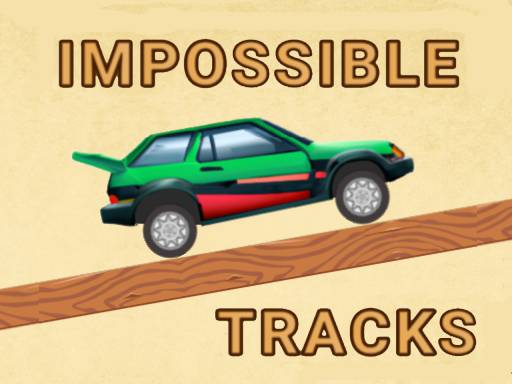
About Impossible Tracks 2D
Impossible Tracks 2D is a side-scrolling driving game that challenges players to guide a car across treacherous courses filled with hazards. Each stage presents tricky platform layouts and obstacles designed to test your timing, reflexes, and vehicle control. By managing forward and backward movement, you must carefully navigate uneven terrain and cross the finish line to conquer every tricky level.
In Impossible Tracks 2D, driving takes place along demanding 2D courses where balance and calculated throttle control are vital. Unlike wide-open circuit racers, this title emphasizes precision vehicle handling over hazardous track profiles. Players operate a car using basic directional commands to roll forward or reverse backward, adjusting velocity to negotiate various obstacles placed throughout the route.
The core loop revolves around assessing incoming track segments, reacting to tricky elevations or barriers, and maintaining stability until you hit the finish line. Because hazards can disrupt your run at any moment, the game encourages deliberate movement rather than reckless speeding. Every track demands attentive reflexes as you read the layout ahead, brake or back up when danger appears, and accelerate smoothly across safe stretches.
Your goal
Your primary objective in Impossible Tracks 2D is to guide your car safely past all hazards and reach the finish line in each level. Completing a stage requires balancing steady forward movement with timely reversals to survive demanding obstacles. Players aim to sharpen their reaction times, maintain vehicle control over treacherous ground, and clear the entire series of tricky levels without letting obstacles stop their progress.
How to play Impossible Tracks 2D
1. Study the opening stretch of the track to identify immediate bumps, inclines, or obstacles ahead.
2. Press the Right Arrow key or D to accelerate your car forward along the course.
3. Use the Left Arrow key or A to brake or reverse backward if an obstacle threatens your path.
4. Regulate your speed across hazardous sections to prevent unexpected flips or abrupt collisions.
5. Cross the designated finish line to complete the current stage and prepare for the next challenge.
Controls and device support
Drive forward using the Right Arrow key or D, and move backward using the Left Arrow key or A.
- Controls: Keyboard
- Device support: Browser
- Game frame: 1000 x 450
Rules to keep in mind
- The car must reach the finish line to successfully complete the level.
- Forward momentum is controlled with the Right Arrow or D key, while backward movement is controlled with the Left Arrow or A key.
- Each level contains obstacles that must be navigated to prevent failed runs across the treacherous tracks.
What makes the challenge interesting
The defining skill in Impossible Tracks 2D is throttle modulation and rapid situational assessment. Because the tracks present tricky obstacles along a 2D plane, holding down the accelerator continuously is rarely effective. Players must constantly weigh the speed needed to climb inclines against the restraint required to avoid crashing into sudden hazards. Reversing with Left Arrow or A provides a crucial tool to reposition the vehicle when an obstacle blocks forward progress. Mastering the interplay between forward bursts and careful reversals allows you to conquer complex layouts while keeping the car upright and stable.
Tips for Impossible Tracks 2D
- Feather the forward key in short taps rather than holding it down continuously. Controlled bursts keep your car balanced over sudden bumps, preventing uncontrolled bounces into nearby hazards.
- Back up using the reverse key when approaching unfamiliar obstacles. Creating extra run-up distance lets you survey tricky terrain safely, avoiding abrupt stops against unexpected track barriers.
- Watch the track terrain ahead rather than focusing solely on your vehicle. Spotting upcoming dips and elevated hazards early gives your reflexes enough time to adjust speed before reaching danger.
- Come to a complete stop before attempting steep descents or tricky transitions. Rushing downward often leads to severe instability, whereas controlled rollouts help you maintain traction toward the finish line.
Stages and progression
The game introduces a series of tricky levels that feature increasingly demanding obstacle arrangements. While individual level unlock conditions and specific scoring metrics are not detailed, player progression relies on developing consistent habits. Approaching new stages with patience allows you to memorize hazard placements, refine your throttle inputs, and build the reflex speed necessary to tackle more treacherous layouts. If a particular track section proves difficult, adjusting your approach speed and utilizing reverse positioning can turn a failed attempt into a smooth run.
Playing on different devices
Impossible Tracks 2D is designed for desktop browser play using standard keyboard controls. Movement is mapped to both the arrow keys and standard WASD equivalents, allowing you to drive using either the Right Arrow and Left Arrow or the D and A keys. Choosing the key layout that feels most natural to your hand placement helps ensure fast, reliable reflex inputs when maneuvering through dangerous obstacle zones.
The skills behind the game
Within the racing and car adventure genres, obstacle-based driving games hold a distinct niche. Rather than competing directly against rival drivers on an open circuit, players take on the environment itself. Impossible Tracks 2D highlights this style of obstacle platforming, where the road surface presents the primary test. Fans of precision driving will appreciate the focus on vehicular equilibrium, obstacle navigation, and track survival, offering a compelling alternative to traditional lap-based motorsport experiences.
Who will enjoy this game
Players looking for an engaging racing game online often seek experiences that challenge their hand-eye coordination without requiring extensive setup. Impossible Tracks 2D fits into this space as a straightforward obstacle driving game that anyone can pick up for casual practice. The dual-key control scheme makes it easy to jump directly into action, while the series of tricky levels provides a satisfying reflex workout for gamers who enjoy overcoming hazardous platform courses.
Games with a similar feel
Asphalt: Both Impossible Tracks 2D and Asphalt center on the excitement of operating a car under demanding conditions, testing player reflexes across difficult courses. However, Asphalt focuses on high-speed arcade circuit racing, whereas Impossible Tracks 2D emphasizes deliberate 2D obstacle navigation and precise forward and backward throttle control. Players seeking complex obstacle courses will appreciate Impossible Tracks 2D, while those wanting competitive high-speed pack racing may lean toward Asphalt.
Frequently asked questions
How do you control your car in Impossible Tracks 2D? You can move your car forward by pressing the Right Arrow key or D, and move backward using the Left Arrow key or A. These controls let you regulate speed and back up when negotiating obstacles.
What is the main goal in each level of Impossible Tracks 2D? The objective is to navigate treacherous 2D courses, overcome challenging obstacles along the path, and cross the finish line safely to complete each tricky stage.
Is Impossible Tracks 2D suitable for quick casual gaming sessions? Yes, the browser-based format and straightforward directional controls make it ideal for quick sessions. Players can easily practice vehicle timing and reflex navigation across individual tricky levels whenever they have a spare moment.
Something not right?
Tell us if the game does not load, the information is wrong or the content needs review.
Report a problem ›