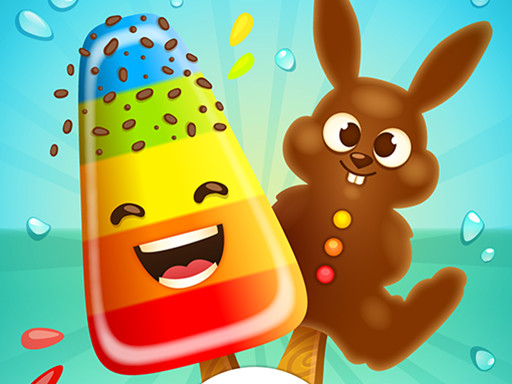
About Ice Candy Cooking Game
Ice Candy Cooking Game is a casual kitchen simulation where players design and decorate frozen sweet treats. The core activity centers on choosing popsicle molds, combining vivid flavors, and dressing the finished bars with glazes, toppings, and playful accessories. With straightforward click or tap interactions, it offers an accessible creative sandbox geared toward younger players and casual cooking enthusiasts who enjoy styling colorful food presentations without time pressure.
Set in a vibrant virtual dessert kitchen, Ice Candy Cooking Game lets players explore sweet and sour frozen confectionery. The experience guides the user through each phase of popsicle creation. You start by selecting an ice candy silhouette from a variety of distinct shapes, establishing the base structure of your dessert. From there, you blend colorful flavors to set up custom color patterns and taste themes across the frozen bar.
Once the foundation is set, the decorating phase introduces an assortment of embellishments. Players can customize the display stick, apply glossy glazes, scatter textured toppings, and position small toys or decorative accents around the finished item. The game focuses on relaxed artistic expression, encouraging players to experiment with contrasting garnishes and share the visual outcome of their culinary crafts with friends or family.
Your goal
The primary objective is to complete an appealing ice candy presentation from mold selection through final styling. Players aim to harmonize popsicle shapes, vibrant flavor mixtures, and decorative layers like frosting glaze and sprinkled toppings. Rather than chasing a numeric target, the goal is to practice aesthetic balance, experiment with different cosmetic combinations, and assemble a satisfying dessert masterpiece ready to showcase.
How to play Ice Candy Cooking Game
1. Select your preferred popsicle mold from the available silhouette shapes.
2. Choose and blend colorful flavors to form your sweet or sour ice candy base.
3. Pick a sturdy stick design to anchor the frozen treat.
4. Coat the surface with your choice of sweet glazing.
5. Add final embellishments by applying toppings, side ornaments, and toy decorations.
Controls and device support
The game uses unified mouse clicks on desktop and direct screen taps on mobile devices to select molds, mix flavors, and place decorations.
- Controls: Mouse or touch
- Device support: Desktop + mobile
- Game frame: 504 x 800
What makes the challenge interesting
The charm of this title lies in aesthetic exploration rather than rapid execution. Without strict countdowns or failure states, the core engagement comes from planning color palettes and complementary toppings. Players balance bold base syrups against delicate glazes, evaluating how contrasting decorative toys and sprinkles frame the frozen candy. The rhythmic cycle of selecting, pouring, and detailing rewards patient visual design, making it an engaging creative outlet for players who enjoy relaxing DIY craft simulations.
Tips for Ice Candy Cooking Game
- Plan your palette early by matching flavor colors with your planned glaze. Clashing base tones can obscure intricate toppings, so selecting complementary shades creates a much cleaner presentation.
- Try unusual mold silhouettes to see how toppings distribute. Standard rectangular bars behave differently visually than novelty shapes, which often benefit from asymmetrical garnish placement.
- Balance heavy glazes with lighter sprinkled toppings. Overwhelming the candy surface with identical textures hides the vibrant ice base you mixed in earlier creation steps.
- Select stick patterns that complement the overall theme. A patterned or colorful handle ties the garnish together and prevents the bottom portion of your treat from looking bare.
Playing on different devices
Designed with a portrait canvas measuring 504 by 800 pixels, this title translates smoothly to handheld smartphones and tablets where direct touchscreen tapping feels natural. On desktop browsers, navigating the vertical stage with standard mouse clicks remains precise, allowing easy selection of fine embellishments and small decorative items.
The skills behind the game
Placed within cooking and casual simulation genres, this title emphasizes maker-style design over high-intensity kitchen management. Rather than managing customer orders or juggling burning ingredients under time limits, simulation games of this variety concentrate on artistic satisfaction and procedural steps. Players who enjoy cute design, food styling, and hands-on decoration will find a calm, accessible platform for digital confectionery crafting.
Who will enjoy this game
Anyone exploring an ice candy cooking game typically seeks a relaxing, family-friendly hobby project that can be played in short sessions. These titles work wonderfully as gentle creative exercises for younger audiences learning basic design concepts, as well as casual players unwinding with pleasant visual tasks. Because it requires only basic tapping or clicking, it serves as an effortless introduction to cooking craft games without demanding complex gaming literacy.
Games with a similar feel
Cooking Mama: Cooking Mama popularized interactive kitchen activities with quick food preparation mini-tasks. While Cooking Mama evaluates players on timing precision across active cooking steps, Ice Candy Cooking Game shifts the focus toward relaxed popsicle decoration. Players seeking freeform dessert styling without performance grading or cooking timers will prefer the casual freedom offered here.
Frequently asked questions
Can you lose or fail a round in Ice Candy Cooking Game? There are no recorded game-over states or penalties. The game emphasizes casual creativity, allowing you to freely experiment with popsicle shapes, coatings, and garnish options at your own pace without risk of failing.
What kind of decorations can you add to your ice candy? Players can personalize their treats using an assortment of sticks, colorful glazes, sprinkled toppings, and novelty toys or elements positioned around the popsicle to produce custom sweet and sour designs.
Are the controls suitable for young children? Yes. The interface relies entirely on clicking with a mouse or tapping directly on touchscreens, making the selection process accessible for kids without requiring complex button combos or rapid typing reflexes.
Something not right?
Tell us if the game does not load, the information is wrong or the content needs review.
Report a problem ›