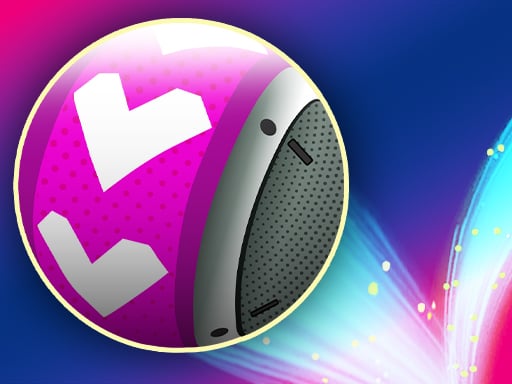
About Hyper Neon Ball
Hyper Neon Ball is a three-dimensional physics puzzle game where your objective is to launch a glowing sphere directly into a target basket bin. Using simple mouse controls to plot an arc, you work through varied stage layouts while managing a limited supply of attempts on each challenge. Success requires deliberate path planning, careful spatial judgment, and a steady touch.
Hyper Neon Ball places players in clean 3D environments where the primary objective is steering a ball into a designated basket container. Every stage presents a fresh layout featuring different obstacle positions and basket placements. Rather than relying on frantic reflexes, the core experience centers on calm spatial assessment and plotting an accurate flight path before committing your shot.
The game structures each round around efficiency. You receive three shooting rights per level, encouraging you to analyze the angle and power curve before releasing. In addition to clearing stages, players can visit an in-game store to explore and obtain different ball types, giving the ongoing target practice a satisfying collectible dimension.
Your goal
The main objective in Hyper Neon Ball is to successfully land the ball inside the basket bin within your allotted three shots. Your goal on every stage variation is to find the optimal flight path on your first release, preserving attempts and clearing stages cleanly while working toward unlocking additional ball designs in the shop.
How to play Hyper Neon Ball
1. Examine the stage environment to locate your starting ball position and the exact placement of the basket bin.
2. Click and hold the left mouse button to initiate the path creation line from your ball toward the target area.
3. Adjust your cursor to fine-tune the trajectory angle and predicted arc before releasing the click.
4. Release the left mouse button to send the ball flying along your plotted movement path.
5. Monitor the outcome, noting that you have three total shooting rights available if your first attempt misses.
6. Visit the in-game store between rounds to browse and purchase alternative ball types.
Controls and device support
Use the mouse and left-click to create and adjust the ball movement path before launching your shot.
- Controls: Mouse or touch
- Device support: Browser
- Game frame: 800 x 600
Rules to keep in mind
- Each level requires the player to land the ball inside the designated basket bin.
- You are granted three shooting rights per level to accomplish the goal.
- The movement path of the ball is drawn and guided via left-click mouse inputs.
- Alternative cosmetic ball types can be purchased directly from the in-game store.
What makes the challenge interesting
Hyper Neon Ball centers on trajectory estimation and deliberate angle calculation. Because players are provided three shooting attempts per level, every shot represents a balance between taking a conservative test shot and committing to a decisive, single-attempt clear. Evaluating distance, height, and visual perspective in a 3D space teaches you how small cursor shifts translate into major changes in the final landing zone.
The pacing rewards patience over rapid clicking. Rushing a release without studying the path line often wastes an attempt, whereas spending a few extra seconds calibrating the launch arc consistently yields cleaner entries into the basket bin.
Tips for Hyper Neon Ball
- Study the basket opening before dragging your trajectory line. Aligning your arc with the center of the rim helps prevent the ball from clipping outer edges and bouncing away.
- Treat your first shot as an exact calibration. If you miss high or low, make subtle cursor corrections on your remaining shooting rights instead of drastically changing your whole aim.
- Hold your click steady while assessing the path indicator. Releasing the mouse button prematurely can send the ball off course before your chosen trajectory is fully stabilized.
- Check the store regularly to inspect newly accessible ball types, offering visual variety across prolonged practice sessions without altering your core aiming mechanics.
Stages and progression
Progression in Hyper Neon Ball flows across multiple game levels and environmental variations. Each new stage adjusts the spatial relationship between the launch point and the basket bin, prompting players to recalibrate their trajectory arcs. As you clear stages and manage your three shooting rights effectively, you can head to the store to invest in new ball types and continue testing your aiming consistency across increasingly varied layouts.
Playing on different devices
The game is configured around mouse input, where left-clicking and dragging across the 800 x 600 viewport allows precise trajectory plotting. Playing on a desktop browser with a dedicated pointer provides steady fine-tuning when lining up delicate high-arc shots toward the basket bin.
The skills behind the game
Hyper Neon Ball sits within the browser puzzle and brain game category, blending spatial geometry with physics-based shooting mechanics. Rather than presenting abstract logic riddles or grid-based matching, physics puzzles challenge players to read simulated depth and motion paths. Estimating gravitational drop, launch angles, and target clearance exercises visual coordination, making each basket clear a satisfying blend of calculation and execution.
Who will enjoy this game
Players looking for an engaging puzzle game online will appreciate how Hyper Neon Ball delivers straightforward, pick-up-and-play sessions. Searching for a hyper neon ball game connects you to a focused trajectory challenge that can be played in short bursts without lengthy onboarding. Whether you want a quick mental break or a deliberate session working through level variations, the three-shot structure provides clear, repeatable targets for casual skill practice.
Frequently asked questions
How many shots do I get on each level in Hyper Neon Ball? Each level provides three shooting rights. Your objective is to put the ball into the basket bin using those available attempts.
How do I aim and shoot the ball? Use your mouse to position your cursor, then hold left-click to create the movement path. Release the click when you are satisfied with the trajectory.
What is the purpose of the in-game store? The in-game store allows you to browse and buy new ball types to use as you progress through the game's various stage layouts.
Is Hyper Neon Ball suitable for casual puzzle practice? Yes, its level-by-level structure and three-shot limit make it ideal for quick sessions focused on trajectory judgment and spatial puzzle solving.
Something not right?
Tell us if the game does not load, the information is wrong or the content needs review.
Report a problem ›