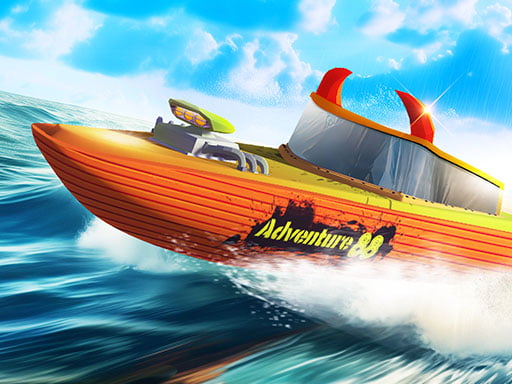
About Hydro Racing 3D
Hydro Racing 3D is a 3D water-based racing game where players pilot high-powered speedboats across open water parkour courses and structured race circuits. Featuring both dedicated career mode chapters and open free-driving areas, the game lets solo players and local pairs use nitrous fuel boosts to power through competitive aquatic tracks.
Hydro Racing 3D places you at the helm of speedboats designed for velocity and stunts across dynamic water tracks. Players can dive into structured career mode chapters to test their racing lines against opponents or head into the free map to navigate floating parkour ramps and open water obstacles at their own pace.
The game incorporates nitrous fuel systems that provide surges of acceleration when navigating long stretches or hitting water ramps. With support for both single-player challenges and split-keyboard two-player competition, players can switch camera perspectives mid-race and instantly reset their boats whenever water collisions disrupt their navigation.
Your goal
The primary objective in Hydro Racing 3D is to master speedboat handling across career mode chapters, reach top finishing positions in competitive races, and explore water parkour layouts. Players aim to time their nitrous boosts effectively, maintain momentum through aquatic turns, and outmaneuver rivals or local opponents.
How to play Hydro Racing 3D
1. Select your desired play style, choosing between structured career chapters, standard racing, or open free driving.
2. Choose between single-player mode or local two-player mode to share the keyboard with a friend.
3. Steer your boat through water channels and parkour obstacles using your designated movement keys.
4. Activate nitrous fuel on open straights or ramp approaches to gain sudden bursts of speed.
5. Adjust camera angles using the view switch key to monitor obstacles, and hit the restart key if your boat gets overturned.
Controls and device support
Player 1 steers with WASD, activates nitrous with Left Shift, resets the boat with R, and switches camera view with C. Player 2 steers with the Arrow keys, triggers nitrous with O, resets with I, and switches camera view with K.
- Controls: Keyboard
- Device support: Browser
- Game frame: 800 x 600
Rules to keep in mind
- Nitrous fuel can be engaged to temporarily make speedboats faster and stronger along the water parkour.
- Two participants can race concurrently on a single system using separate split-keyboard key configurations.
- Players can toggle their camera view perspective at any point during active driving.
What makes the challenge interesting
Hydro Racing 3D centers on aquatic momentum and trajectory management. Piloting a speedboat across water surfaces creates wider turning radii and distinct drift mechanics compared to conventional road racing. Players must read the waterways, align their approaches before hitting stunt ramps, and avoid clipping boundary markers.
Strategic nitrous management represents the core mechanical tradeoff. Engaging boost mid-turn risks launching off course or overshooting water obstacles, whereas reserving boost for clear straightaways or jump takeoffs maximizes forward acceleration.
Tips for Hydro Racing 3D
- Reserve nitrous for straight water lanes rather than tight turns to prevent overshooting checkpoints and losing steering control.
- Spend time in free driving mode to understand turning inertia before taking on tight career chapters.
- Switch camera perspectives when tackling elevated stunt structures to get a clearer sightline over blind water crests.
- Use the designated restart key promptly after severe spinouts or flips to re-align your vessel without wasting race time.
Stages and progression
The game structures progression through career mode chapters alongside open-ended free map sessions. Players can advance from basic water circuits into more elaborate water parkour courses featuring diverse obstacle layouts and stunt opportunities.
As you move between chapters, focus on refining steering lines, timing nitrous activation precisely, and adapting to speedier vessel handling across different aquatic environments.
Playing on different devices
Hydro Racing 3D is designed for desktop keyboard play with built-in controls for two local players. Player 1 utilizes the left hand cluster (WASD, Left Shift, R, C), while Player 2 operates on the right side (Arrow keys, O, I, K).
Ensure both participants have comfortable access to the keyboard layout before launching a competitive 2-player match.
The skills behind the game
Hydro Racing 3D fits into the 3D racing and stunt genre, substituting standard tarmac circuits with dynamic water parkour environments. Watercraft racing emphasizes momentum preservation and wave navigation, offering a distinct physical feel compared to traditional land-based vehicle titles.
Who will enjoy this game
Players searching for online racing games with multiplayer capability will appreciate Hydro Racing 3D for its accessible split-keyboard setup and dual-mode variety. Whether practicing stunt lines in free driving or competing across career stages, the game provides immediate arcade-style speedboat action.
Games with a similar feel
Asphalt: While Asphalt focuses on high-speed car racing across urban streets, Hydro Racing 3D shifts the arcade racing dynamic to water parkour using speedboats. Both emphasize high velocity and nitrous boosts, but Hydro Racing 3D offers local two-player shared keyboard racing and open free-driving exploration.
Frequently asked questions
Can two people play Hydro Racing 3D on the same computer? Yes, Hydro Racing 3D includes a local 2-player mode where Player 1 uses WASD controls and Player 2 uses the Arrow keys on a shared keyboard.
What game modes are available in Hydro Racing 3D? The game features structured career mode chapters, competitive racing circuits, and open free driving activities across water parkour environments.
How do you activate boost in Hydro Racing 3D? Player 1 activates nitrous fuel using Left Shift, while Player 2 triggers nitrous using the O key.
Something not right?
Tell us if the game does not load, the information is wrong or the content needs review.
Report a problem ›