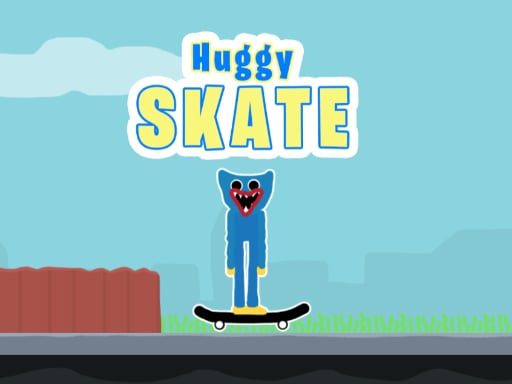
About Huggy Skate
Huggy Skate is a fast-paced 2D arcade adventure where you guide Huggy, the blue scary but cute monster, through dangerous skateboarding courses. As Huggy rides forward on his skateboard, you must react quickly to hazards by jumping, executing mid-air double jumps, or stopping completely to avoid nasty falls.
In Huggy Skate, players take charge of Huggy's skateboarding journey across dynamic 2D tracks filled with terrain hazards and obstacles. Huggy rolls forward on his board, leaving it up to your timing and instincts to prevent him from crashing or falling on his head. Success requires careful observation of incoming ground obstacles and overhead dangers.
The action revolves around precise movement control. You can prompt Huggy to leap into the air with a single jump or perform a double jump to clear wider hazards. When leaping is too risky or an obstacle blocks your path ahead, you can order Huggy to stop in his tracks until it is safe to proceed.
Your goal
Your main objective in Huggy Skate is to navigate Huggy safely across each obstacle-filled course without crashing. Guide the blue monster past every barrier along the path by judging when to jump, double jump, or halt his forward momentum, keeping him upright on his skateboard until the end of the run.
How to play Huggy Skate
1. Start the game and watch Huggy begin his run riding forward on his skateboard.
2. Scan the track ahead to spot incoming hazards, gaps, and terrain obstacles.
3. Press the jump key or tap your screen to leap over ground barriers.
4. Trigger a second jump in mid-air to gain extra height and clear broader hazards.
5. Press the stop key whenever you need to pause forward motion and avoid falling.
Controls and device support
W: Jump / Double jump
A: Stop
Touch screen: Jump, double jump, or stop via on-screen touch control
- Controls: Mouse or touch
- Device support: Desktop + mobile
- Game frame: 800 x 600
Rules to keep in mind
- Colliding with hazards or falling on Huggy's head will disrupt his skateboarding run.
- You can perform a maximum of two jumps in sequence before landing back on the board.
- Stopping halts forward momentum to help you navigate tricky obstacles safely.
What makes the challenge interesting
Mastering Huggy Skate depends entirely on rhythm and quick hazard recognition. Because Huggy travels on a skateboard, forward momentum carries him quickly toward danger. Players must balance the choice between leaping forward and coming to a complete halt.
The double jump mechanic offers vital vertical recovery, allowing you to salvage mistimed initial jumps or clear extra-tall obstacles. Knowing when to stop instead of jumping is just as critical, ensuring Huggy does not tumble upside down into hazardous terrain.
Tips for Huggy Skate
- Save your second jump until you reach the peak of your first leap to maximize overall distance and clearance.
- Use the stop control whenever upcoming obstacles are grouped closely together rather than rushing through blindly.
- Keep your eyes focused ahead of Huggy rather than directly on the board to react earlier to incoming hazards.
The skills behind the game
As a single-player 2D arcade title, Huggy Skate combines classic platform runner timing with responsive obstacle-avoidance mechanics. Players must manage constant movement and rapid reaction times within a streamlined, accessible format suitable for quick browser sessions.
Who will enjoy this game
If you enjoy a fast-paced huggy skate game or are searching for an exciting arcade game online, this title delivers simple stop-and-jump skateboarding action featuring a distinctive blue monster character.
Frequently asked questions
How do you perform a double jump in Huggy Skate? Press the W key a second time while Huggy is airborne, or tap the touch control again on mobile devices to jump twice before landing.
Can Huggy stop moving during his skateboarding run? Yes, pressing the A key on desktop or using touch control on mobile commands Huggy to stop, preventing collisions with hazardous obstacles.
Something not right?
Tell us if the game does not load, the information is wrong or the content needs review.
Report a problem ›