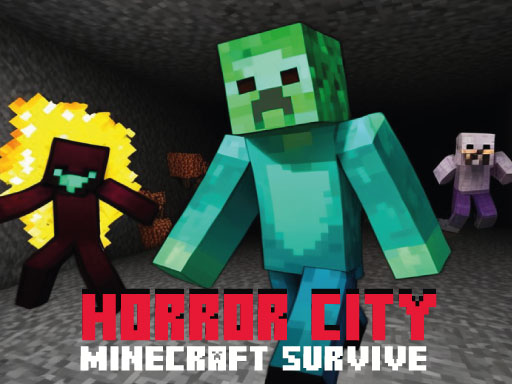
About Horror City Minecraft Survive
Horror City Minecraft Survive is a 3D browser action title that challenges players to explore a haunted, voxel-style urban landscape. Facing eerie environments and roaming spectral threats, you must carefully navigate each district, search for exit paths, and interact with objects while staying out of the reach of dangerous creatures.
In Horror City Minecraft Survive, players are dropped into a tense urban sprawl styled after classic block-building aesthetics. Rather than focusing solely on peaceful construction, the setting is filled with suspense, eerie architecture, and haunting Minecraft-inspired ghosts patrolling the streets.
The core gameplay loop centers on moving across the map, checking alleys and structures, and manipulating objects to secure an escape route. Survival depends on spatial awareness and steady route planning so that you can reach safety in each level before wandering enemies cut off your options.
Your goal
Your main goal is to successfully escape each level by navigating the city layout and interacting with vital items before hostile ghosts track you down. To succeed, aim to maintain a clear line of sight around corners, learn the geometry of the map, and complete each escape without getting trapped in dead ends.
How to play Horror City Minecraft Survive
1. Spawn into the level and use the mouse to survey your immediate surroundings for landmarks and potential hazards.
2. Move through the streets and corridors using the directional movement keys to scout possible paths forward.
3. Jump over obstacles or elevation changes when necessary to keep your momentum going.
4. Approach useful items and press the interaction key to activate or collect them as you search for a way out.
5. Locate the exit point and complete your escape from the map before enemy ghosts intercept you.
Controls and device support
According to the official instructions, control your character on desktop using WASD to move around the map, Spacebar to jump, the mouse to look around and control the camera, and F to interact with items.
- Controls: Mouse or touch
- Device support: Browser
- Game frame: 900 x 600
Rules to keep in mind
- You must navigate the map and reach safety to successfully clear each level.
- You must avoid letting the roaming ghosts locate and trap you before completing your escape.
- You must interact with items placed across the environment using the interaction input to progress.
What makes the challenge interesting
The central challenge in Horror City Minecraft Survive revolves around situational awareness and measured navigation. Navigating narrow block alleys while tracking potential enemy positions creates a steady rhythm of scanning, moving, and inspecting points of interest. Rushing blindly risks walking straight into the path of a patrolling ghost, while lingering too long in one spot gives wandering threats time to corner you.
Balancing speed and caution is essential. Players who constantly rotate the camera to inspect intersections and identify clear escape paths will find it much easier to reach interactive objects and exit routes safely.
Tips for Horror City Minecraft Survive
- Sweep the camera actively around building corners before running forward. This helps you spot approaching ghosts early and prevents accidental collisions in narrow city corridors.
- Prioritize identifying interactive items quickly. Pressing F to trigger necessary objects as soon as you find them keeps your escape progress moving forward smoothly.
- Always keep an exit route in mind when entering confined areas. Avoid backing yourself into dead-end rooms where ghosts can easily block your only way out.
- Use jumps deliberately when navigating uneven ground. Hopping over low obstacles helps maintain movement rhythm without losing orientation.
Stages and progression
Horror City Minecraft Survive structures its challenge across distinct levels where the primary objective remains escaping before hostile creatures find you. As you clear each stage, practice developing a consistent scanning routine at the start of every new map layout.
To improve over repeated sessions, focus on minimizing hesitation when discovering interactive items and refining your spatial memory of each map's key paths.
Playing on different devices
The game utilizes a standard first-person keyboard and mouse setup, mapping movement to WASD, jumping to the Spacebar, view controls to the mouse, and item interaction to the F key. Playing on a desktop browser with a reliable mouse allows for smooth camera turning when surveying eerie streets.
The skills behind the game
Classified under the action and escape genres, Horror City Minecraft Survive combines immediate environmental exploration with tense evasion mechanics. Rather than focusing on complex resource crafting, it delivers an accessible, bite-sized survival scenario where quick reflexes and route selection take center stage.
Who will enjoy this game
Players looking for an action game online that mixes blocky visual charm with spooky suspense will find a straightforward survival loop in Horror City Minecraft Survive. It serves as an engaging casual challenge for anyone wanting to test their spatial awareness and escape instincts across haunting city levels.
Games with a similar feel
Minecraft: Minecraft is a sandbox title focused on open-ended world building and deep crafting systems. Horror City Minecraft Survive borrows the familiar block-based aesthetic but shifts the focus toward a structured escape scenario where players must avoid lurking ghosts within self-contained city levels.
Street Fighter: Street Fighter emphasizes direct martial arts combat, precise spacing, and direct opponent matchups. While Horror City Minecraft Survive is tagged with fighting and action, its primary challenge is evasion, exploration, and level escape rather than technical head-to-head fighting.
Frequently asked questions
What is the primary goal in Horror City Minecraft Survive? Your goal is to explore the haunted city environment, interact with necessary items, and find the exit in each level before the roaming ghosts locate you.
How do you interact with objects in the game? Approach an interactive item in the environment and press the F key on your keyboard to interact with it as you work toward your escape.
How should I handle narrow streets and blind corners? Rotate your camera with the mouse to check side paths before sprinting ahead. Keeping sightlines open helps you avoid running directly into wandering enemies.
Something not right?
Tell us if the game does not load, the information is wrong or the content needs review.
Report a problem ›