Official listing
Game description
two man war
Action game
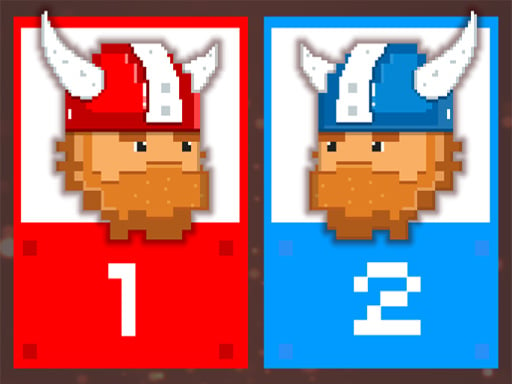
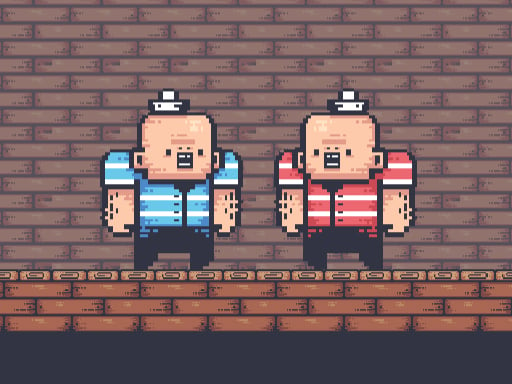
hit war is a 2D action title built around a direct two-man war between local players on one screen. Built for two-player competition, the game assigns dedicated keyboard layouts to each participant, letting Player 1 and Player 2 engage in immediate head-to-head conflict across an 800 by 600 viewport.
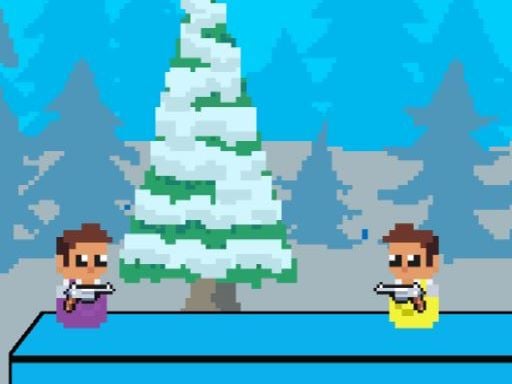
Choose Play now to load the game.
Official listing
two man war
From the game listing
p1 arrow keys p p2 w a s d space
Open this card to load the gameplay video.
hit war is a 2D action title built around a direct two-man war between local players on one screen. Built for two-player competition, the game assigns dedicated keyboard layouts to each participant, letting Player 1 and Player 2 engage in immediate head-to-head conflict across an 800 by 600 viewport.
In hit war, two combatants square off in a compact 2D war setting. Rather than managing complex armies, the action focuses strictly on a two-man duel where each player takes direct manual control of their fighter at the keyboard. Player 1 relies on the arrow keys alongside the P key for inputs, while Player 2 operates on the opposite side of the keyboard with W, A, S, D and the Space bar. Designed with an 800 by 600 display resolution, the shared screen format provides both participants with full visibility over the battlefield simultaneously, facilitating immediate local versus gameplay without network latency.
The primary objective in hit war is to overcome your opponent in a focused two-man war. Both participants maneuver across the 2D arena and deploy their dedicated action keys to confront each other. Success requires outpositioning your rival, reacting swiftly to incoming attacks, and landing hits while managing your designated keys effectively on the shared keyboard.
1. Situate both participants at the keyboard to prepare for the shared-screen duel.
2. Player 1 uses the arrow keys to maneuver and presses P to trigger their action.
3. Player 2 uses W, A, S, and D to steer and presses Space to trigger their action.
4. Navigate across the 2D arena to close the distance against the opposing character.
5. Time your attacks and evade incoming strikes to defeat the other player in the war.
Arrow keys: Player 1 move
P: Player 1 action
W, A, S, D: Player 2 move
Space: Player 2 action
Gameplay in hit war centers on close-quarters positioning, input timing, and spatial awareness on a single screen. Because both players share one keyboard and view the full 800 by 600 arena at once, neither fighter has an informational advantage. Matches emphasize immediate physical reflexes: maneuvering into optimal striking distance, executing key presses cleanly, and reading the rival player's movement patterns. The simplified two-character scope strips away external distractions, keeping the competitive focus squarely on fast, head-to-head interaction between the two participants.
As an action release tagged under 2D and War, hit war reflects the tradition of classic local multiplayer arena brawlers. In action games of this genre, physical dexterity and immediate responsiveness take precedence over long-term strategic resource management. The 2D presentation keeps spatial navigation transparent, letting both competitors concentrate entirely on direct confrontation and timing their attacks within a single shared viewport.
Players searching for a straightforward hit war game or a casual action game online can engage in competitive duels without complicated setups. The title embodies classic two-player gaming, where the full experience revolves around immediate head-to-head combat between two individuals sharing standard desktop keyboard inputs in a compact 2D environment.
Can two people play hit war on the same keyboard? Yes. The controls are split across a single keyboard, giving Player 1 the arrow keys with P, while Player 2 utilizes the W, A, S, D keys and Space bar.
What screen resolution does hit war use? The game operates in a fixed 800 by 600 display format, allowing both players to observe the entire 2D combat arena together on the same screen.
Does hit war support online multiplayer? The provided game data specifies only local shared-keyboard inputs for Player 1 and Player 2, with no online matchmaking or networked multiplayer features documented.
Tell us if the game does not load, the information is wrong or the content needs review.
Report a problemExplore popular games by category, shared tags and site-wide activity.