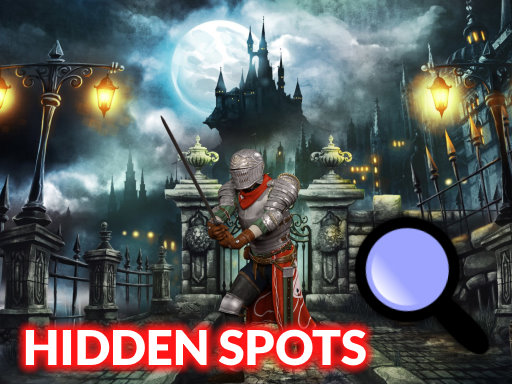
About Hidden Spots Under the Moon
Hidden Spots Under the Moon is a relaxing HTML5 picture puzzle game where players search for concealed spots across ten different scenes. By comparing sample targets against detailed lunar images, you must locate and uncover every missing element using precise clicks or mobile touch controls.
Hidden Spots Under the Moon invites players into a focused visual observation challenge designed for single-player puzzle enthusiasts. Across 10 distinct levels, your primary goal is to examine intricate illustrations and identify all the hidden spots scattered throughout each background. Players are provided with reference samples to guide their search, helping them recognize the subtle shapes and patterns blended into the artwork. On desktop computers, players can inspect each scene using the mouse, while mobile players can tap the screen to activate a helpful magnifying glass. This casual hidden-object experience is tailored for players of all ages looking for peaceful yet rewarding visual gameplay.
Your goal
The objective of Hidden Spots Under the Moon is to locate and reveal every required spot scattered within each picture across all 10 levels. Players succeed by carefully cross-referencing the provided sample icons with the main image, spotting matching details, and interacting with each item until the full scene is cleared.
How to play Hidden Spots Under the Moon
1. Look closely at the sample spot icons displayed on the screen to identify what shapes to search for.
2. Scan the picture carefully to find matching spots hidden throughout the moonlit background.
3. On a desktop computer, move your mouse cursor over suspected areas and click directly on the spots.
4. On a mobile device, tap the screen to bring up the magnifying glass and inspect fine details.
5. Uncover all hidden spots in the current illustration to complete the stage and advance through all 10 levels.
Controls and device support
Mouse Click: Inspect the picture and click on hidden spots
Touch / Tap: Activate magnifying glass and tap hidden spots
- Controls: Mouse or touch
- Device support: Desktop + mobile
- Game frame: 1280 x 720
Rules to keep in mind
- Each of the 10 levels requires finding all target spots hidden across the artwork before the stage is complete.
- Target spots in the scene must correspond with the provided visual samples to count toward completion.
What makes the challenge interesting
Gameplay in Hidden Spots Under the Moon focuses on visual recognition, concentration, and methodical scanning. Rather than rushing, players achieve the best results by methodically checking the scene quadrant by quadrant while cross-referencing target samples. Mobile play offers an interactive tactile touch mechanic where bringing up the magnifying glass helps distinguish tiny contours against darker moonlit palettes. Whether playing on desktop or mobile browsers, the core loop emphasizes observation and pattern discovery across 10 progressively engaging picture stages.
Tips for Hidden Spots Under the Moon
- Study the sample shapes thoroughly before scanning the picture so you know the exact outlines and color contrasts to look for.
- Divide each moonlit artwork into four quadrants and inspect them systematically rather than tapping or clicking randomly across the screen.
- Use the mobile magnifying glass feature to zoom into darker areas where small spot shapes naturally blend into shadows.
Stages and progression
The game features a structured progression spanning 10 different picture levels. Players advance sequentially by discovering all hidden spots in one image to unlock subsequent lunar scenes.
Playing on different devices
The game runs in standard browser resolutions of 1280x720 across desktop and mobile. On mobile devices, touching the screen activates a magnifying glass tool, while desktop players use standard mouse navigation.
The skills behind the game
As part of the browser puzzle category, Hidden Spots Under the Moon highlights classic visual observation mechanics. Hidden-object and spot-finding puzzles emphasize patience and visual acuity over fast-paced reflexes. By offering single-player, self-paced gameplay, this title fits seamlessly into the broader puzzle genre where players enjoy relaxing mental exercises and casual item-hunting challenges on modern web browsers.
Who will enjoy this game
Players seeking a casual puzzle game online will find Hidden Spots Under the Moon accessible directly within HTML5 web browsers. As a dedicated hidden spots under the moon game, it delivers straightforward hidden-picture discovery without complex setup, offering kids and puzzle lovers a calm, focused pastime across desktop and mobile platforms alike.
Frequently asked questions
How many levels are included in Hidden Spots Under the Moon? The game features 10 different levels, each presenting a distinct picture filled with scattered spots for players to find.
How do controls differ between desktop and mobile devices? Desktop players use a mouse to navigate and click on spots, while mobile users can tap the display to activate a magnifying glass.
What tools help players find hidden items in the game? Players are provided with sample references of the spots to guide their search, alongside an on-screen magnifying glass tool for mobile screens.
Something not right?
Tell us if the game does not load, the information is wrong or the content needs review.
Report a problem ›