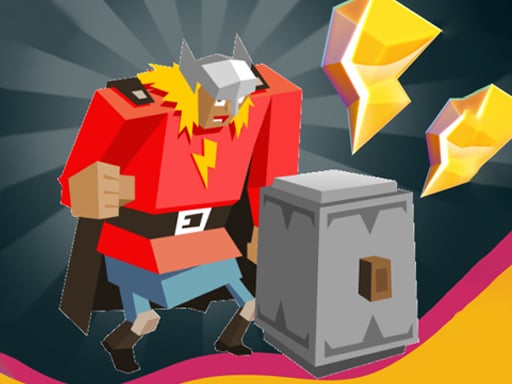
About Hammer Strike
Hammer Strike is a casual 3D puzzle game where players inspect board layouts and rotate shielded characters into position. The central challenge is aligning every ally into the correct angle combination to resolve the board. Once the full formation is set, an activated battle button initiates a hammer strike to eliminate the enemy and advance to subsequent stages.
Hammer Strike presents a clean, three-dimensional spatial puzzle environment centered around alignment and strategic preparation. Each level displays a group of shielded characters facing varying directions relative to an opposing enemy. Instead of relying on real-time reflexes or high-speed inputs, the game emphasizes visual evaluation and steady, deliberate clicks.
The core gameplay loop centers on clicking individual characters to rotate them until the overall combination aligns properly. Solving the puzzle unlocks the battle button, allowing players to launch an attack that defeats the adversary and opens the next stage. This structure balances casual problem-solving with a decisive combat payoff, making each encounter straightforward to navigate while encouraging careful observation of angle orientations.
Your goal
The primary objective in Hammer Strike is to adjust each shielded ally to its required orientation, forming the correct angle combination to activate the battle button. By pressing the button once unlocked, players destroy the stage enemy and successfully clear the level to unlock the next puzzle layout.
How to play Hammer Strike
1. Inspect the stage layout to see how the shielded characters and the enemy are positioned.
2. Click on any shielded character to rotate its facing direction incrementally.
3. Repeat rotations across all friendly units until the entire group matches the correct angle combination.
4. Observe the battle button or hammer button activate once the alignment requirements are satisfied.
5. Click the battle button to start the fight, defeat the enemy, and proceed directly to the next level.
Controls and device support
Click directly on the shielded characters to rotate them into the proper angle, and click the battle or hammer button once it activates to launch your attack.
- Controls: See in-game controls
- Device support: Browser
- Game frame: 1600 x 900
Rules to keep in mind
- Clicking an object rotates its orientation to let you test different angle combinations.
- The battle button remains inactive until all puzzle components reach their designated angle combination.
- Clicking the activated battle button initiates combat, destroys the enemy, and grants access to the next level.
What makes the challenge interesting
The core appeal of Hammer Strike rests on spatial deduction and angle recognition. Because the game does not demand twitch reactions, success comes from reading how individual units orient toward the target. Each character functions as a rotational puzzle piece, requiring players to visualize how line-of-sight or defensive fronts fit together before triggering combat.
The central tradeoff involves fast trial-and-error clicking versus methodical inspection. Rapidly cycling through orientations can occasionally reveal a solution, but deliberate checking of each piece's relationship to surrounding allies prevents disorienting back-and-forth adjustments. When the correct combination is achieved, the sudden switch from calm alignment to a conclusive hammer attack provides a tidy resolution to the challenge.
Tips for Hammer Strike
- Examine the enemy position before clicking randomly. Haphazard turning can muddle your sense of direction, whereas picking an anchor angle helps clarify how neighboring shields should face.
- Rotate a single unit through a complete turn to count its distinct orientations. Missing an intermediate position can stall progress, so understanding the rotation increments keeps testing organized.
- Watch the battle button after every rotation. Assuming a stage requires more turning after the hammer button has already activated risks undoing a valid solution by mistake.
- Work systematically across the board from one side to the other. Jumping erratically between characters makes it easy to lose track of which angles you have already evaluated.
Stages and progression
Advancement in Hammer Strike is organized across distinct stages. When you successfully align the shielded units and activate the hammer button, the active enemy is destroyed and the game advances to the next level.
Because the game allows for self-paced interaction, progression is best approached as a practice in pattern recognition. Use early puzzles to observe how shield angles correspond with enemy positions, allowing you to solve later arrangements with fewer unnecessary clicks.
The skills behind the game
Positioned within the casual puzzle genre, Hammer Strike merges static logic challenges with three-dimensional model manipulation. In standard puzzle titles, players evaluate spatial arrangements and align components to satisfy specific matching rules. Hammer Strike emphasizes this core concept by presenting shielded allies that turn along fixed rotational axes, transforming board alignment into a compact spatial exercise.
The casual classification highlights its accessible barrier to entry. Players looking for an unhurried mental warm-up can focus entirely on deducing the right combination without managing complex resource systems or demanding reflexes, making it an easy pick-and-play addition to browser puzzle catalogs.
Who will enjoy this game
Players looking for a hammer strike game or seeking a casual puzzle game online often want an engaging, low-friction experience that fits neatly into brief study or work breaks. Hammer Strike directly answers this search interest by providing an intuitive click-to-rotate format paired with an immediate visual objective.
The game appeals to puzzle enthusiasts who enjoy spatial geometry and sequential deduction. Rather than requiring extensive reading or long commitment, each stage delivers a contained angle riddle followed by an active combat conclusion, making it well suited for casual practice sessions.
Frequently asked questions
How do you know when a puzzle is solved in Hammer Strike? A puzzle is solved when the battle button becomes active. As soon as all shielded allies are rotated into the correct angle combination, this button unlocks so you can trigger the attack.
What happens after clicking the battle button? Clicking the active battle button launches the hammer strike combat sequence, destroying the stage enemy and immediately advancing your game to the next level.
Can you rotate characters back if you click too many times? Yes, clicking an object continues to rotate it incrementally. If you miss the intended angle, simply keep clicking the character to cycle through its positions until it aligns correctly again.
Something not right?
Tell us if the game does not load, the information is wrong or the content needs review.
Report a problem ›