Official listing
Game description
Shooter game, Kill them all
Shooting game
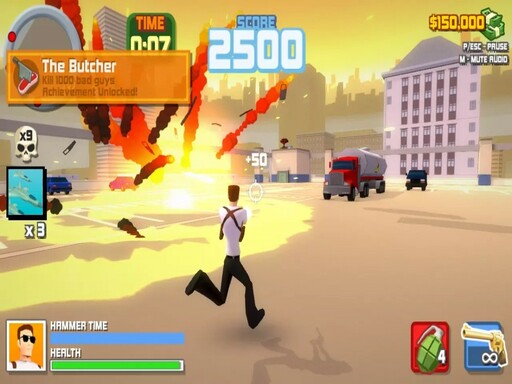
Hammer 2 is a single-player 3D action shooter built for browser play, challenging players to navigate hostile urban spaces and clear out opposing combatants. With a straightforward objective to eliminate hostile forces across the field, the experience delivers immediate tactical shooting engagements where positioning, threat identification, and swift navigation define every confrontation.
Choose Play now to load the game.
Official listing
Shooter game, Kill them all
From the game listing
WASD
Open this card to load the gameplay video.
Hammer 2 is a single-player 3D action shooter built for browser play, challenging players to navigate hostile urban spaces and clear out opposing combatants. With a straightforward objective to eliminate hostile forces across the field, the experience delivers immediate tactical shooting engagements where positioning, threat identification, and swift navigation define every confrontation.
Set within an active 3D combat environment, Hammer 2 places players directly into hostile territory where immediate tactical decisions determine success. The core loop revolves around moving through three-dimensional layouts using directional keyboard controls, surveying the surrounding area for threats, and engaging opposing targets to clear the map.
As a classic shoot 'em up style shooter adapted for a 3D perspective, the game focuses entirely on player reaction and positional awareness. Encounters require balancing steady movement with situational awareness so that incoming threats do not swarm your position while you track and eliminate targets throughout the combat zone.
The primary objective in Hammer 2 is to eliminate all opposing targets encountered throughout each combat engagement. Players work toward maintaining control of the battlefield by methodically clearing hostile forces while actively maneuvering across the 3D space to prevent enemy encounters from overwhelming their position.
1. Launch the game in your browser window and scan the immediate 3D environment for surrounding terrain and visible opponents.
2. Use the WASD keys on your keyboard to navigate through the map and position your character advantageously.
3. Locate hostile targets across the area and align your line of sight toward incoming threats.
4. Engage and neutralize hostile units while continually adjusting your movement to avoid remaining stationary.
5. Patrol the remaining sectors of the environment until all opposing forces have been cleared.
Official game instructions specify using the WASD keyboard keys for movement.
The defining skill in Hammer 2 centers on fluid positional play and tactical spatial awareness. Navigating a 3D shooter using directional inputs demands that players avoid backing into unseen corners or lingering in wide-open corridors where multiple hostiles can converge simultaneously.
Success comes from pacing each push into unfamiliar zones. Instead of charging headlong into dense enemy clusters, effective play involves sweeping perimeters, maintaining clear retreat avenues, and resolving threats in manageable increments. Managing this balance between forward momentum and cautious movement provides an engaging rhythm for fans of direct combat action.
Action shooters and 3D shoot 'em up games occupy a beloved space in browser gaming, delivering fast-paced tactical engagements without requiring elaborate setup. In this genre, players test their spatial awareness, quick reflexes, and navigation skills as they confront hostile units across dynamic spaces.
Hammer 2 exemplifies the straightforward appeal of single-player 3D combat. By pairing real-time keyboard navigation with clear combat objectives, it offers enthusiasts of the genre an accessible arena to practice positioning, map traversal, and tactical target prioritization.
Players looking for a direct shooting game online often prioritize immediate action and responsive controls over complicated menu systems. Hammer 2 answers that preference by offering instant browser-based combat where surviving hostile encounters depends on steady movement and spatial control.
Whether jumping in for a short session of reflexive combat or practicing clean navigation through 3D battle zones, the game provides a focused single-player shooter experience tailored for casual action fans seeking immediate tactical play.
DOOM: Like the legendary action title DOOM, Hammer 2 places players in direct confrontation against hostile forces within 3D combat arenas where active movement is essential. While DOOM is a fully realized first-person shooter renowned for intricate level architecture and expansive weapon arsenals, Hammer 2 offers a streamlined browser-based shoot 'em up experience ideal for quick, casual combat sessions.
What is the primary goal in Hammer 2? The central goal is to clear the combat zone by eliminating all hostile targets encountered across the 3D environment while navigating safely with directional keyboard controls.
How do you control character movement in Hammer 2? Movement is controlled using the WASD keys on a standard desktop keyboard, allowing you to maneuver across three-dimensional combat spaces.
Is Hammer 2 designed for single-player gameplay? Yes, Hammer 2 is structured as a dedicated single-player 3D shooter focused on solo combat encounters against enemy forces.
Tell us if the game does not load, the information is wrong or the content needs review.
Report a problemExplore popular games by category, shared tags and site-wide activity.