About Halloween Mazes
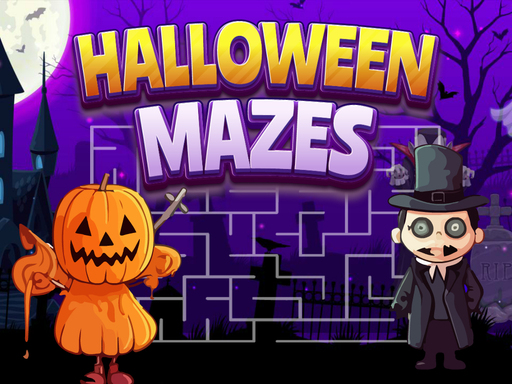
Halloween Mazes is a browser labyrinth puzzle challenge where players race against the clock to navigate a skullball from entrance to exit. Built around twisting corridors and spooky seasonal visuals, the game presents a focused sequence of twelve maze layouts that demand quick route planning, steady steering, and calm decision-making before the remaining time runs out completely.
Halloween Mazes tasks players with guiding a rolling skullball across enclosed labyrinth boards filled with sharp turns, deceptive dead ends, and continuous corridors. Each puzzle opens with your token situated at the maze entrance and a clear destination marked at the exit. The central challenge stems from the active countdown: rather than wandering leisurely through the pathways, you must scan passages rapidly and maintain fluid movement to cross the finish line before time expires.
The game comprises twelve distinct puzzles that test both spatial reasoning and hand-eye coordination. Because the skullball responds directly to arrow keys, a mouse, or a touchpad, the experience balances visual route scouting with prompt physical input. Successfully escaping one labyrinth sets up the next layout, creating a straightforward and engaging loop of pathfinding and time management that casual puzzle enthusiasts can pick up immediately.
Your goal
Your objective in Halloween Mazes is to guide the skullball from the starting entrance to the designated exit in each labyrinth before the countdown timer hits zero. Completing all twelve maze puzzles is the ultimate benchmark of success, requiring you to minimize backtracking, anticipate intersections ahead of time, and keep your navigation crisp under consistent time pressure.
How to play Halloween Mazes
1. Examine the maze board at the start of the level to locate both the skullball entrance and the target exit.
2. Trace an initial pathway with your eyes toward the exit to identify open corridors and obvious dead ends before moving.
3. Steer the skullball into the maze using your keyboard arrow keys or by guiding it with your mouse or touchpad.
4. Monitor your remaining time while maintaining momentum through turns and avoiding lingering in blind alleys.
5. Reach the maze exit before the clock runs out to complete the stage and advance through the twelve featured puzzles.
Controls and device support
Navigate the skullball using the keyboard arrow keys or guide it toward the exit using a mouse or touchpad.
- Controls: Keyboard
- Device support: Desktop + mobile
- Game frame: 800 x 450
Rules to keep in mind
- The skullball must travel from the starting entrance to the designated exit of each maze.
- Every puzzle is governed by an active clock, requiring you to find a complete path before time expires.
- Emerging victorious requires successfully solving all twelve individual maze puzzles.
What makes the challenge interesting
The heart of Halloween Mazes lies in the tension between visual forward-planning and physical execution speed. In standard maze games without an active clock, players can leisurely explore branching corridors, hit dead ends, and backtrack without consequences. Adding a strict race against the clock transforms every decision into a fast tradeoff: pausing to scan two turns ahead saves you from wasting seconds in a cul-de-sac, but stopping too long consumes the exact time needed to reach the goal.
Steering the skullball demands steady directional inputs, whether you prefer the discrete precision of keyboard arrows or the continuous motion of a mouse or touchpad. Maintaining a rhythm where your eyes stay one corner ahead of your current token position helps you execute turns cleanly without bouncing off corridor walls, giving the game a fast-paced yet methodical puzzle rhythm.
Tips for Halloween Mazes
- Scan the exit backward toward the entrance during your first second on the board. Finding which corridor feeds directly into the exit prevents wasting time down long deceptive pathways.
- Keep your eyes focused slightly ahead of the skullball rather than directly on it. This habit allows you to anticipate upcoming intersections and make turns without abrupt halts.
- Turn back immediately the moment you notice a dead end ahead. Hesitating or rolling all the way to a closed wall wastes precious seconds that you cannot recover.
- Choose the input method that gives you the highest steering consistency. Keyboard arrows offer reliable perpendicular steps, whereas a mouse can facilitate rapid sweeps through open straightaways.
Stages and progression
Halloween Mazes is structured around a discrete campaign of twelve puzzles. Rather than offering an endless procedural labyrinth, the defined 12-stage goal gives players a concrete path toward overall victory. Each new maze presents a fresh floor plan with alternative twists, branches, and lane configurations designed to challenge your spatial awareness.
To conquer all twelve puzzles, cultivate a calm and repeatable practice strategy. If an unfamiliar board causes you to run out of time, use that attempt to memorize tricky fork placements and false paths. Approaching subsequent levels with earlier visual reconnaissance and cleaner turning technique will help you clear the full board sequence comfortably.
Playing on different devices
Halloween Mazes accommodates multiple input styles on desktop and mobile platforms. On a desktop computer, players can steer the skullball using keyboard arrow keys for deliberate grid-aligned movement, or guide it smoothly across pathways with a mouse cursor. Laptop users can utilize a responsive touchpad to steer along corridors without needing dedicated peripherals.
Because the game operates in standard HTML5 canvas dimensions, touchscreen and mobile users can enjoy intuitive guidance across the maze surface. Experimenting with different control schemes during early stages is recommended to determine whether tactile key taps or fluid pointer dragging feels more accurate under time limits.
The skills behind the game
As a member of the puzzle and board game genres, Halloween Mazes emphasizes systematic pathfinding and spatial problem-solving. Traditional maze puzzles have long entertained players in tabletop and pen-and-paper formats, relying on pattern recognition and the mental filtering of dead ends. Transitioning this format into digital HTML5 browser play introduces active time limits and responsive motion, transforming static line-tracing into an exciting dexterity exercise.
The atmospheric Halloween motif provides engaging visual styling while keeping the underlying puzzle mechanics clean and readable. Players who enjoy classic board puzzles and bite-sized navigation tests will find that the game provides quick mental stimulation, making it an ideal choice for short cognitive warm-ups or casual gaming breaks.
Who will enjoy this game
Players looking for halloween mazes or a halloween mazes game typically want an accessible, seasonally themed challenge that tests navigation without cumbersome setup. The combination of an animated skullball, clear corridor walls, and an urgent race against the clock answers that search intent directly, providing straightforward puzzle-solving that runs immediately in any modern web browser.
For casual gamers seeking a quick puzzle game online, Halloween Mazes provides a bite-sized experience centered on speed and spatial agility. With its twelve-level journey and multiple supported control styles, it delivers a satisfying blend of path discovery and timing practice that suits both quick solo sessions and relaxed seasonal entertainment.
Frequently asked questions
How many puzzles are included in Halloween Mazes? Halloween Mazes features twelve puzzles. Your overarching objective is to clear all twelve stages by guiding the skullball to the exit before the timer runs out.
What controls can I use to move the skullball? You can steer the skullball using the keyboard arrow keys, or guide it along the maze pathways using a mouse or touchpad.
What happens if the timer runs out before reaching the exit? Because the game requires racing against the clock to find a path before time expires, running out of time prevents completing the stage, prompting you to retry the puzzle.
Something not right?
Tell us if the game does not load, the information is wrong or the content needs review.
Report a problem ›