Official listing
Game description
Try and create the ultimate Halloween item by merging 3 or more like items to create a higher level item. Try to combine as many items as you can to prevent the board from filling up.
Puzzles game
Halloween Craft is a holiday-themed puzzle game where players place items to match and merge identical objects. By combining three or more matching pieces on the board, you produce higher-level items while striving to create the ultimate Halloween creation. Manage your available space carefully to prevent the board from filling up completely as you play.
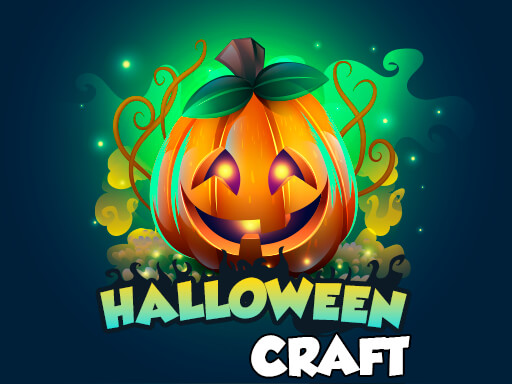
Choose Play now to load the game.
Official listing
Try and create the ultimate Halloween item by merging 3 or more like items to create a higher level item. Try to combine as many items as you can to prevent the board from filling up.
From the game listing
Tap or click a location to place the item shown in the Next box
Open this card to load the gameplay video.
Halloween Craft is a holiday-themed puzzle game where players place items to match and merge identical objects. By combining three or more matching pieces on the board, you produce higher-level items while striving to create the ultimate Halloween creation. Manage your available space carefully to prevent the board from filling up completely as you play.
In Halloween Craft, strategic placement is key to maintaining a functional board and advancing your craft collection. The game presents players with upcoming items in a Next box, requiring thoughtful placement on the grid. Whenever three or more identical items touch, they automatically merge together into a single higher-level holiday object. This merging mechanic clears vital room on the playfield, allowing you to continue placing incoming pieces. As you progress through combinations, the challenge lies in balancing current board space with future placements to craft the ultimate Halloween item before the grid becomes completely packed.
The primary objective in Halloween Craft is to forge the ultimate Halloween item by systematically merging three or more matching items into higher-tier pieces. Along the way, your goal is to make as many efficient combinations as possible to keep the board open and prevent gridlock from ending your puzzle run.
1. Check the upcoming item displayed in the Next box before choosing your placement.
2. Tap or click an open location on the board to place the active item.
3. Position identical items adjacent to one another to form groups of three or more like pieces.
4. Trigger automatic merges to generate a higher-level item and free up surrounding grid space.
5. Continue matching and upgrading items to pursue the ultimate Halloween item without filling the board.
Left Mouse Click: Click a location to place the item shown in the Next box
Tap: Tap a location to place the item shown in the Next box
Halloween Craft centers on forward planning and disciplined spatial awareness within a constrained puzzle grid. Because incoming pieces appear one at a time via the Next box, players must anticipate multi-stage merges rather than placing items randomly across the field. Grouping similar items in designated board zones helps facilitate three-piece combinations that open up fresh space. Maintaining open adjacent tiles is crucial, as a crowded board severely restricts where newly drawn items can be deployed, turning each placement into a deliberate tactical decision.
Progression in Halloween Craft revolves around repeatedly merging three or more matching items to unlock higher-tier items until reaching the ultimate Halloween creation.
Halloween Craft fits into the puzzle and match-three genres, blending tile placement with progressive merge mechanics. Puzzle titles of this style challenge players to balance short-term tile clearing with long-term crafting objectives. By incorporating seasonal holiday themes, the game offers a recognizable visual flair alongside the cognitive challenge of spatial organization and grid management.
Players searching for a casual Halloween craft game or an engaging match 3 puzzle game online will appreciate the clean merge mechanics. The straightforward click-to-place system and clear visual upgrade paths make Halloween Craft accessible for quick browser sessions while delivering thoughtful strategic gameplay on every move.
Candy Crush Saga: Like Candy Crush Saga, Halloween Craft utilizes match-three concepts to combine identical items. However, while Candy Crush focuses on swapping adjacent tiles on a fixed board, Halloween Craft requires placing new pieces from a queue onto open tiles to merge them.
Bejeweled: Both games feature grid-based matching of like items. While Bejeweled involves swapping existing gems to clear lines, Halloween Craft revolves around placing incoming items to merge three or more pieces into upgraded holiday objects.
How do you place new items in Halloween Craft? You tap or click any open spot on the board to place the item currently displayed in the Next box.
How do you upgrade items to higher levels? You combine three or more identical items adjacent to each other to automatically merge them into a higher-level item.
What causes the game to end? The game ends when the board fills up completely and you can no longer place the next incoming item.
Tell us if the game does not load, the information is wrong or the content needs review.
Report a problemExplore popular games by category, shared tags and site-wide activity.